
- Mark as New
- Bookmark
- Subscribe
- Mute
- Subscribe to RSS Feed
- Permalink
- Report Inappropriate Content
01-31-2022 12:18 AM


- Mark as New
- Bookmark
- Subscribe
- Mute
- Subscribe to RSS Feed
- Permalink
- Report Inappropriate Content
01-31-2022 12:23 AM
Hi there,
Navigate to:
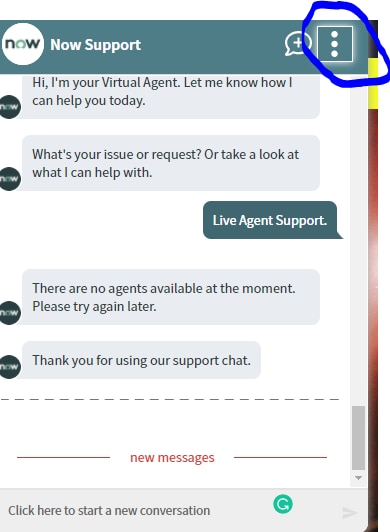
Conversational Interfaces > Branding and Chat Menu, and select the Branding record you are using.
On the Branding record opened, scroll to the Related List "Menu Items", and deactivate the menu items concerned.
Do be aware: even if you don't have any Menu Items, still the vertical three dots will be shown on the Virtual Agent client. You can't change this.
If my answer helped you in any way, please then mark it as helpful.
Kind regards,
Mark
2020, 2021 ServiceNow Community MVP
2020, 2021 ServiceNow Developer MVP
---
- Mark as New
- Bookmark
- Subscribe
- Mute
- Subscribe to RSS Feed
- Permalink
- Report Inappropriate Content
01-31-2022 01:28 AM
Thank you..
- Mark as New
- Bookmark
- Subscribe
- Mute
- Subscribe to RSS Feed
- Permalink
- Report Inappropriate Content
12-06-2023 11:16 AM
Hey Mark, do you happen to know if its possible to hide a menu item in the Support Options if the Virtual Agent is being used on a mobile device without affecting the Virtual Agent web client?
