- Mark as New
- Bookmark
- Subscribe
- Mute
- Subscribe to RSS Feed
- Permalink
- Report Inappropriate Content
02-23-2026 10:41 PM
We have catalog item 'Employee internal transfer' . When employee is transferred from one department to other its user profile details change. Using microsoft entra spoke action 'update user' I can update user's department name, title,location etc but it has no option to update 'manager' . I tried using custom action but it gives errors.
Solved! Go to Solution.
- Mark as New
- Bookmark
- Subscribe
- Mute
- Subscribe to RSS Feed
- Permalink
- Report Inappropriate Content
03-09-2026 11:56 PM
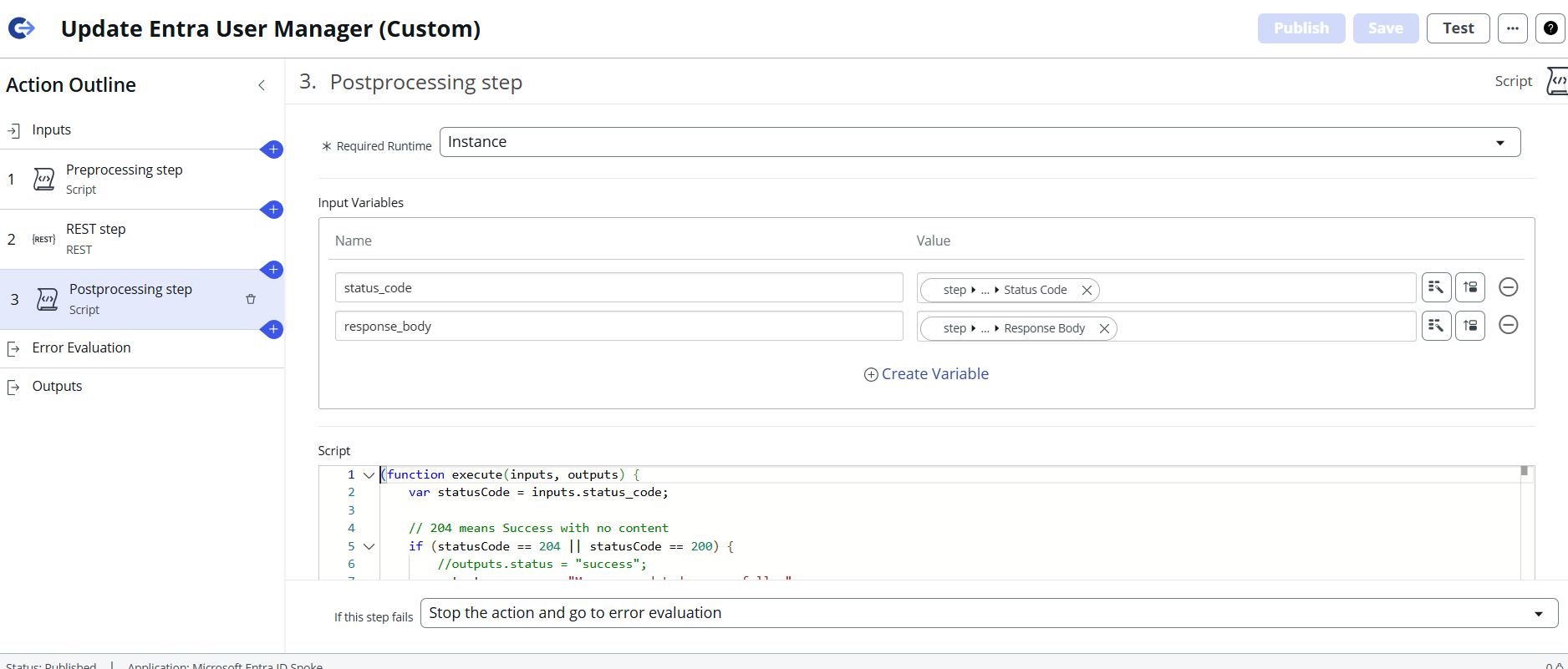
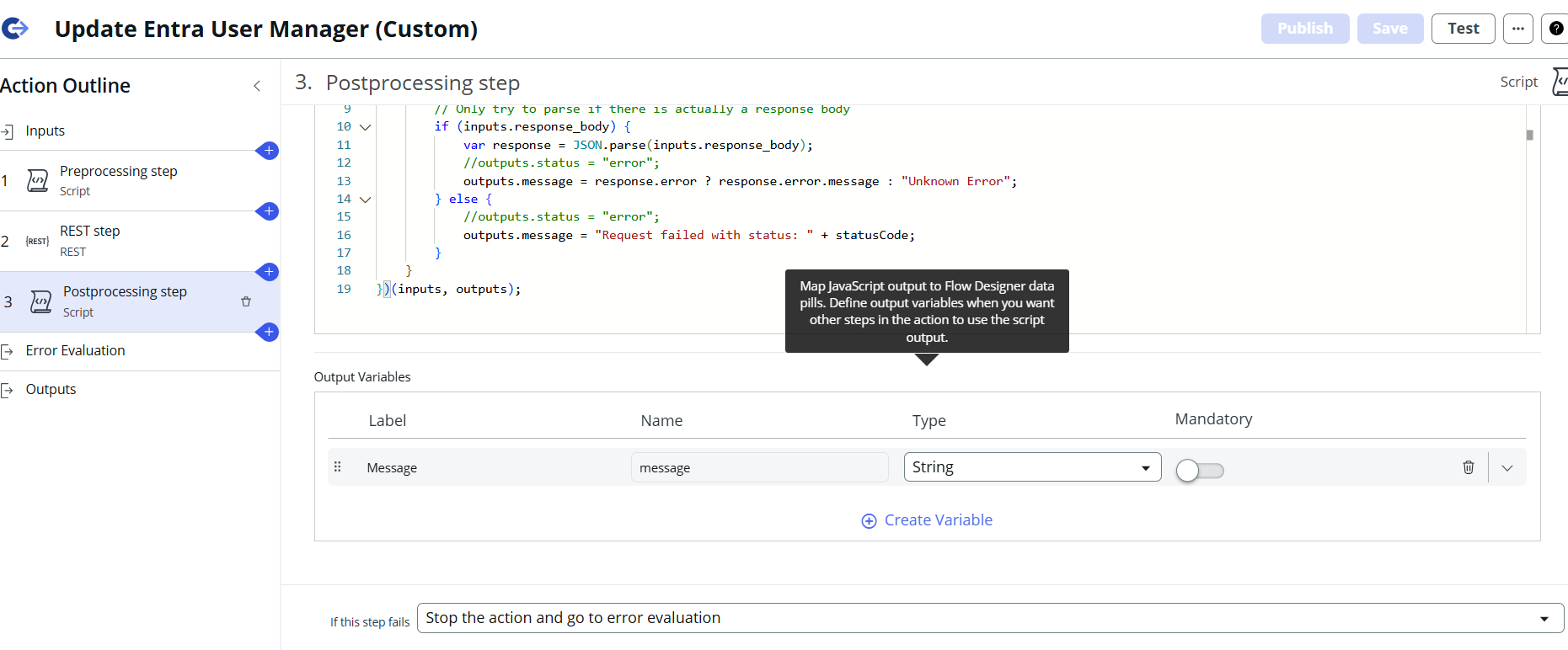
1 - Create new custom action "Update Entra User Manager" in flow designer actions.
2 - Define inputs u_user_id and u_manager_id as string.
3 - In preprocessing step map input variables and add below script :


- Mark as New
- Bookmark
- Subscribe
- Mute
- Subscribe to RSS Feed
- Permalink
- Report Inappropriate Content
02-23-2026 10:51 PM
if that spoke doesn't accept manager as input then you can't do much
Did you check that flow action what it accepts? share screenshots
💡 If my response helped, please mark it as correct ✅ and close the thread 🔒— this helps future readers find the solution faster! 🙏
Ankur
✨ Certified Technical Architect || ✨ 10x ServiceNow MVP || ✨ ServiceNow Community Leader
- Mark as New
- Bookmark
- Subscribe
- Mute
- Subscribe to RSS Feed
- Permalink
- Report Inappropriate Content
02-24-2026 12:20 AM


- Mark as New
- Bookmark
- Subscribe
- Mute
- Subscribe to RSS Feed
- Permalink
- Report Inappropriate Content
02-24-2026 12:36 AM
open that Update User flow action and explore
Ankur
✨ Certified Technical Architect || ✨ 10x ServiceNow MVP || ✨ ServiceNow Community Leader

- Mark as New
- Bookmark
- Subscribe
- Mute
- Subscribe to RSS Feed
- Permalink
- Report Inappropriate Content
02-24-2026 02:02 AM
Hi @SamrudhiK
In our project we are only reading the data using Microsoft Entra ID Spoke and flow designer.
For your case, At Azure end, on the integration credential they have to give Write access.
Calling the Microsoft Entra ID Spoke from a flow will allow for the automation of identity and access management tasks, such as managing users.
The spoke uses pre-built actions to securely connect to Microsoft Graph APIs via OAuth
Regards
Tanushree Maiti
ServiceNow Technical Architect
LinkedIn: https://www.linkedin.com/in/tanushreemaiti