Custom Knowledge Article Template not displaying all fields

- Mark as New
- Bookmark
- Subscribe
- Mute
- Subscribe to RSS Feed
- Permalink
- Report Inappropriate Content
03-12-2024 03:46 PM
Hello all, I'm new to knowledge management and I'm trying to create a knowledge template with some HTML style code. The problem is when I create a new template, one of the fields does not display (yes it is active).
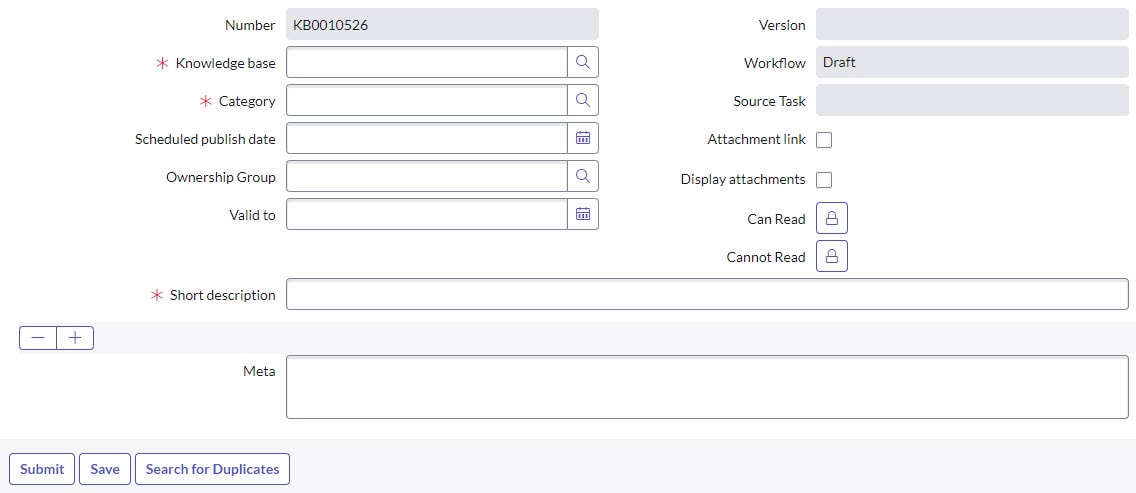
I created a new test template, I took screenshots of all information and settings in the default How To article template (see attached PDF). When I start to create an article from the new template , the middle field is missing and only a + - display (see attached image).
Does anyone know off the top of their heads why?
- Mark as New
- Bookmark
- Subscribe
- Mute
- Subscribe to RSS Feed
- Permalink
- Report Inappropriate Content
03-13-2024 06:14 AM
Did you configure the Form Layout and make sure the desired fields are set to display on the form?
- Mark as New
- Bookmark
- Subscribe
- Mute
- Subscribe to RSS Feed
- Permalink
- Report Inappropriate Content
03-18-2024 10:40 AM
- Mark as New
- Bookmark
- Subscribe
- Mute
- Subscribe to RSS Feed
- Permalink
- Report Inappropriate Content
03-18-2024 10:41 AM
- Mark as New
- Bookmark
- Subscribe
- Mute
- Subscribe to RSS Feed
- Permalink
- Report Inappropriate Content
03-18-2024 10:43 AM
Third time trying to post a response @Vickie Runyon I thought I had - I am attaching a screenshot.