How can I customize the Portal App Shell header, or change the App Shell after Experience creation?

- Mark as New
- Bookmark
- Subscribe
- Mute
- Subscribe to RSS Feed
- Permalink
- Report Inappropriate Content
07-14-2026 02:57 AM
Hello,
I am using Portal App Shell in UI Builder on a Zurich instance.
The Portal App Shell header area is currently displayed as a blank area above the page content. I do not intend to remove the header. I would like to use it as a branding header by displaying a company logo and applying a background color.
The original value of the chrome_header UX Page Property is:
{
"privatePage": {
"userPrefsEnabled": false,
"searchEnabled": false,
"currentScreenLinkConfiguration": {},
"globalTools": {
"collapsingMenuId": 0,
"primaryItems": [],
"secondaryItems": []
}
},
"publicPage": {
"menuEnabled": false,
"searchEnabled": false,
"logoRoute": {},
"actionButtons": []
}
}
I have already tried the following:
- Modifying the JSON value of the chrome_header UX Page Property
- Adding a logo property such as:
"logo": {
"imageSrc": "/approval_request_logo.svg",
"altText": "Approval Portal"
}
- Copying the chrome_header configuration from Service Operations Workspace
- Checking the Experience and Parent App theme settings
However, the company logo and background color were not applied.
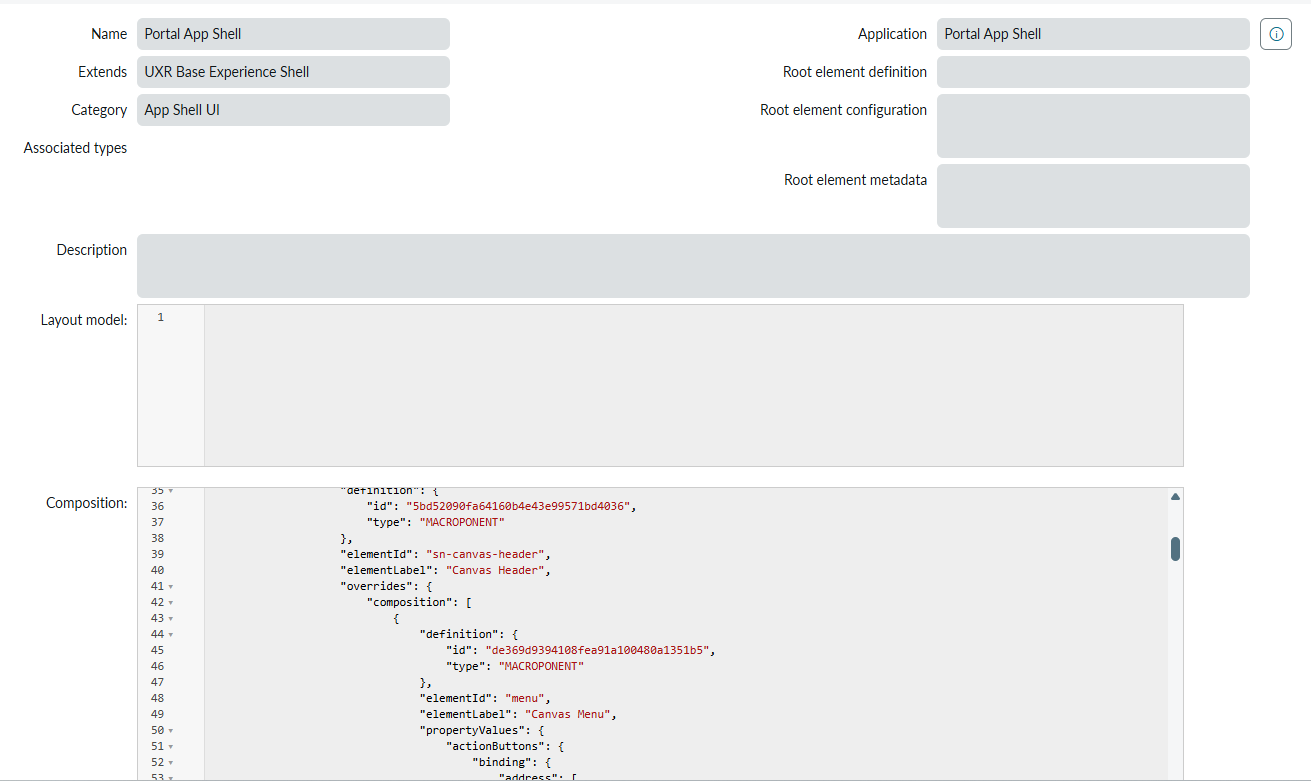
I also confirmed that the Portal App Shell Composition contains the sn-canvas-header element, so the header area appears to be generated by the App Shell itself.
Could you please advise on the supported way to:
1. Display a custom company logo in the Portal App Shell header
2. Change the header background color
3. Use the header as a branding bar without affecting the page content below
My understanding is that the App Shell selected when creating an Experience cannot be changed afterward.
If Portal App Shell does not support the required branding customization, would I need to create a new Experience using a different App Shell?
If so, is there a supported way to reuse, copy, or migrate the pages and configurations from the existing Experience, rather than rebuilding everything from scratch?
Thank you.
- Labels:
-
UI Builder : Next Experience
- Mark as New
- Bookmark
- Subscribe
- Mute
- Subscribe to RSS Feed
- Permalink
- Report Inappropriate Content
07-14-2026 07:06 AM
Hi @XiaolingO,
This mix-up trips a lot of admins because chrome_header is documented and built for the Workspace App Shell family (Agent Workspace, Service Operations Workspace), where the protected sn-canvas-header component actually reads that JSON to render search, notifications, and toolbar items. Portal App Shell's header, which your Composition confirms is wired to the same sn-canvas-header element, does not consume those logoRoute or actionButtons keys the same way. Copying Service Operations Workspace's chrome_header into Portal App Shell just gets ignored, which is why nothing changed no matter how you edited the JSON.
UX Theme Asset (child record on the Theme, sys_ux_theme)
Category: Image
Attachment: your logo file
Asset Properties:
{ "position": "header_logo" }
For Portal App Shell, logo and header branding live on the Theme record, not a page property. In Experience Settings, open Branding and theming, then Advanced settings, and open the theme behind it (create one if it is empty, since your parent app UXR Base Unified App owns it, which is exactly what the "Theme: None" banner in your screenshot is telling you). Add a UX Theme Asset like the one above to drop the logo in, and set the header background through the theme's style panel or CSS custom properties (theming hooks) rather than trying to inject a color into chrome_header.
One thing worth flagging before you touch it: because the theme is inherited from the parent app, any edit rolls out to every experience sharing that app shell and parent app, exactly as the warning banner says. If other experiences ride on the same Portal App Shell, extend the base theme into a sub-theme rather than editing it directly.
- Changing the App Shell after an Experience is created does not have a documented, supported path that I could find. The field is effectively locked once the Experience exists, so I would not chase an unsupported workaround for that.
- Reusing pages across Experiences does have a supported mechanism: mark the page's route as usable across experiences on sys_ux_app_route, then add a UX Cross-experience Route on the new Experience, plus UX App Linked Routes for anything the page depends on. It is proven for workspace-to-workspace reuse, so pilot it with one page before committing to a full rebuild on a different shell.
Happy to dig into it further if you share the theme record you end up creating, or the exact style hook you are trying to override.
Thank you,
Vikram Karety
Octigo Solutions INC