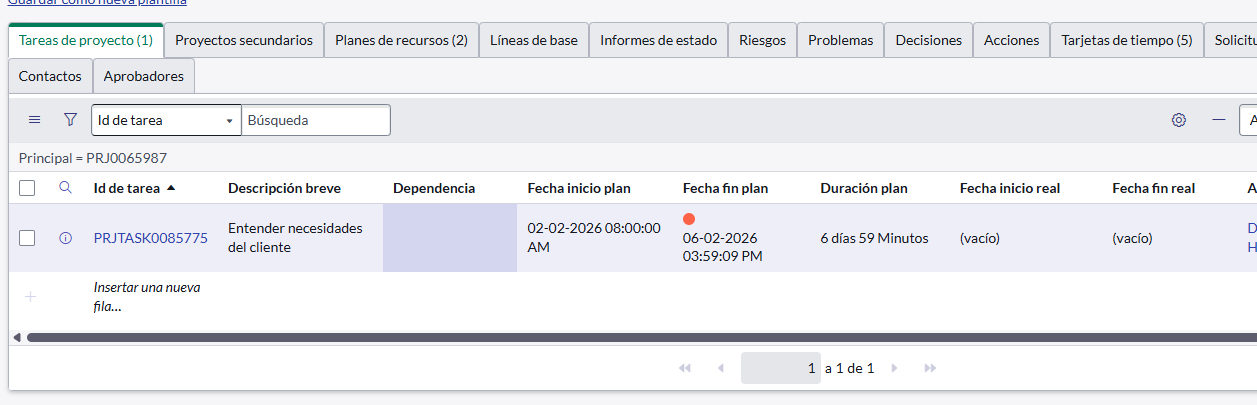
Project Workspace does not save tasks when adding them.

- Mark as New
- Bookmark
- Subscribe
- Mute
- Subscribe to RSS Feed
- Permalink
- Report Inappropriate Content
02-27-2026 11:46 AM
Hi Community,
I'm facing a critical issue with the Project Workspace. While everything works perfectly for users with the admin role, users with only it_project_manager and project_manager roles are unable to create new tasks from the Workspace.
Symptoms:
Details Component Error: The right-side panel displays the message: "The component is not configured" exactly when a newly created row that could not be saved is selected.
Ghost Tasks: Upon refreshing the page, the created tasks disappear because they were never committed to the
pm_project_tasktable.UI16 Works: These same users can create tasks without any issues from the classic interface (UI16).
- Labels:
-
Workspace : Next Experience

- Mark as New
- Bookmark
- Subscribe
- Mute
- Subscribe to RSS Feed
- Permalink
- Report Inappropriate Content
03-01-2026 01:04 PM
Hi @DanielIsaiVela ,
Since admins can create tasks and UI16 works perfectly for your Project Managers, this narrows the issue down to Workspace-specific bugs, corrupted preferences, or Next Experience permissions.
A few steps you can take to troubleshoot and hopefully resolve this:
1.Clear the User Preference (Quick Fix)
Sometimes corrupted grid configurations cause the workspace to fail when rendering or saving a new row. Try resetting this for an affected user:
- Navigate to the User Preferences (sys_user_preference) table.
- Filter for User = [An affected Project Manager].
- Find and delete the record named pm_project_workspace_columns.
- Have the user log out, log back in, and test again.
2.Update the Project Workspace in a Lower Environment
ServiceNow frequently releases patches for UI Builder and grid defects. Try updating the Project Workspace application to the latest available version in a sub-production environment (Dev/Test) to see if this is a known PRB (Problem) that has already been fixed.
3.Raise a Case with Now Support
If checking the above doesn't reveal the root cause or fixing the environment doesn't help, you might be hitting an undocumented platform defect. I'd highly recommend opening a case with Now Support so they can investigate the backend node logs.
Related KB(which you might find helpful) :
Cannot add task in project workspace - The value entered is invalid
If my response helped, please mark it as the accepted solution so others can benefit as well.
Muhammad Iftikhar
If my response helped, please mark it as the accepted solution so others can benefit as well.