Switching OneExtend Capability Definition to Google Cloud AI Studio

- Mark as New
- Bookmark
- Subscribe
- Mute
- Subscribe to RSS Feed
- Permalink
- Report Inappropriate Content
12-29-2025 10:57 PM
Hi Community,
I’m trying to switch the Summarize OneExtend capability definition to Google Cloud AI Studio Chat Completion, but it fails when called from Workflow Studio.
What I configured
Registered the model using an API Key in Generative AI Model Configuration
Linked that model to my OneExtend capability in Generative AI Configuration
Set up the Connection on the OneExtend Capability Definition
Updated the Default Definition on OneExtend Capability to point to the new Google Cloud AI Studio Chat Completion definition
Issue
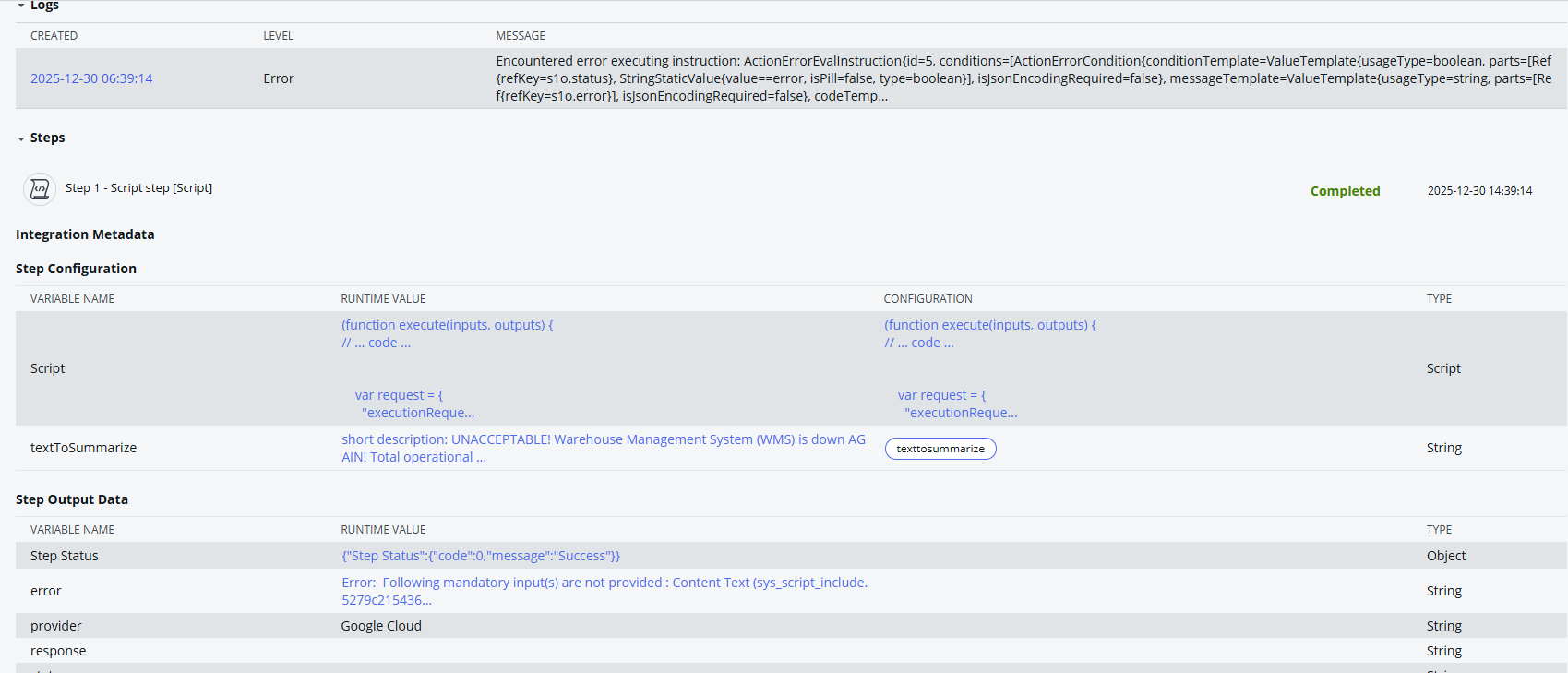
When I run the Summarize action in Workflow Studio, it throws an error.
The error references a Script Include function that checks mandatory inputs (validates whether required inputs are empty), but I can’t identify:
which input is considered mandatory
where the missing “content text” is coming from
What I tried
Checked the Script Include mentioned in the error message
→ it looks like a mandatory input validation function
→ but I can’t find which field is missing from my configuration / workflow inputs
Can anyone help me with this error?
Please let me know if more information is needed. Thanks in advance!
Best,
Ting
- Mark as New
- Bookmark
- Subscribe
- Mute
- Subscribe to RSS Feed
- Permalink
- Report Inappropriate Content
12-29-2025 10:58 PM

- Mark as New
- Bookmark
- Subscribe
- Mute
- Subscribe to RSS Feed
- Permalink
- Report Inappropriate Content
12-29-2025 10:59 PM