Jisamma K

ServiceNow Employee
Options
- Subscribe to RSS Feed
- Mark as New
- Mark as Read
- Bookmark
- Subscribe
- Printer Friendly Page
- Report Inappropriate Content
02-12-2019
01:28 PM
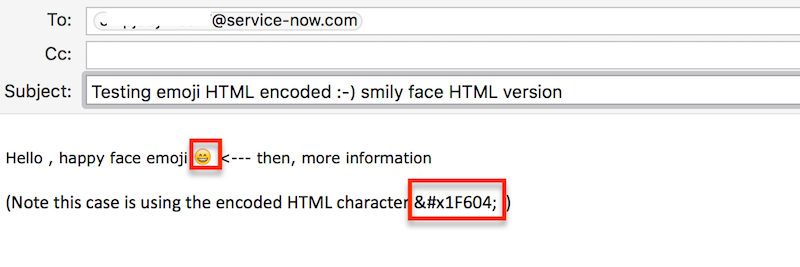
On instances before Kingston, if an email contains special characters, like for example a smiley icon, all content after that character will be missing when stored in the system. This doesn't happen all of the time so it can catch someone off guard if mid sentence, your text gets truncated at the Emoji (😀🤫🤮).
Truncated emojis mid sentence
So why is your text being truncated after using an emoji? Well, the reason for it is because the “String” field type in the platform does not officially support emojis. How to identify your text is being cut off after Emoji usage

If you or your customer tries to edit an email field or journal field and includes a sassy emoji (sometimes known as emoticon) they may find that the text following is cut off or truncated.
How to determine this effects you:
- User types a sentence in email field.
- User inserts Emoji mid sentence.
- All text following emoji does not appear.
What to do when your text after Emojis is being truncated
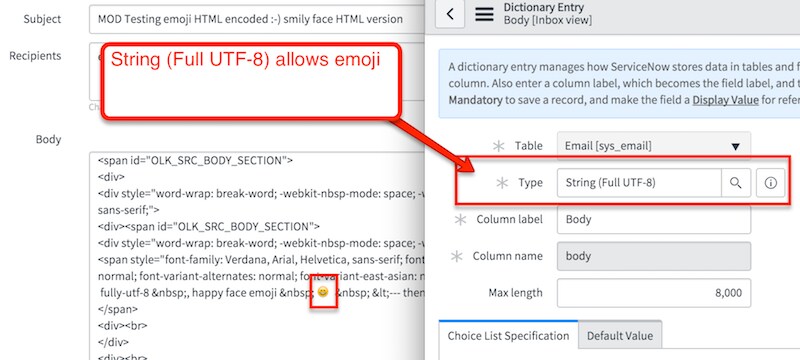
The “String (Full UTF-8)” field type does, and should be used if we expect to use emojis in that field. There is a slightly more overhead when using the String (Full UTF-8) type.
Our email form (sys_email) has support for Four-byte UTF8 Unicode characters on the subject, body, and body_text fields on Kingston releases and newer.

However, if an inbound action or processing is triggered, and the string contains Four-byte UTF8 Unicode characters, you need to ensure your target record fields support Four-byte UTF8 Unicode characters to avoid truncating data on those fields. The field type 'String (Full-UTF8)' is capable of handling the 4-byte emoji's character in all current releases.
Note: Please make sure to change downstream field types everywhere a special characters is expected or need to be retained.
For more information on using Emojis in ServiceNow see:
- Four-byte UTF8 emoji characters cause emails text to be truncated when stored in the database
-
- Unable to support emojis in Journal entries – Workaround is available in Kingston. Pre-K, Journal entries (aka comments/work notes) could not use emojis even with the String (Full UTF-8) field.
- After Kingston, this works by changing specific fields to the String (Full UTF-8) type
- String fields are truncated when an emoji is inserted – work in progress.
- 6,428 Views
6 Comments
You must be a registered user to add a comment. If you've already registered, sign in. Otherwise, register and sign in.