Workspace list default filter

- Mark as New
- Bookmark
- Subscribe
- Mute
- Subscribe to RSS Feed
- Permalink
- Report Inappropriate Content
01-20-2025 02:43 PM
Appreciate any feedback with the following:
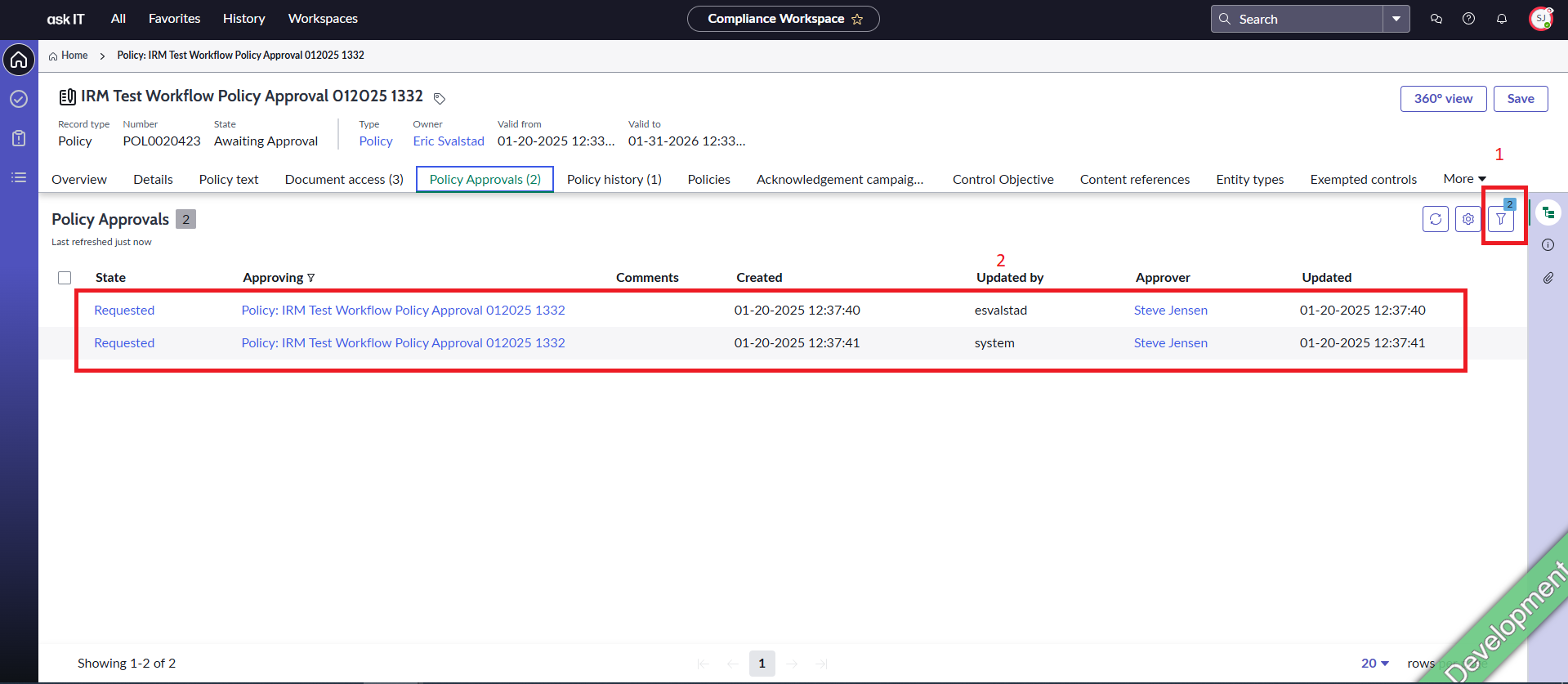
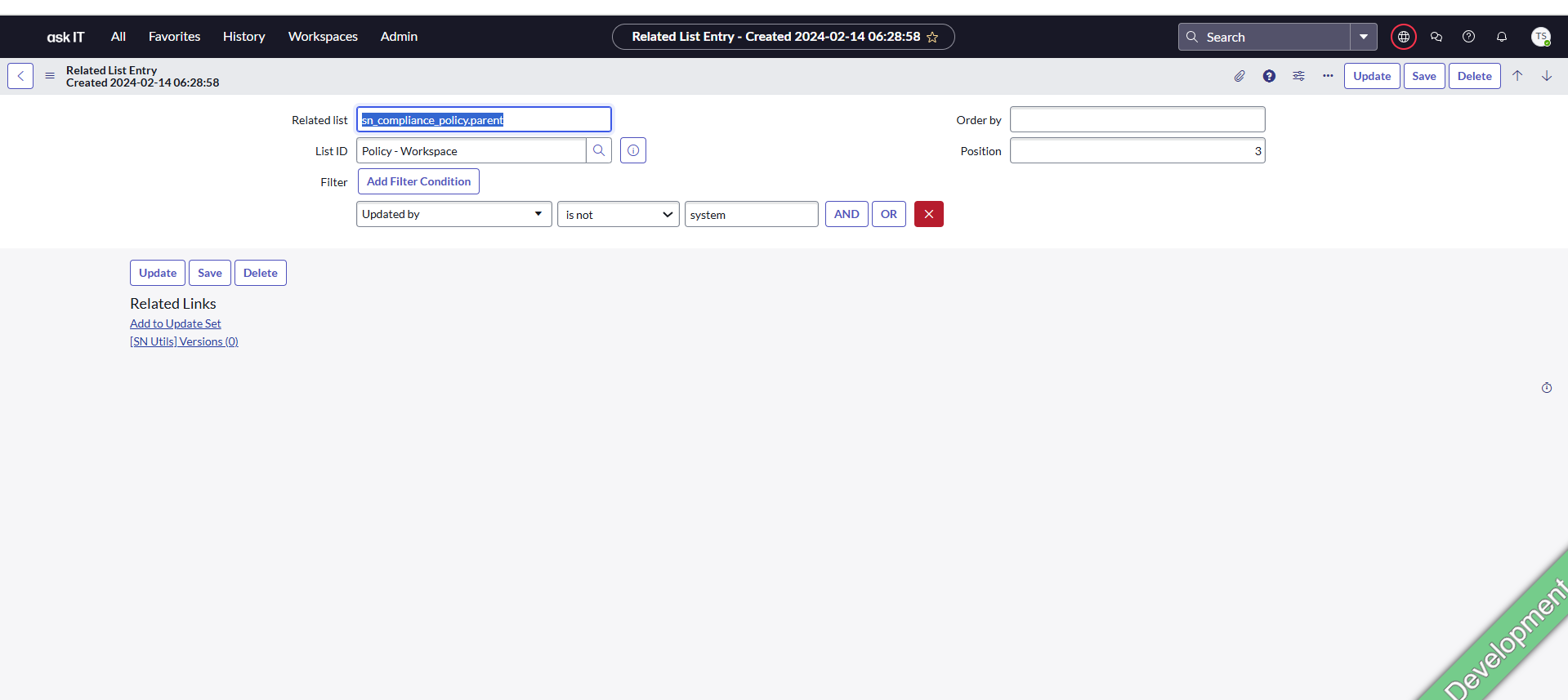
Looking to apply within a Compliance Workspace default list filter (inside of a tab if that makes any difference) with the objective to filter the "Updated By column" to is not "system" for everyone by default. I have it working in Classic view but not in Workspace view (Reference Workspace list default filter 1). I have tried the advanced filter setting in Workspace list default filter, but it does not save to default. I have also tried Related List entry Reference Workspace list default filter 2).
See attached screen shots for more detail.

- Mark as New
- Bookmark
- Subscribe
- Mute
- Subscribe to RSS Feed
- Permalink
- Report Inappropriate Content
01-20-2025 07:42 PM
HI @Timothy Sparks ,
Please follow the steps:
- Open the main record in Default view ( on the native UI NOT on Workspace)
- Then switch to Workspace view
- Navigate to the related list
- Right-click on header menu of the list
- Click on configure list layout
- Add/remove the columns you want in the list view
- Save the list layout
- Refresh the related list columns in Workspace. You will be able to see the changes.
- Mark as New
- Bookmark
- Subscribe
- Mute
- Subscribe to RSS Feed
- Permalink
- Report Inappropriate Content
01-21-2025 11:07 AM
Sandeep
Appreciate your help.
I'm familiar with column configuration but need to add filter to the workspace list. See screenshots.
Looking to apply within a Compliance Workspace default list filter (inside of a tab if that makes any difference) with the objective to filter the "Updated By column" to is not "system" for everyone by default. I have it working in Classic view but not in Workspace view (Reference Workspace list default filter 1). I have tried the advanced filter setting in Workspace list default filter, but it does not save to default. I have also tried Related List entry Reference Workspace list default filter 2).
- Mark as New
- Bookmark
- Subscribe
- Mute
- Subscribe to RSS Feed
- Permalink
- Report Inappropriate Content
01-23-2025 05:28 AM
Sandeep
Do you have any ideas for this to work using UI Builder?
- Mark as New
- Bookmark
- Subscribe
- Mute
- Subscribe to RSS Feed
- Permalink
- Report Inappropriate Content
02-06-2025 04:15 AM
you need to
- open ui builder,
- open the related experience
- open th page where you have the list
- select the list component
- on the right you have the list configuration
and there you have the fixed filter ( fixed, no user changes) and filter ( user can change /remove this filter conditions)