Report to show expired MTTR

- Mark as New
- Bookmark
- Subscribe
- Mute
- Subscribe to RSS Feed
- Permalink
- Report Inappropriate Content
06-12-2025 05:35 AM
Good Morning,
I need help creating a report that shows all tickets that are about to exceed the MTTR.
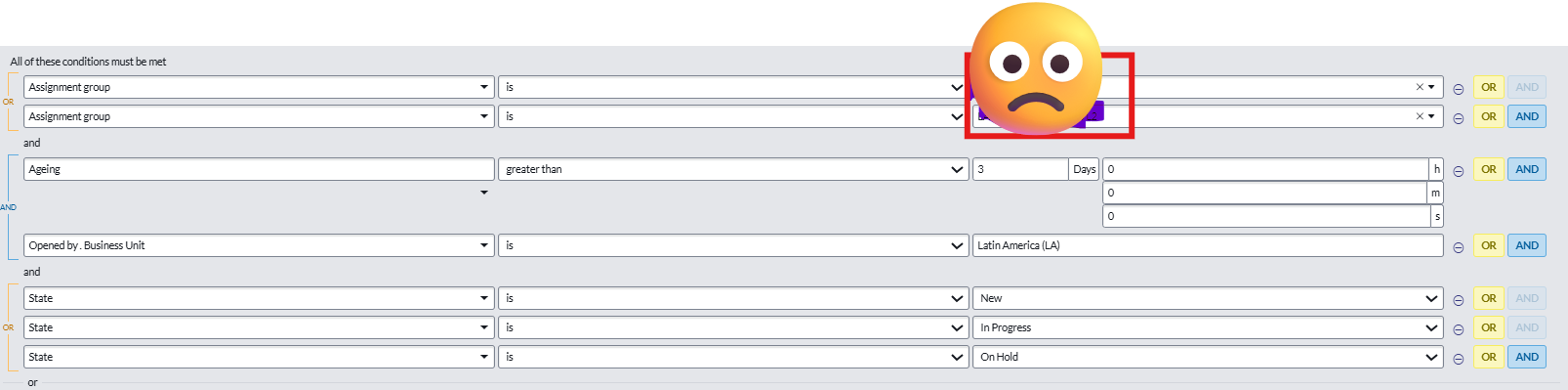
Here is the example I started to create.
I would need everything that was opened since 03/03/2025, where the creation date is older than 3 days and the status is different from closed, resolved and canceled.
I was unable to create this query with the options I found in the wizard.
Can you help me?
Regards,

- Mark as New
- Bookmark
- Subscribe
- Mute
- Subscribe to RSS Feed
- Permalink
- Report Inappropriate Content
06-20-2025 12:03 PM
1. What defines “expired MTTR”?
Usually, “expired MTTR” means the actual resolution time exceeded the target MTTR. If you’re using SLAs (like a “Resolve” SLA), expired MTTR means the SLA is breached.
2. Reporting on SLA Breach:
Go to: Reports > Create New
Table: Task SLA [task_sla]
SLA.name is Resolve (or your MTTR SLA name)
Has breached is true
Add any additional filters (e.g., task type is incident)
Filter:
Display fields like Task.Number, Task.Short Description, SLA.Name, Has breached
3. Reporting on Incident Resolution Time (Custom Calculation):
Go to: Reports > Create New
Table: Incident
Resolved is true
Add a filter: Resolution time > [your MTTR threshold in seconds/hours/days]
Filter:
If you don’t have a field for resolution duration, use a metric, formula field, or script
4. Advanced:
For more complex needs, use SLA Engine, Metric Definition, or a Scripted Report.