UI Builder Workspace

- Mark as New
- Bookmark
- Subscribe
- Mute
- Subscribe to RSS Feed
- Permalink
- Report Inappropriate Content
3 weeks ago
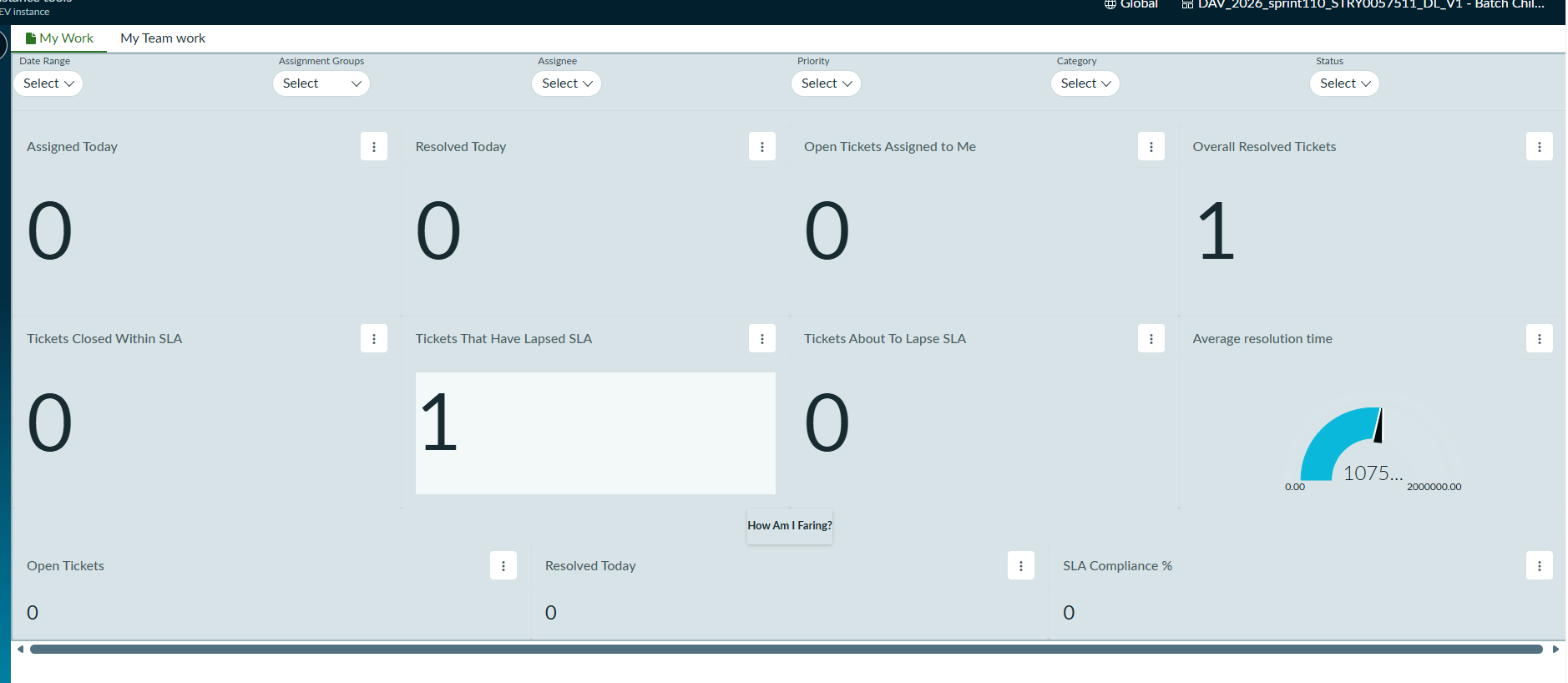
In UI Builder, I have created a workspace dashboard using Data Visualization components, similar to Platform Analytics (as shown in screenshot SS1). I have added page variants that display records from a table and redirect users to a list view (as shown in screenshot SS2).
My requirement is that when a user clicks on a record from the list, the corresponding record should open in its respective form view, similar to the standard Platform Analytics behavior.
I have also tried creating a new page and configuring navigation, but it is not working as expected.
Could you please provide the proper solution and implementation steps to achieve this?
@Ashley Snyder @Brad Tilton @Anubhav Kapoor1 @Ravi Peddineni

- Mark as New
- Bookmark
- Subscribe
- Mute
- Subscribe to RSS Feed
- Permalink
- Report Inappropriate Content
3 weeks ago
Hello @dipalilidhu ,
Worked on similar requirement earlier,
added a simple list component + Event Mapping - Reference Link Clicked :

In Reference Link Clicked > selected Select Destination - Pages in current experience > Also added one custom record-page :


getting the results as :

If my response helped mark as helpful and accept the solution.
- Mark as New
- Bookmark
- Subscribe
- Mute
- Subscribe to RSS Feed
- Permalink
- Report Inappropriate Content
3 weeks ago
Hi @yashkamde ,
I was working on same use case earlier, I'm using Australia release in my instance Simple list component is not available, also in event tab Reference Link Clicked event mapping is not available, I have tried using record list & Row Clicked/ Row Focused event mappings and used open page/url event handler and added a record page, I tried using hardcoded values like table & sys_id for record page but its showing me "page not found".
Can you please help me with it? Thanks in advance 🙂
Best Regards,
Indrajeet
- Mark as New
- Bookmark
- Subscribe
- Mute
- Subscribe to RSS Feed
- Permalink
- Report Inappropriate Content
3 weeks ago
Hi @dipalilidhu,
Is this a custom workspace? If so, could you please share the URL of the page where you are encountering the "Page Not Found" error?
It appears that the record page may not be configured or available in the workspace, which could be causing the issue.
Sharing the URL will help us investigate further and identify the exact cause.
Thanks & Regards,
Harish
- Mark as New
- Bookmark
- Subscribe
- Mute
- Subscribe to RSS Feed
- Permalink
- Report Inappropriate Content
3 weeks ago
Hi @HarishKumar6668 , Australia release in my instance Simple list component is not available, find the URL as an attachments