- Mark as New
- Bookmark
- Subscribe
- Mute
- Subscribe to RSS Feed
- Permalink
- Report Inappropriate Content
06-03-2020 04:57 AM

Can anyone help on how i can pre-set tags so i can just select e.g Tag 1 or Tag 2 and how these can be shared with my team
also if we can report on these tags
TIA
Solved! Go to Solution.
- Mark as New
- Bookmark
- Subscribe
- Mute
- Subscribe to RSS Feed
- Permalink
- Report Inappropriate Content
06-04-2020 10:51 AM
Hi Adil,
The docs for Tag management can be found here.
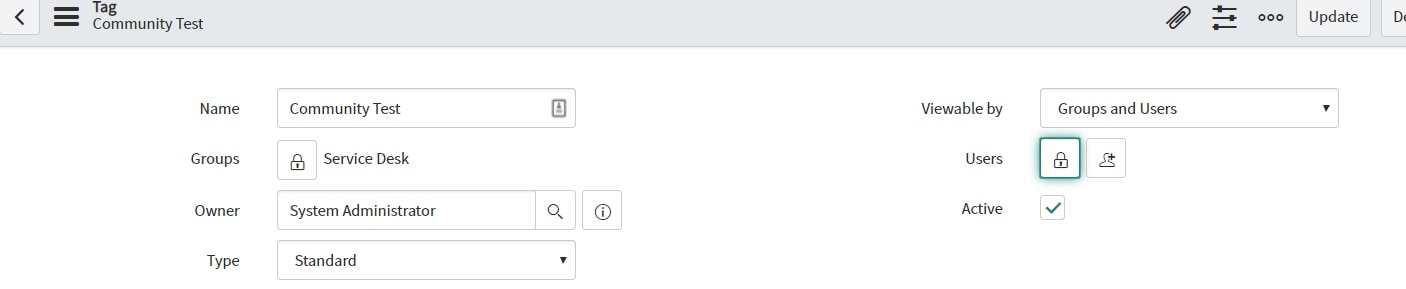
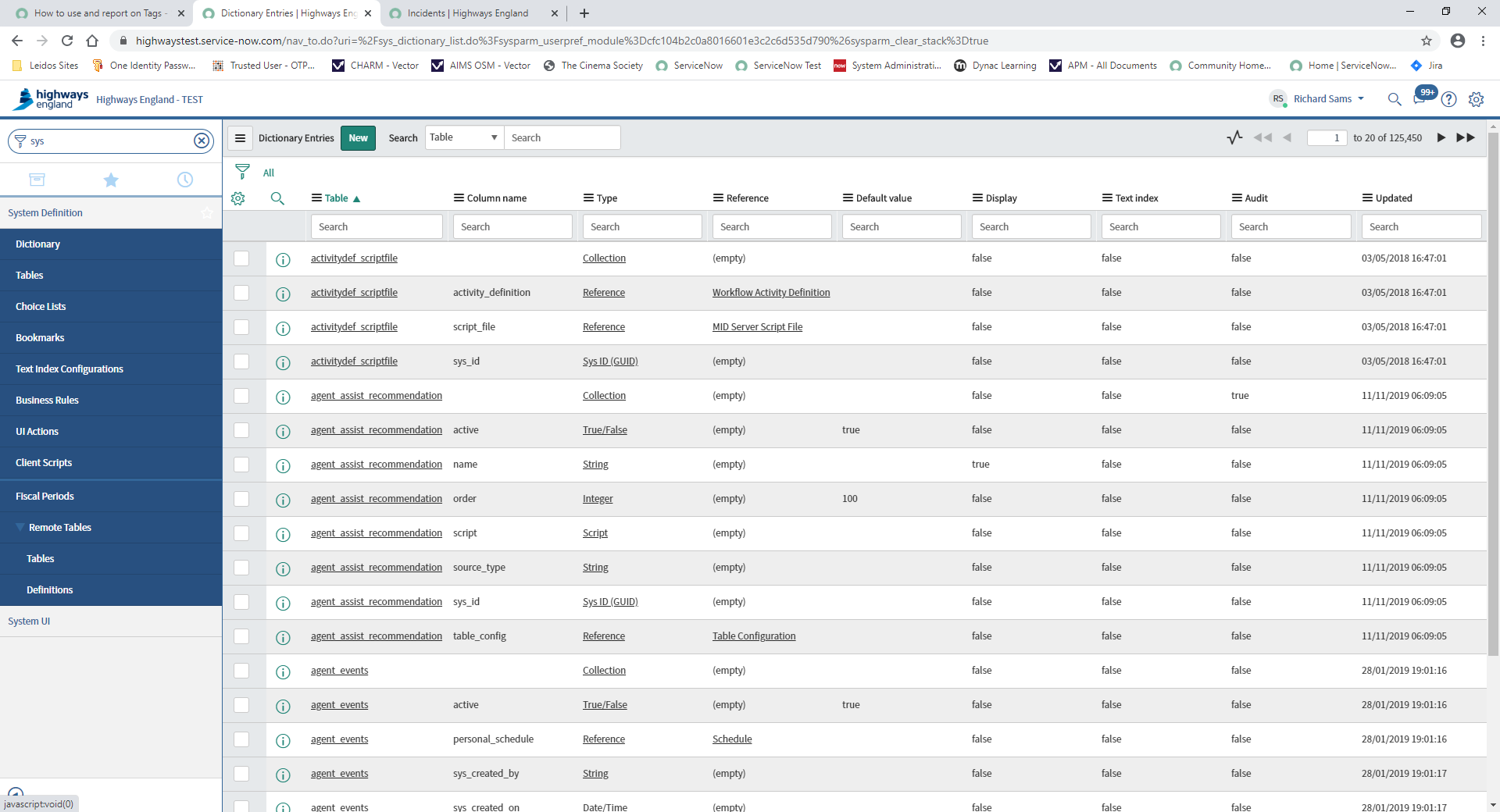
Under the system definition > tags you can find the full list of tags which you can edit, or create a new tag. You can make tags accessible by users in your team by setting the 'Viewable by' field to 'Groups and Users'. Alternatively you can set this to 'everyone' if you want all users to be able to view it.

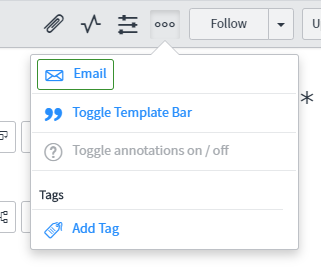
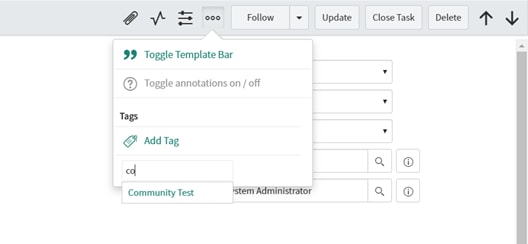
If you click the add tag icon in your screenshot and start typing, any shared tags will appear for you to select like:

You can also create conditions for Tags to assign to tickets automatically - see the 'Configure tags to assign automatically' section of the docs. There is also a great blog by
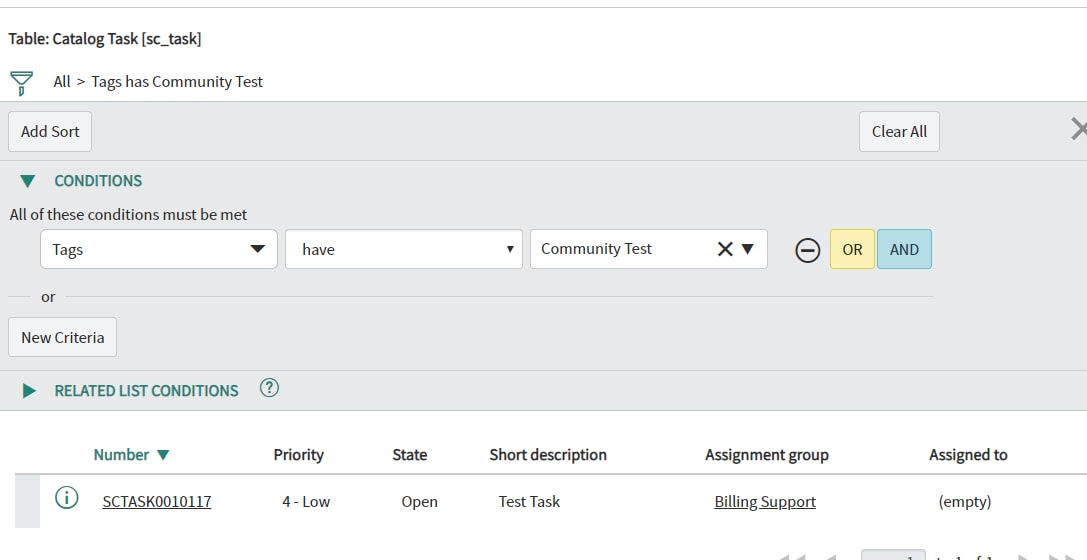
In the reports module you can select 'tags' as an option in the condition builder as so:

I hope this helps, if so please mark the answer helpful or correct.
Thanks
Sam


- Mark as New
- Bookmark
- Subscribe
- Mute
- Subscribe to RSS Feed
- Permalink
- Report Inappropriate Content
06-04-2020 08:23 AM
Tags are maintained in label_entry table.
You can create report on label_entry table to find out all tag information.
Regards,
Sachin
- Mark as New
- Bookmark
- Subscribe
- Mute
- Subscribe to RSS Feed
- Permalink
- Report Inappropriate Content
06-04-2020 10:51 AM
Hi Adil,
The docs for Tag management can be found here.
Under the system definition > tags you can find the full list of tags which you can edit, or create a new tag. You can make tags accessible by users in your team by setting the 'Viewable by' field to 'Groups and Users'. Alternatively you can set this to 'everyone' if you want all users to be able to view it.
If you click the add tag icon in your screenshot and start typing, any shared tags will appear for you to select like:
You can also create conditions for Tags to assign to tickets automatically - see the 'Configure tags to assign automatically' section of the docs. There is also a great blog by
In the reports module you can select 'tags' as an option in the condition builder as so:
I hope this helps, if so please mark the answer helpful or correct.
Thanks
Sam
- Mark as New
- Bookmark
- Subscribe
- Mute
- Subscribe to RSS Feed
- Permalink
- Report Inappropriate Content
06-08-2020 12:50 AM
- Mark as New
- Bookmark
- Subscribe
- Mute
- Subscribe to RSS Feed
- Permalink
- Report Inappropriate Content
06-08-2020 01:43 AM
Hi Adil,
You need either tags_admin or admin role to be able to see the 'tags' module under system definition. If you don't have the tags_admin role, maybe ask you system administrator for the role.
I would also advise amending your screenshot above so that it doesn't show your instance URL
Thanks
Sam