- Mark as New
- Bookmark
- Subscribe
- Mute
- Subscribe to RSS Feed
- Permalink
- Report Inappropriate Content
02-26-2022 04:40 PM
Hello all,
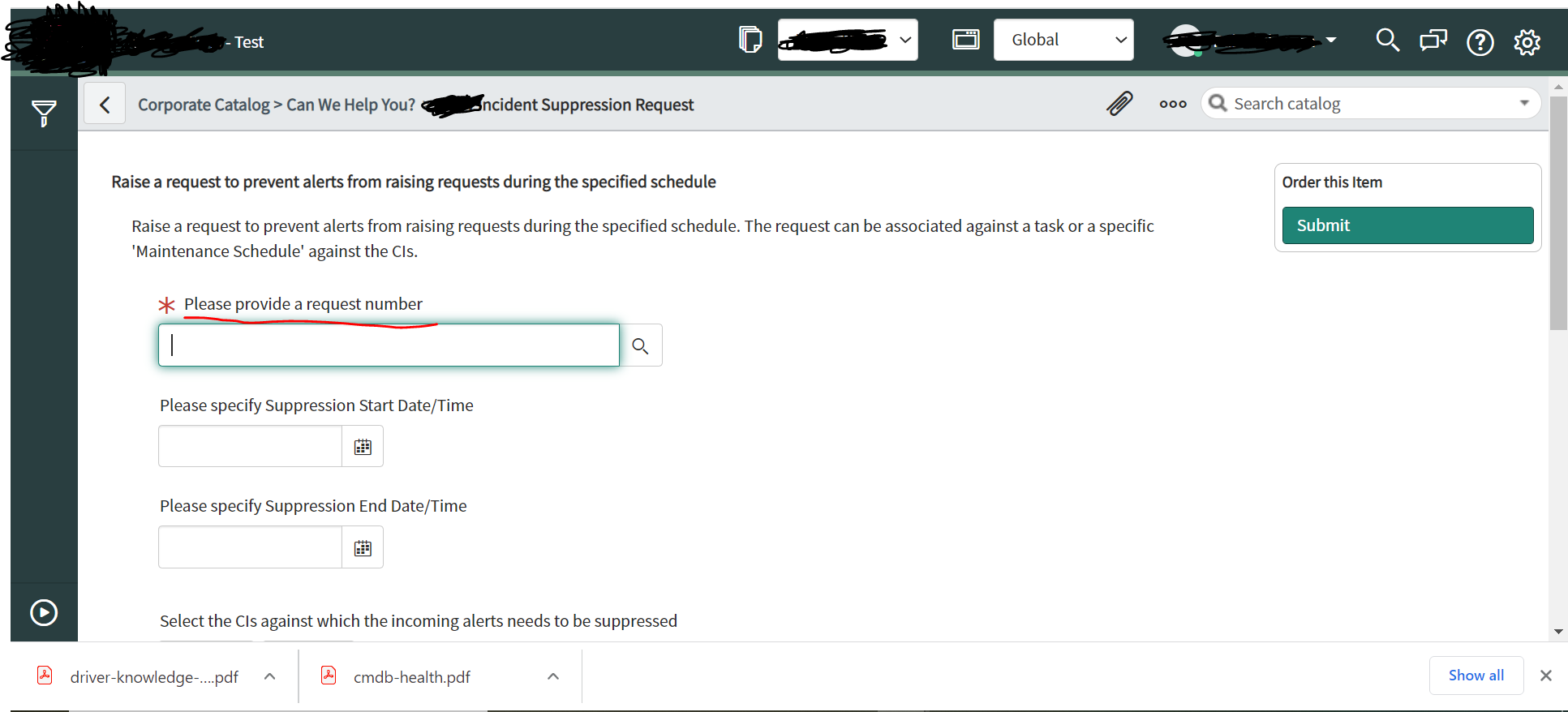
I am trying to populate fields from the incident where I have 'related link' to Service Portal page. The Service portal page has a reference to the task field where I am trying to populate the Incident ID.
So far, I have tried to embed incident record sys_id in the URL and also created 'onLoad' client script but it doesn't work (Followed this approach as mentioned here - https://community.servicenow.com/community?id=community_blog&sys_id=596dea29dbd0dbc01dcaf3231f96190b).

Catalog variable where the 'Incident ID' is required to be populated

UI Action - On the Incident table

OnLoad Client Script (catalog client script)

Any help is greatly appreciated! Let me know in case any further details are required.
Thanks,
Rahul
Solved! Go to Solution.
- Mark as New
- Bookmark
- Subscribe
- Mute
- Subscribe to RSS Feed
- Permalink
- Report Inappropriate Content
03-01-2022 12:16 AM
Yeah I was able to solve it using the following steps :
1. Had forgot to uncheck the "Isolate script" on the catalog client script, so unchecked the option
2. Had to update the URL and replace '&' with '%26' after which I was able to get record sys_id in the URL
Updated UI action looks like below :-
function goToSCat() {
var recordID = g_form.getUniqueValue();
var tmpURL = '/nav_to.do?uri=com.glideapp.servicecatalog_cat_item_view.do?sysparm_id=338aa285dbe9815051df8a1705961930' + '%26sysparm_number=' + recordID;
g_navigation.openPopup(tmpURL);
}


- Mark as New
- Bookmark
- Subscribe
- Mute
- Subscribe to RSS Feed
- Permalink
- Report Inappropriate Content
02-26-2022 09:18 PM
Hi,
line 10 in UI action should be this
var recordID = current.getUniqueValue();
also update the parameter name in UI action
'&sysparm_number=' + recordID;
Regards
Ankur
Ankur
✨ Certified Technical Architect || ✨ 10x ServiceNow MVP || ✨ ServiceNow Community Leader
- Mark as New
- Bookmark
- Subscribe
- Mute
- Subscribe to RSS Feed
- Permalink
- Report Inappropriate Content
02-26-2022 10:03 PM


- Mark as New
- Bookmark
- Subscribe
- Mute
- Subscribe to RSS Feed
- Permalink
- Report Inappropriate Content
02-27-2022 07:56 PM
Hi,
Is it redirecting correctly?
In the URL did you check the sys_id is set to that parameter?
Did you alert the URL in client script?
Regards
Ankur
Ankur
✨ Certified Technical Architect || ✨ 10x ServiceNow MVP || ✨ ServiceNow Community Leader
- Mark as New
- Bookmark
- Subscribe
- Mute
- Subscribe to RSS Feed
- Permalink
- Report Inappropriate Content
03-01-2022 12:16 AM
Yeah I was able to solve it using the following steps :
1. Had forgot to uncheck the "Isolate script" on the catalog client script, so unchecked the option
2. Had to update the URL and replace '&' with '%26' after which I was able to get record sys_id in the URL
Updated UI action looks like below :-
function goToSCat() {
var recordID = g_form.getUniqueValue();
var tmpURL = '/nav_to.do?uri=com.glideapp.servicecatalog_cat_item_view.do?sysparm_id=338aa285dbe9815051df8a1705961930' + '%26sysparm_number=' + recordID;
g_navigation.openPopup(tmpURL);
}