joeykusky

ServiceNow Employee
Options
- Subscribe to RSS Feed
- Mark as New
- Mark as Read
- Bookmark
- Subscribe
- Printer Friendly Page
- Report Inappropriate Content
07-09-2019
01:30 PM
The large majority of the organizations I work with have invested in an Enterprise Collaboration tool. In the market, there are two major players that often come up in conversations - Slack and Microsoft Teams.
ServiceNow IntegrationHub has introduced spokes to integrate with both of these platforms. Both of these spokes are in our IntegrationHub Fremium package, which includes the spokes as well as one-million transactions. If you have a question on this package, please contact your ServiceNow sales team with questions.
In a previous blog post, vNickNow covered integration into Slack with the Blog Post Embedding ServiceNow IT Ops into Slack . In this blog post, I am going to cover integration into Microsoft Teams.
Step 1: Preparing Microsoft Teams
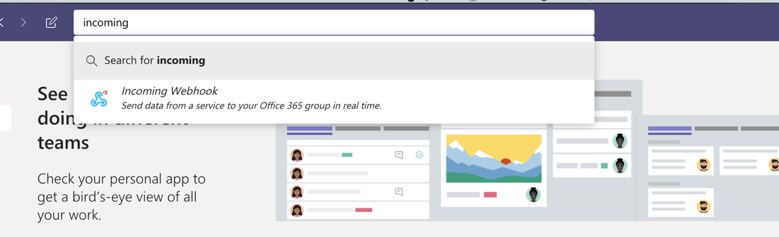
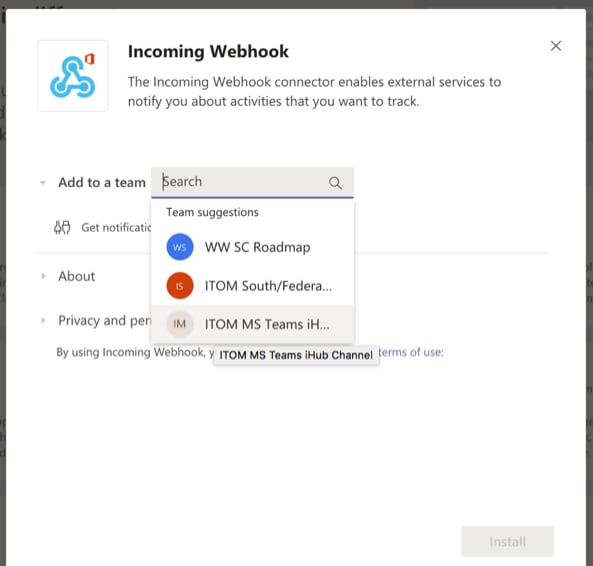
In order to integrate ServiceNow into Microsoft Teams, you will first want to identify a team you want to send messages to. In my example, I created a new team called ITOM ihub MS Teams, although you can use any existing team. Once you have a team identified, you will need to add an app for the incoming webhook. In the Microsoft Teams app, go into apps and search “incoming” to find the Incoming Webhook application.
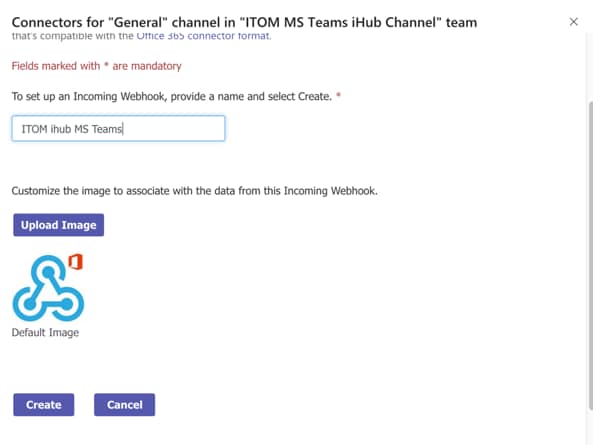
Next you will add a team to the webhook and provide a name
When you have finished creating the webhook, be sure to copy the link for later use in ServiceNow.
Step 2: Preparing ServiceNow
Prerequisites:
- IntegrationHub plugins are installed on the instance you are using. Go to System Definition – plugins and search for “flow” to see all of the plugins listed. All of the plugins starting with the word flow should be in the installed state.
- Ensure your user account in ServiceNow has the flow_designer role assigned. Contact your ServiceNow administrator to request this access.
Step 3: Creating Flows
Example Scenario:
The Security Operations team primarily uses Microsoft Teams for team communication. They have asked about leveraging Microsoft Teams to see incidents in ServiceNow. You want to create a flow that takes all new incidents assigned to the Security Operations assignment group and posts them into a Microsoft Teams Channel.
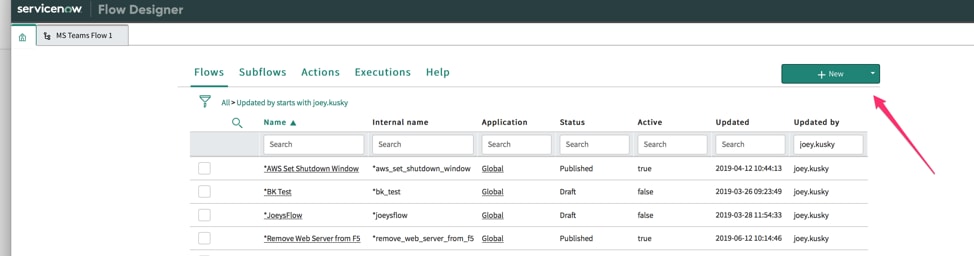
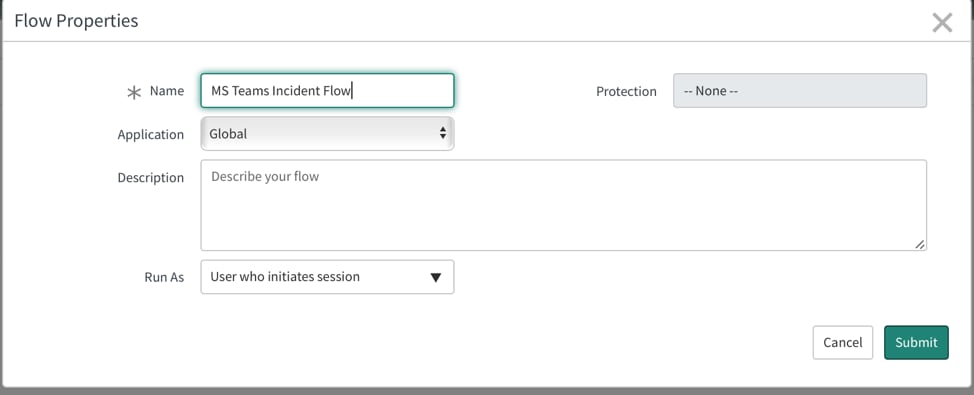
- Open Flow Designer and create a new flow
- Name your flow and add it to the Global
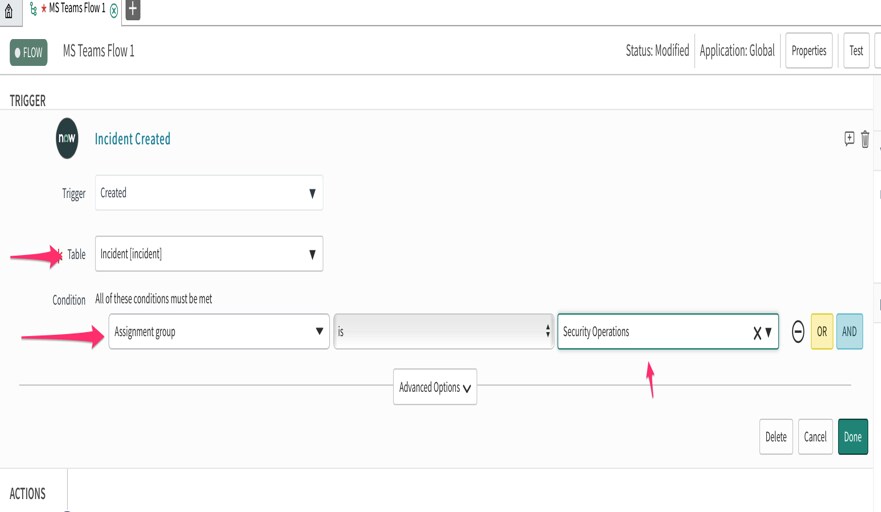
- Create your trigger conditions
- New records (created) on the incident table
- Filter by assignment group – Security Operations
- Create your actions
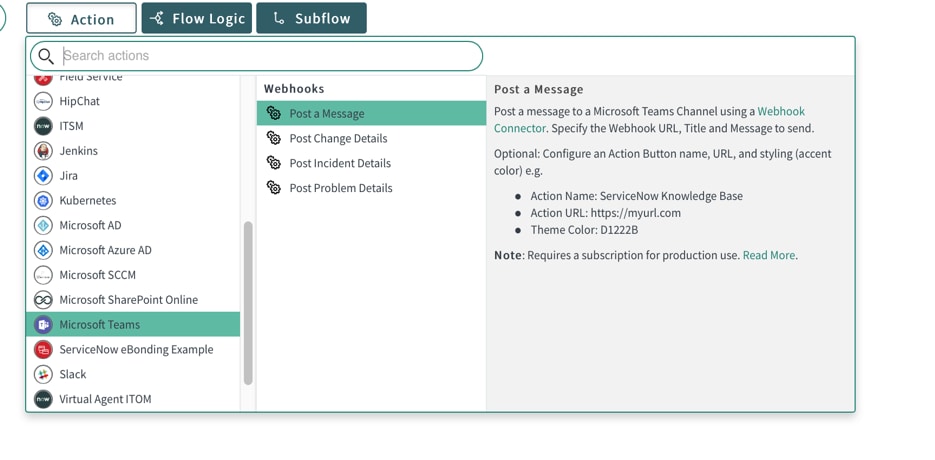
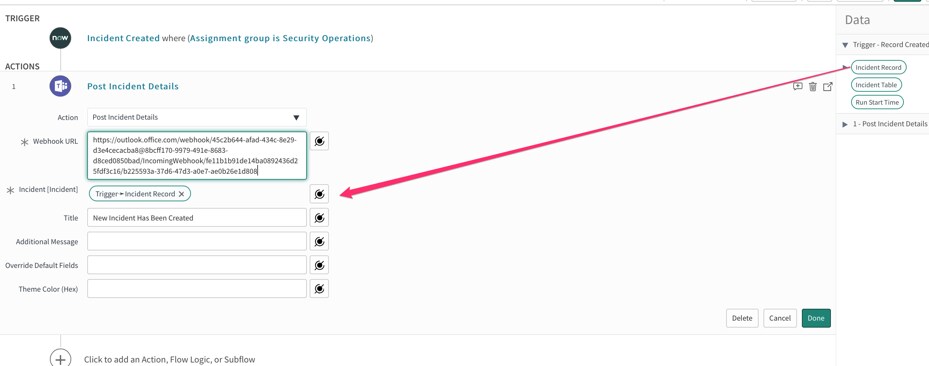
- Under Add an actions select Microsoft Teams and Post Incident Detail
- Add your webhook URL, Drag the Incident Record Pill over to the incident field, and create a title for your post
- Click Done
- Under Add an actions select Microsoft Teams and Post Incident Detail
- Save and Test your flow
- Save the flow
- Identify or create an incident record already assigned to the security operations group and copy that record
- Click the test button on the top right hand of the flow
- Choose your incident record
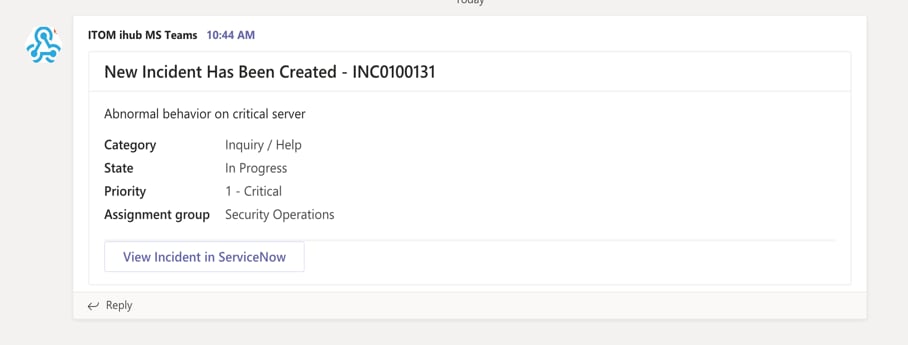
- Watch your Microsoft Teams Channel to see if the test was successful. You should see the following in your channel
Summary
Using the standard Microsoft Teams spoke you can post messages, incident details, change details and problem details into a Microsoft Teams channel creating better collaboration in your enterprise.
In the next blog post, we dive into management of Channels and Teams using the Microsoft Teams Graph Spoke released in the ServiceNow store.
Notes:
Microsoft Teams Documentation
https://docs.servicenow.com/bundle/madrid-servicenow-platform/page/administer/integrationhub/referen...
Slack and Microsoft Teams: Is Enterprise Collaboration a Two Horse Race? https://www.cmswire.com/digital-workplace/slack-and-microsoft-teams-is-enterprise-collaboration-a-tw...
Labels:
- 18,467 Views
10 Comments
You must be a registered user to add a comment. If you've already registered, sign in. Otherwise, register and sign in.