How to hide UI Action Button conditionally on Workspace?

- Mark as New
- Bookmark
- Subscribe
- Mute
- Subscribe to RSS Feed
- Permalink
- Report Inappropriate Content
09-06-2022 08:44 AM
Hi there,
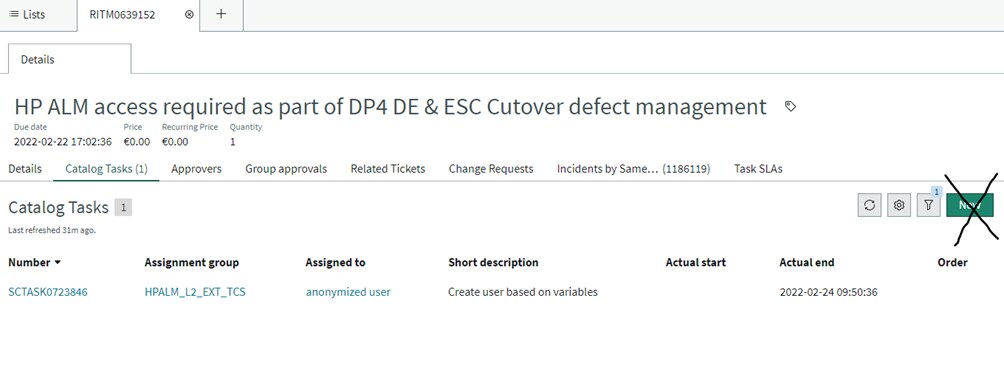
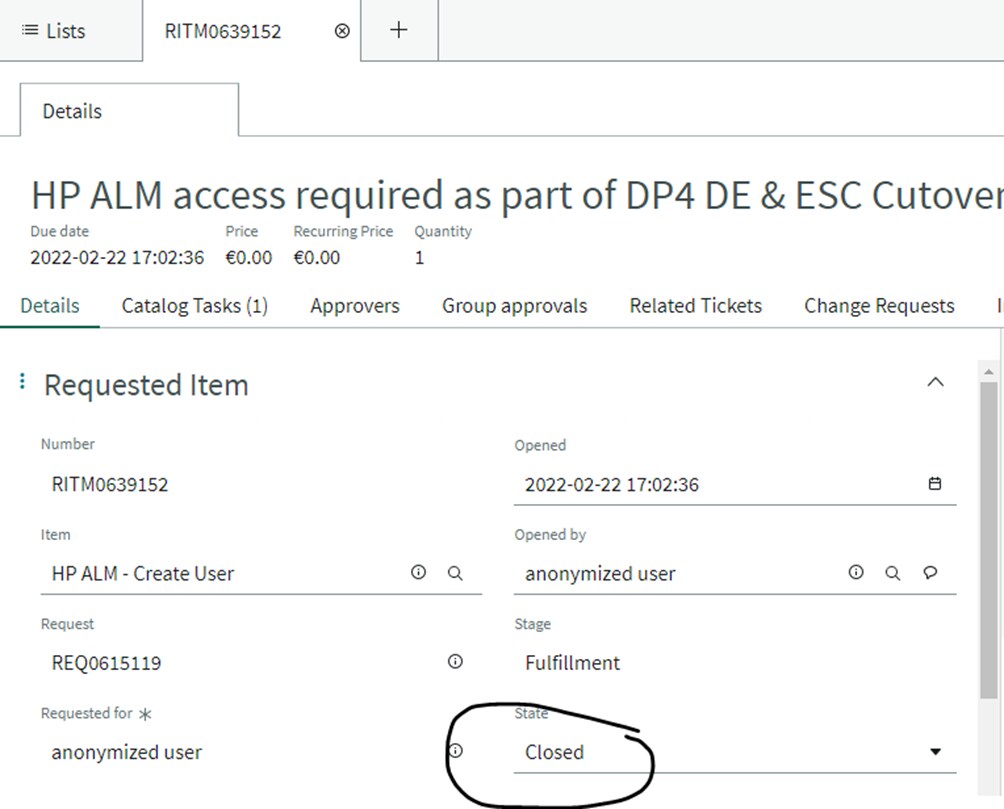
I would like to hide the 'New' button on the Catalog Tasks Form if the corresponding Requested Item is in closed state. Where can I add this condition to the UI Action so that the button is no longer visible on Agent Workspace?
I tried Action Exclusions but that made the button disappear on every task related to requested items.


- Labels:
-
Agent Workspace

- Mark as New
- Bookmark
- Subscribe
- Mute
- Subscribe to RSS Feed
- Permalink
- Report Inappropriate Content
09-06-2022 12:37 PM
Did you try looking under the module: Related List Actions (sys_declarative_action_assignment table).
- Mark as New
- Bookmark
- Subscribe
- Mute
- Subscribe to RSS Feed
- Permalink
- Report Inappropriate Content
09-07-2022 04:08 AM
I did but could not quite figure this one out. What exactly are you suggesting to do? Where in the Related List Action record can I add a condition to check if the state of the corresponding cat item is closed?
Under Action Exclusions, I was able to add the sc_task table, excluded it and made the button disappear but I could not add a condition to it.
- Mark as New
- Bookmark
- Subscribe
- Mute
- Subscribe to RSS Feed
- Permalink
- Report Inappropriate Content
09-08-2022 09:00 AM
I don't see a Save button baseline, so thinking someone added one?
- Mark as New
- Bookmark
- Subscribe
- Mute
- Subscribe to RSS Feed
- Permalink
- Report Inappropriate Content
07-05-2024 04:24 AM
@Dalma P_ll - any solution you got for hiding the new button in related list?