How to hide UI Action Button conditionally on Workspace?

Options
- Mark as New
- Bookmark
- Subscribe
- Mute
- Subscribe to RSS Feed
- Permalink
- Report Inappropriate Content
09-06-2022 08:44 AM
Hi there,
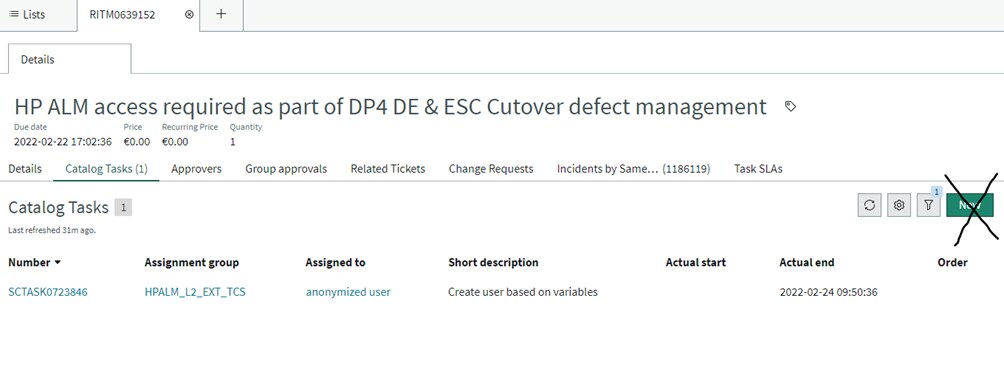
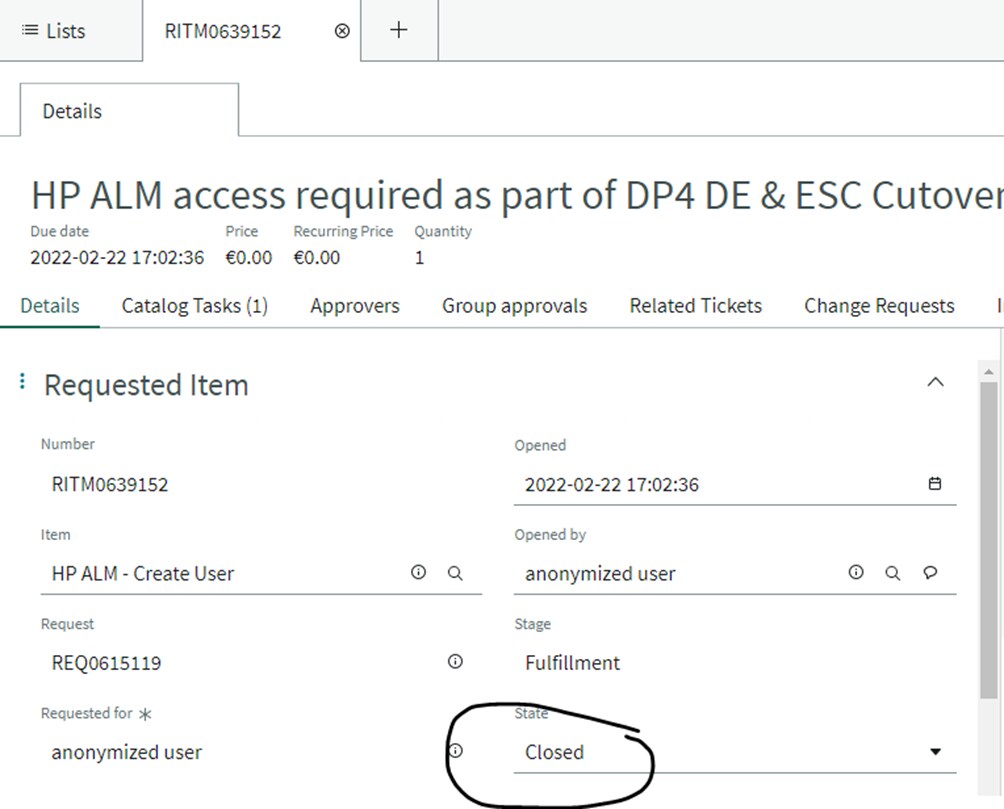
I would like to hide the 'New' button on the Catalog Tasks Form if the corresponding Requested Item is in closed state. Where can I add this condition to the UI Action so that the button is no longer visible on Agent Workspace?
I tried Action Exclusions but that made the button disappear on every task related to requested items.


Labels:
- Labels:
-
Agent Workspace
6 REPLIES 6
Options
- Mark as New
- Bookmark
- Subscribe
- Mute
- Subscribe to RSS Feed
- Permalink
- Report Inappropriate Content
11-10-2022 01:49 AM
Hi,
You can create your own "Related List Action" for the table you need with specific conditions.
Steps:
- Go to Workspace > Related List Actions
- Create a new record (you can use an OOTB record in order to copy some of the fields).
- Save the record and you will see a related link called "Advanced View".
- In this advanced view you can see a new "Conditions" tab where you can add your specific condition.
I hope that helps!
Gonzalo
Options
- Mark as New
- Bookmark
- Subscribe
- Mute
- Subscribe to RSS Feed
- Permalink
- Report Inappropriate Content
07-02-2024 02:28 AM
look