ui action

- Mark as New
- Bookmark
- Subscribe
- Mute
- Subscribe to RSS Feed
- Permalink
- Report Inappropriate Content
03-26-2026 09:39 AM
Hello Everyone,
Thanks in Advance
Madhav
- Mark as New
- Bookmark
- Subscribe
- Mute
- Subscribe to RSS Feed
- Permalink
- Report Inappropriate Content
03-27-2026 09:56 AM
Hello @glideFather
As per your suggestion, I tried enabling the Client checkbox and setting it to true. However, when the Client checkbox was set to true, the action was not working. Due to this issue, I removed the Client checkbox.
Here is the sequence of what I tried:
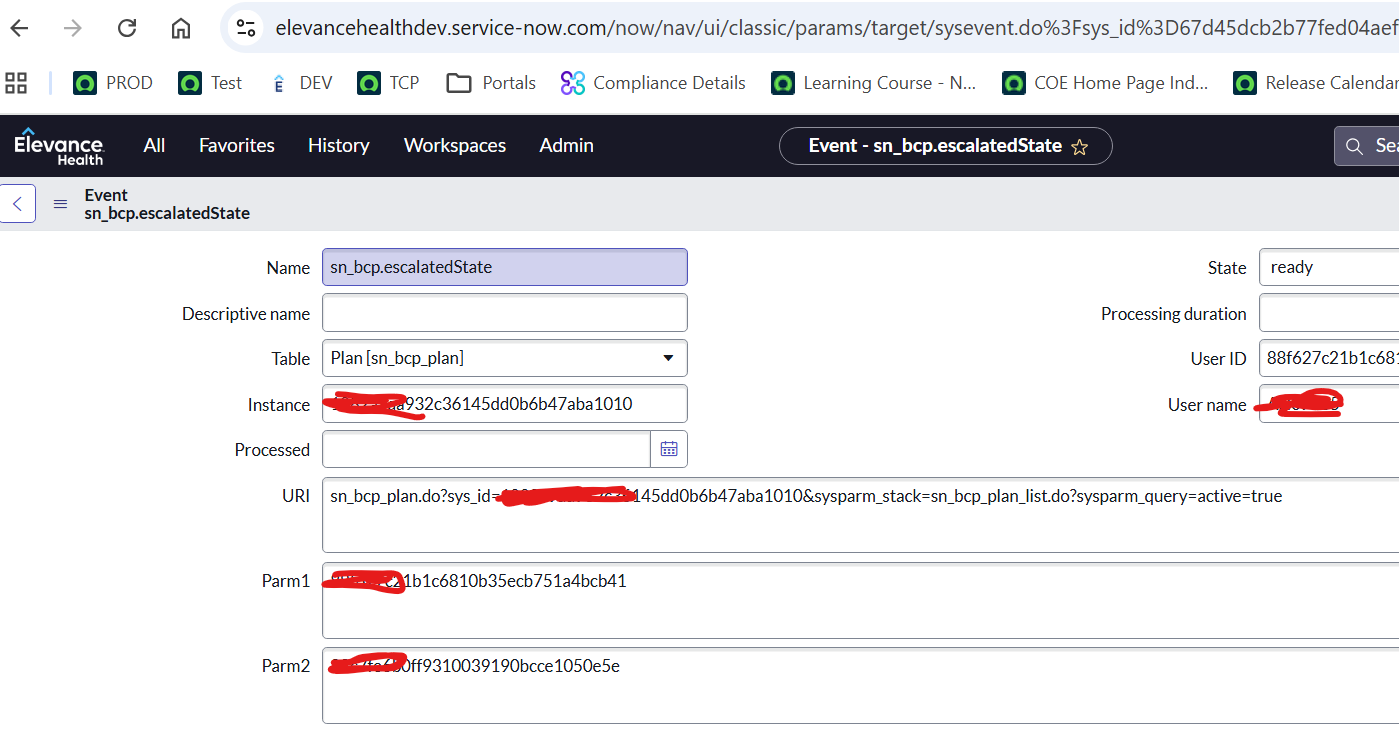
- Records were successfully created in the sysevent_list table, but the issue was that the notification was not triggered.
- In the UI Action script, I provided the event queue name and tested it. Unfortunately, the event was still not triggered. Because of this, I removed the queue name.
- The Escalation button is currently visible on the form view of the sn_bcp_plan table.
I have attached the relevant screenshots for reference.
Could you please review them and let me know where I might be making a mistake?
Thank you.

- Mark as New
- Bookmark
- Subscribe
- Mute
- Subscribe to RSS Feed
- Permalink
- Report Inappropriate Content
03-29-2026 11:10 AM
I don't see any issue :(( just a quick idea - who is the recipient as in the Who will receieve tab?
It must be an active user defined there, otherwise there's nothing to send..
Can you review that, @madhavraj89?
✂-----Cutting-out-the---✦AI-noise✦---All-replies-written-and-vouched-for-by-GlideFather---