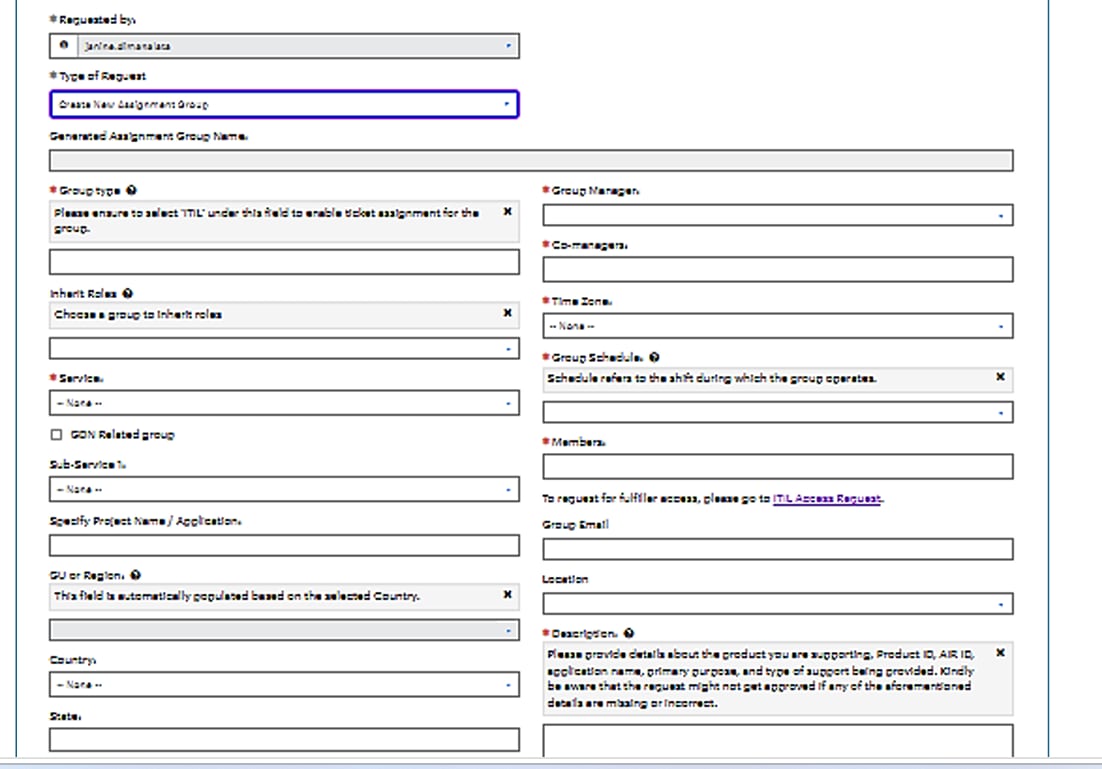
UI Layout for Catalog Item

- Mark as New
- Bookmark
- Subscribe
- Mute
- Subscribe to RSS Feed
- Permalink
- Report Inappropriate Content
07-16-2026 04:35 AM
I have a requirement to build the UI layout for ACGM Catalog.
It will be based on certain conditions if those conditions are met then New Form Layout will be displayed
And if not the Old Layout will be displayed.
We have also created flag variable yes/no, but that handles the form visibility
There is drastic change in the positions of the variables and they are common variables in both layout
How can I achieve this.
Note: I cannot duplicate variables or create New catalog
Attaching the screenshots for the reference


- Mark as New
- Bookmark
- Subscribe
- Mute
- Subscribe to RSS Feed
- Permalink
- Report Inappropriate Content
07-16-2026 05:10 AM
if this is for catalog item then you can show/hide variables based on your logic but it won't guarantee the layout
💡 If my response helped, please mark it as correct ✅ and close the thread 🔒— this helps future readers find the solution faster! 🙏
Ankur
✨ Certified Technical Architect || ✨ 10x ServiceNow MVP || ✨ ServiceNow Community Leader

- Mark as New
- Bookmark
- Subscribe
- Mute
- Subscribe to RSS Feed
- Permalink
- Report Inappropriate Content
07-16-2026 06:50 AM
Hi @SanikaK
- To conditionally switch between your New Form Layout and Old Form Layout for the ACGM Catalog, you can use Catalog UI Policies paired with a simple Catalog Client Script. This leverages your existing flag/condition variables to dynamically show or hide entire sections depending on your needs.
You can create separate containers for each layout:
- New Form Layout (Container)
- Old Form Layout (Container)
Place the variables for each layout inside its respective container. And hide using catalog ui policy , catalog client script.
Regards
Tanushree Maiti
ServiceNow Technical Architect
LinkedIn: https://www.linkedin.com/in/tanushreemaiti