- Mark as New
- Bookmark
- Subscribe
- Mute
- Subscribe to RSS Feed
- Permalink
- Report Inappropriate Content
08-15-2025 01:34 AM
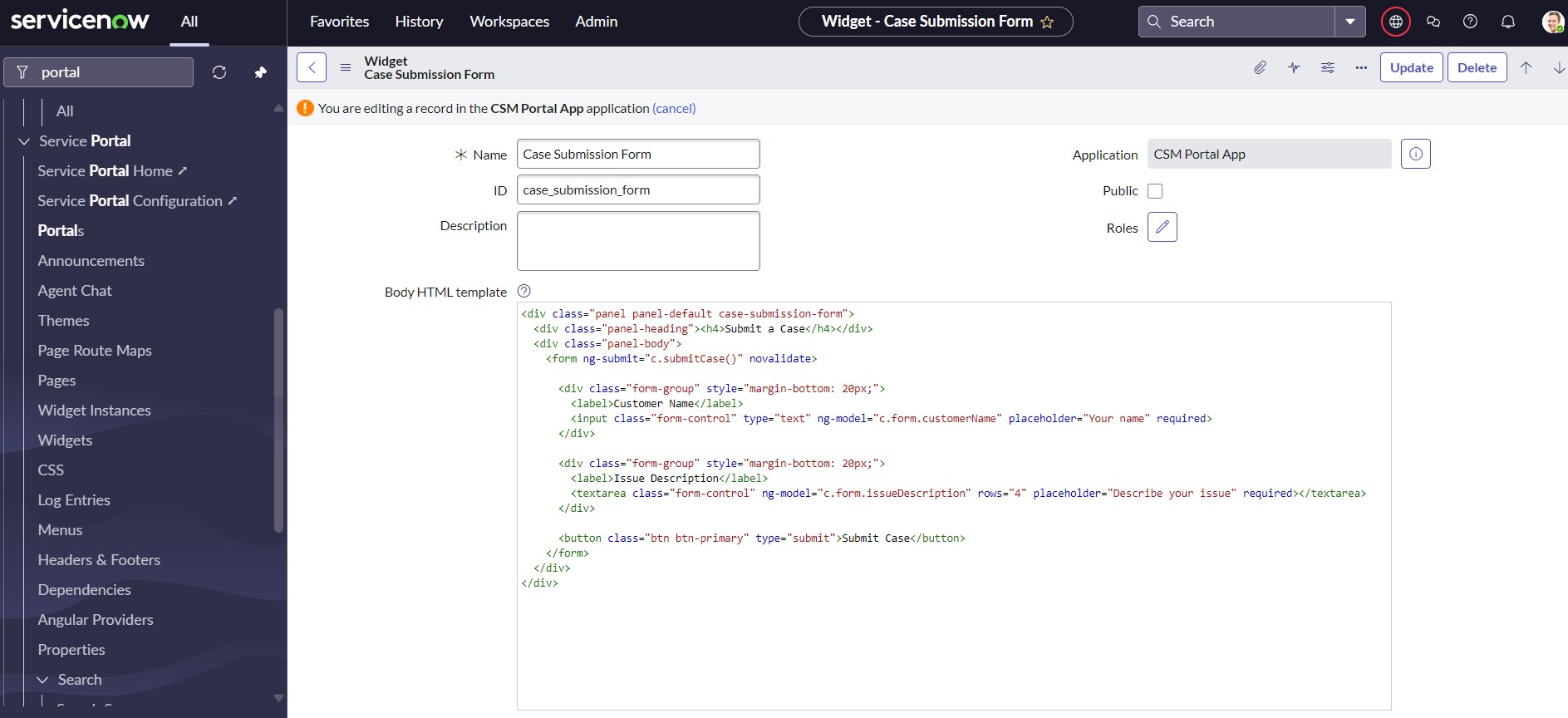
I have created the portal with required pages and widgets (can be found in attachment). However, I am struggling with the submit function and the record is not getting inserted into the customer case table. When I click on the submit button, there is no response.
Attaching Files and screenshot
widget 1: Case Submission Form
HTML Code:
<div class="panel panel-default case-submission-form">
<div class="panel-heading"><h4>Submit a Case</h4></div>
<div class="panel-body">
<form ng-submit="c.submitCase()" novalidate>
<div class="form-group" style="margin-bottom: 20px;">
<label>Customer Name</label>
<input class="form-control" type="text" ng-model="c.form.customerName" placeholder="Your name" required>
</div>
<div class="form-group" style="margin-bottom: 20px;">
<label>Issue Description</label>
<textarea class="form-control" ng-model="c.form.issueDescription" rows="4" placeholder="Describe your issue" required></textarea>
</div>
<button class="btn btn-primary" type="submit">Submit Case</button>
</form>
</div>
</div>
Server Script:
Solved! Go to Solution.
- Labels:
-
Service Catalog

- Mark as New
- Bookmark
- Subscribe
- Mute
- Subscribe to RSS Feed
- Permalink
- Report Inappropriate Content
08-18-2025 05:19 AM
Hi @Sahil Chaudhary,
for submitting records to a table, widget isn't necessary. Alternatively, create a record producer applied on the Case table instead of it.
You can create that app (custom scope), so far so good, in that scope you will create a record producer, select a table, add title, description, all the necessary details, then variables (questions/fields) and then you will search for this form on that portal.
For the CSM /csm and /csp exists, there's no need to create a new portal unless really required...
let me know your progress
✂-----Cutting-out-the---✦AI-noise✦---All-replies-written-and-vouched-for-by-GlideFather---
- Mark as New
- Bookmark
- Subscribe
- Mute
- Subscribe to RSS Feed
- Permalink
- Report Inappropriate Content
08-18-2025 05:19 AM
Hi @Sahil Chaudhary,
for submitting records to a table, widget isn't necessary. Alternatively, create a record producer applied on the Case table instead of it.
You can create that app (custom scope), so far so good, in that scope you will create a record producer, select a table, add title, description, all the necessary details, then variables (questions/fields) and then you will search for this form on that portal.
For the CSM /csm and /csp exists, there's no need to create a new portal unless really required...
let me know your progress
✂-----Cutting-out-the---✦AI-noise✦---All-replies-written-and-vouched-for-by-GlideFather---