- Mark as New
- Bookmark
- Subscribe
- Mute
- Subscribe to RSS Feed
- Permalink
- Report Inappropriate Content
07-25-2024 12:51 AM
Hello everyone!
I'm doing the course ServiceNow Platform Implementation On demand.
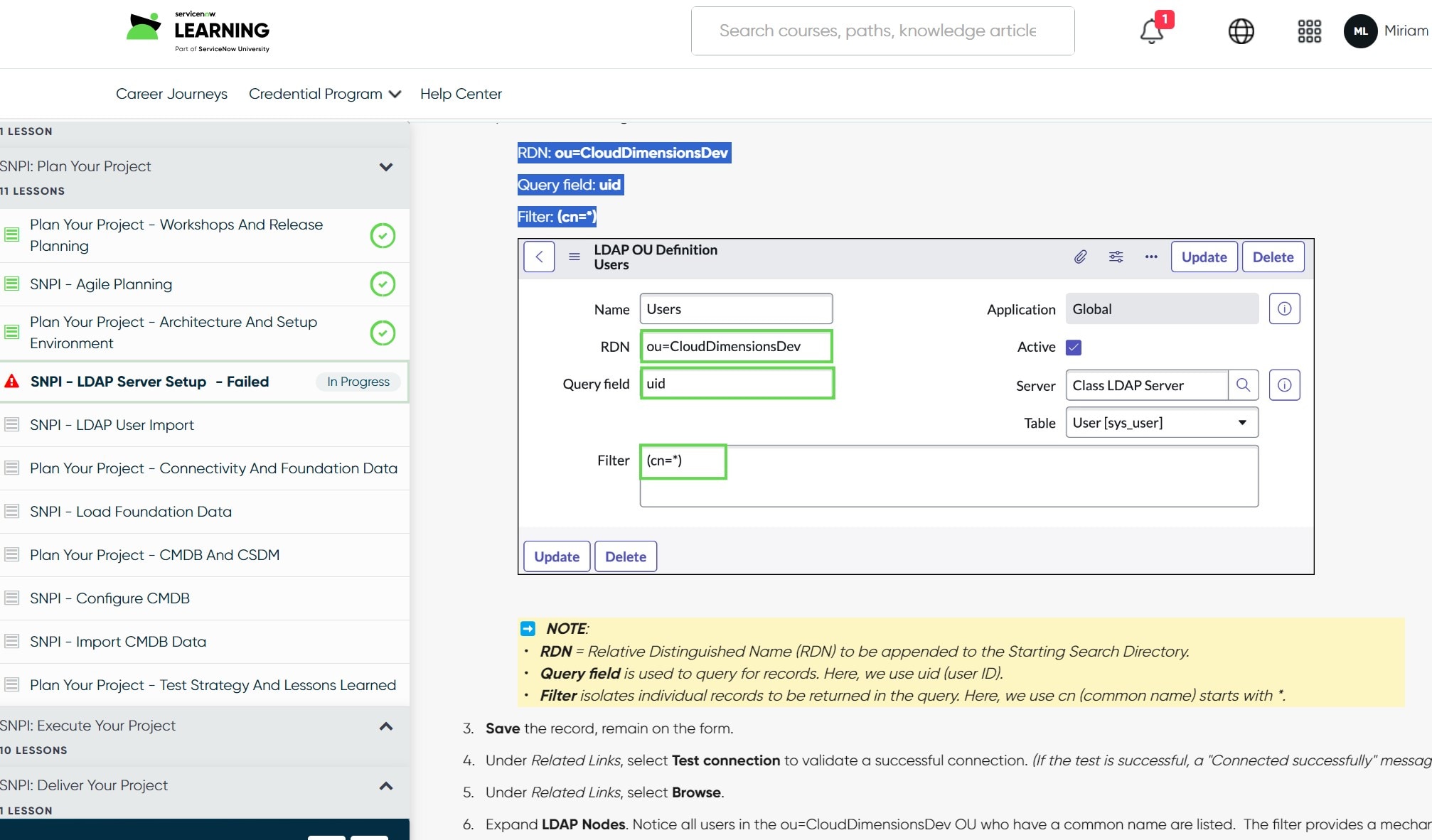
I'm doing the exercise "SNPI - LDAP Server Setup", but I have received the error message when configure the following options for LDAP:
RDN: ou=CloudDimensionsDev
Query field: uid
Filter: (cn=*)
I'm doing exactly what the exercise details, but the validation is not working.
Please, someone who can help me. Is the validation is not correct, I can´t finish de course.
Solved! Go to Solution.
- 6,716 Views
- Mark as New
- Bookmark
- Subscribe
- Mute
- Subscribe to RSS Feed
- Permalink
- Report Inappropriate Content
07-25-2024 05:12 AM
Hello,
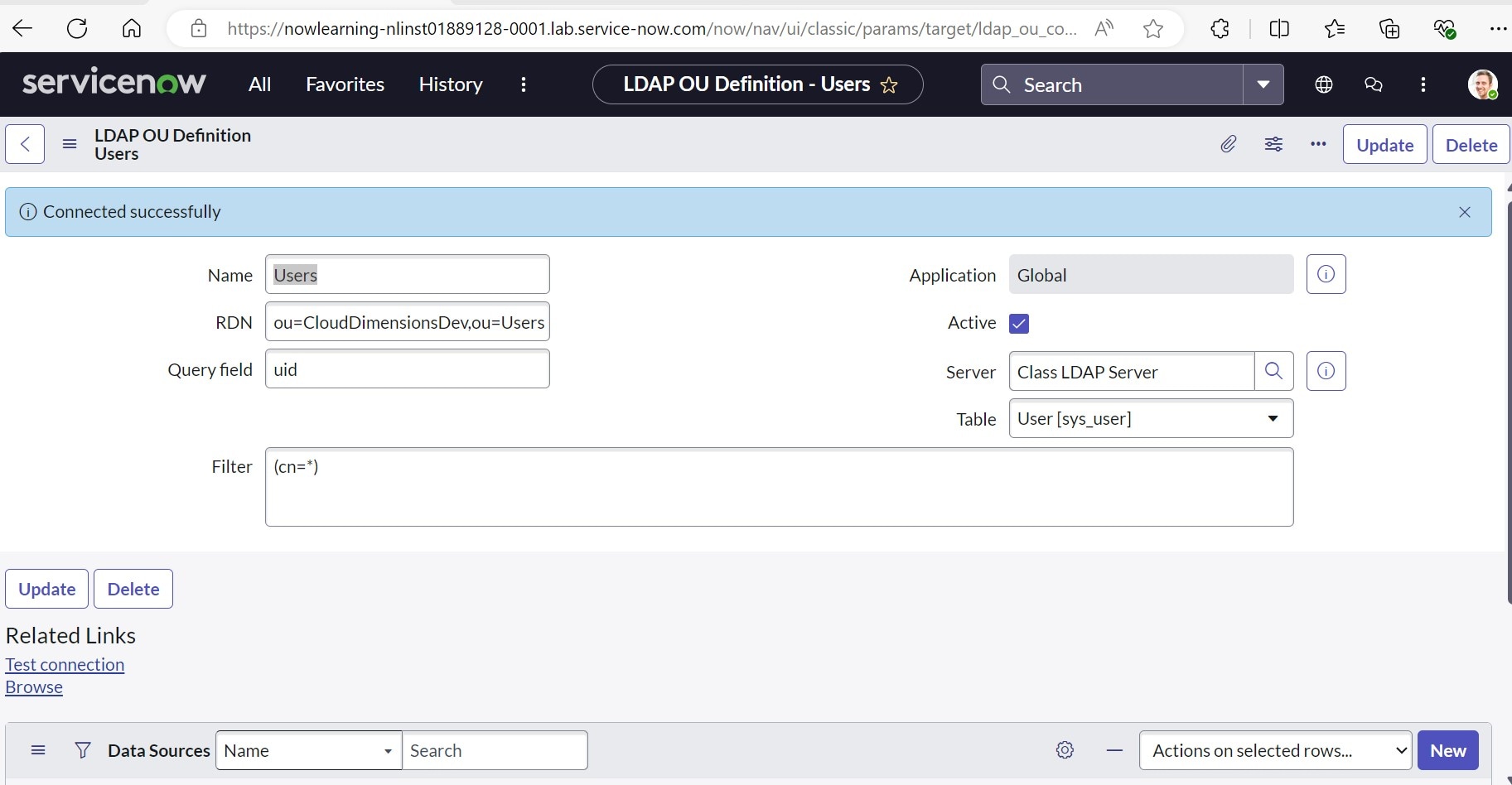
I can find the error. I change the parameter RDN ou=CloudDimensionsDev for RDN ou=CloudDimensionsDev,ou=Users
With this modification works the connection and Browse data.
I ask to Help Center to modify the instruccions of the laboratory.
Thank you very much for your help.
Best regards.

- Mark as New
- Bookmark
- Subscribe
- Mute
- Subscribe to RSS Feed
- Permalink
- Report Inappropriate Content
07-20-2026 07:43 AM
This worked, but did not pass validation

- Mark as New
- Bookmark
- Subscribe
- Mute
- Subscribe to RSS Feed
- Permalink
- Report Inappropriate Content
05-06-2025 10:29 AM
thanks Miriam
- Mark as New
- Bookmark
- Subscribe
- Mute
- Subscribe to RSS Feed
- Permalink
- Report Inappropriate Content
07-31-2025 04:21 AM
I am trying this, but my connection would not be succesful after that.
- Mark as New
- Bookmark
- Subscribe
- Mute
- Subscribe to RSS Feed
- Permalink
- Report Inappropriate Content
01-21-2026 04:03 AM - edited 01-21-2026 04:04 AM
Hello @MiriamLC ,
In the Class LDAP Server record, modify the following fields:
Starting Search Directory:ou=Users,dc=snc,dc=com
On the 'Class LDAP Server' LDAP Server form, scroll down to the LDAP OU Definitions Related List and open the Users record.
and then udpate the RDN: ou=CloudDimensionsDev and validate the task
If my response proves useful, please indicate its helpfulness by selecting " Accept as Solution" and " Helpful." This action benefits both the community and me.
Hitesh Mourya