- Mark as New
- Bookmark
- Subscribe
- Mute
- Subscribe to RSS Feed
- Permalink
- Report Inappropriate Content
05-08-2026 05:23 PM
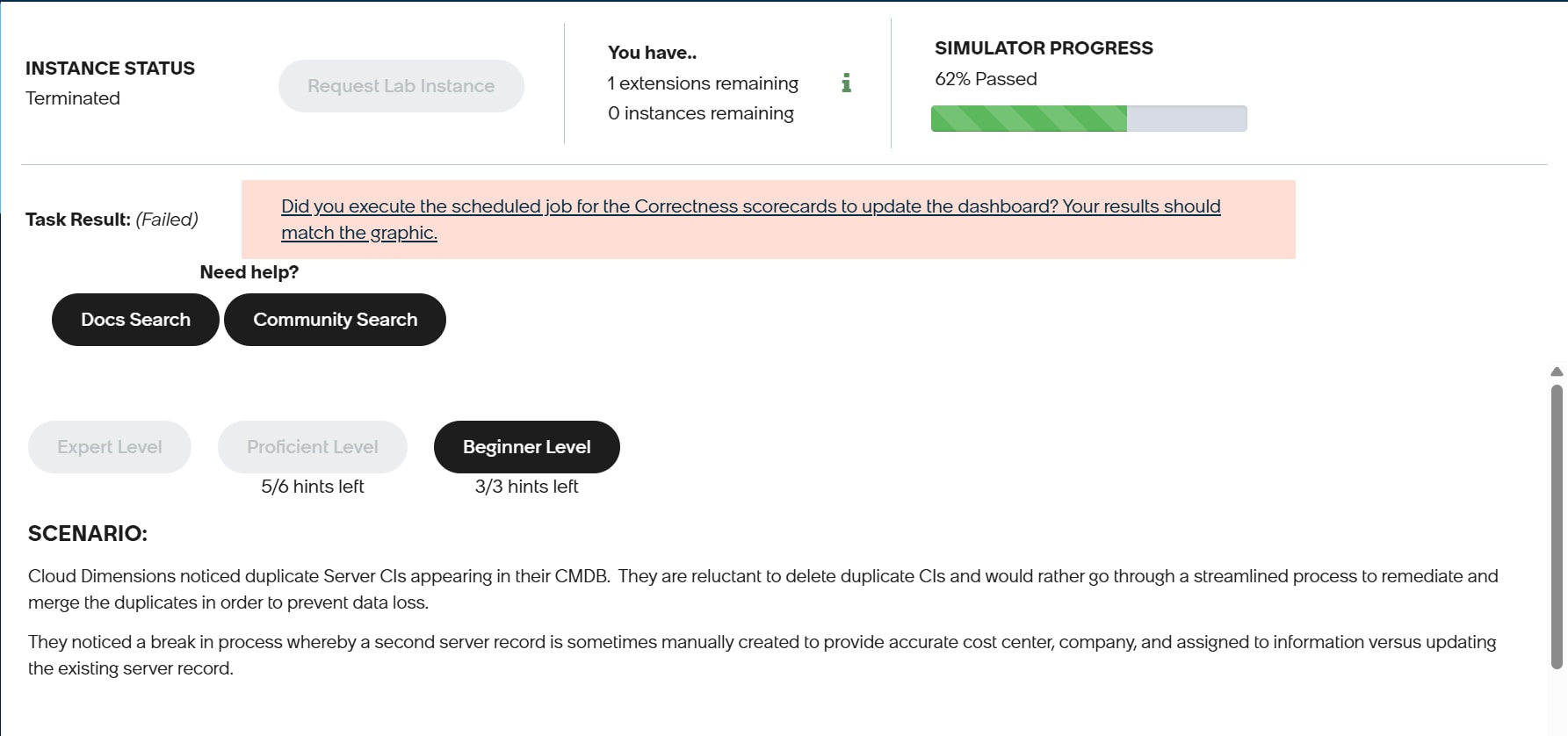
I still have Task 09 to 13 to go but when I turminated Task 09 to redo it it said mine is turminated.
I did not know there was the limit number of Lab Instance.
Does this mean i can't complete CMDB Health Micro-Certification Simulator (Yokohama)?
Thanks.
Solved! Go to Solution.
- Mark as New
- Bookmark
- Subscribe
- Mute
- Subscribe to RSS Feed
- Permalink
- Report Inappropriate Content
05-10-2026 12:14 AM
Hi @jihyungkim
I faced the same issue as well. I raised a support ticket and was able to get my instance restored, so I’d recommend submitting a ticket to recover your instance.
Also, regarding your question about re-enrolling: your lab completion percentage would remain unchanged since your validations have already been completed.
If you found this useful, feel free to mark it as Accept as Solution and Helpful. It makes my day (and helps others too 😉).
Regards,
- Ankit
LinkedIn: https://www.linkedin.com/in/sharmaankith/


- Mark as New
- Bookmark
- Subscribe
- Mute
- Subscribe to RSS Feed
- Permalink
- Report Inappropriate Content
05-08-2026 08:28 PM - edited 05-08-2026 08:29 PM
Hi @jihyungkim
Once a lab instance is marked as Terminated, it cannot be restored or reactivated. Any data or configurations stored in that instance are no longer accessible.
To continue with the course, you’ll need to request a new lab instance and proceed using the newly created environment.
Regards
Tanushree Maiti
ServiceNow Technical Architect
LinkedIn: https://www.linkedin.com/in/tanushreemaiti
- Mark as New
- Bookmark
- Subscribe
- Mute
- Subscribe to RSS Feed
- Permalink
- Report Inappropriate Content
05-08-2026 08:29 PM
Hi @jihyungkim
- You are likely allowed a maximum of 2 running instances across all courses.
- Terminate Other Instances: Go to your Now Learning Dashboard and terminate any active lab instances for other courses that you are not actively focusing on to free up the slot
Regards
Tanushree Maiti
ServiceNow Technical Architect
LinkedIn: https://www.linkedin.com/in/tanushreemaiti
- Mark as New
- Bookmark
- Subscribe
- Mute
- Subscribe to RSS Feed
- Permalink
- Report Inappropriate Content
05-08-2026 11:11 PM
Hi @jihyungkim,
For every course only 2 lab instances will be provided. Once both the 2 lab instances are terminated or deactivated. No other additional lab instance can be provided.
In the screen shot you have attached, you have already used the 2 lab instances that are allocated. So have to terminate the other lab instances that are running in another course.
- Mark as New
- Bookmark
- Subscribe
- Mute
- Subscribe to RSS Feed
- Permalink
- Report Inappropriate Content
05-09-2026 01:04 AM
Hi @Srikanth_9,
I do not have other lab instances that are running in another course.
What if I unenroll from this CMDB Health Micro-Certification Simulator (Yokohama) and then can I re-enroll with 2 lab instances from the beginning?
It may possible but in this case I have to start every task all over from the beginning but I am not sure.
Thanks.
Regards,
Chihyong Kim