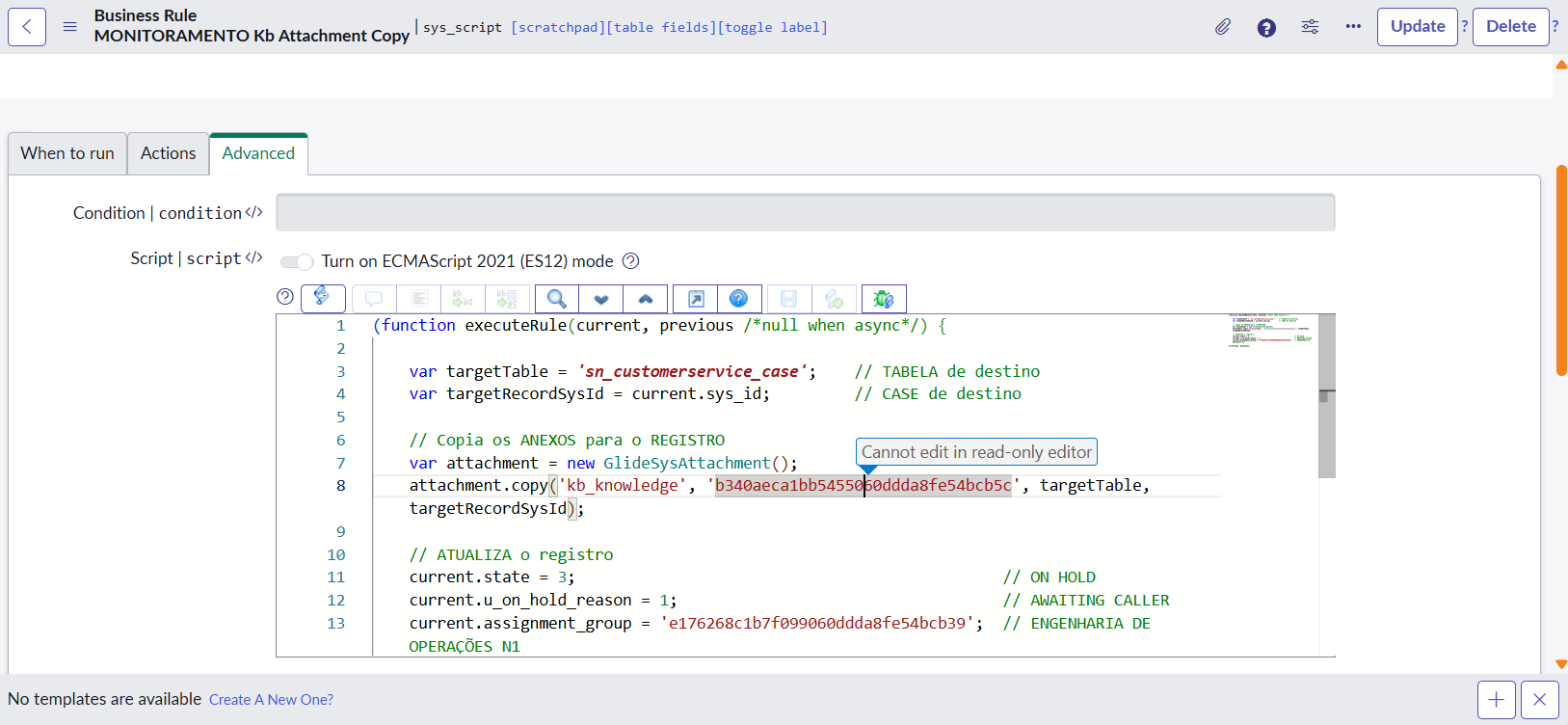
Cannot edit in read-only editor - What is this?

- Mark as New
- Bookmark
- Subscribe
- Mute
- Subscribe to RSS Feed
- Permalink
- Report Inappropriate Content
11-11-2025 09:21 AM
Hello guys, maybe you could help out on this!
I have a BUSINESS RULE created in ServiceNow platforma that I could edit freely, but, since my instance its upgraded to Zurich I cannot edit this file, anymore.
Why is this happening? Is there need for a new role in this instance? I have a admin role already.
Thanks in advance!
- Labels:
-
Incident Management
- Mark as New
- Bookmark
- Subscribe
- Mute
- Subscribe to RSS Feed
- Permalink
- Report Inappropriate Content
11-11-2025 12:45 PM
Yes @JenniferRah I have tried these steps!


- Mark as New
- Bookmark
- Subscribe
- Mute
- Subscribe to RSS Feed
- Permalink
- Report Inappropriate Content
11-11-2025 12:50 PM
You didn't tell me the answers, though. If you are the only admin user having issues, then it probably has something to do with your account. If none of the admin users can edit it, then it could be something with ACLs or the BR itself.
I also don't know if it's all business rules or just this one that is having the issue.
We just don't have enough information to know the answer, so the best we will be able to do is offer troubleshooting steps.
- Mark as New
- Bookmark
- Subscribe
- Mute
- Subscribe to RSS Feed
- Permalink
- Report Inappropriate Content
11-11-2025 01:55 PM
Review the XML of the BR, see if it is protected.
<sys_policy>protected</sys_policy>

- Mark as New
- Bookmark
- Subscribe
- Mute
- Subscribe to RSS Feed
- Permalink
- Report Inappropriate Content
11-12-2025 12:56 AM - edited 11-12-2025 01:17 AM
Hello - we have this issue today also after Zurich - this was not before Zurich - this was not even on Friday 😄
- Mark as New
- Bookmark
- Subscribe
- Mute
- Subscribe to RSS Feed
- Permalink
- Report Inappropriate Content
11-12-2025 01:38 AM
Ok I found:
https://www.servicenow.com/docs/bundle/zurich-release-notes/page/release-notes/now-platform-security...
https://www.linkedin.com/posts/srini-b-ab033a191_servinow-zurich-update-activity-7358012465990807552...
With the Zurich release, scripting in ServiceNow adopts a deny-by-default approach. Unless a user has the snc_required_script_writer_permission role explicitly assigned, they cannot edit scriptable fields like Business Rules, Client Scripts, Script Includes, UI Actions, and more
Elevate "security role" then add this role to your profile - and shoud be ok 🙂