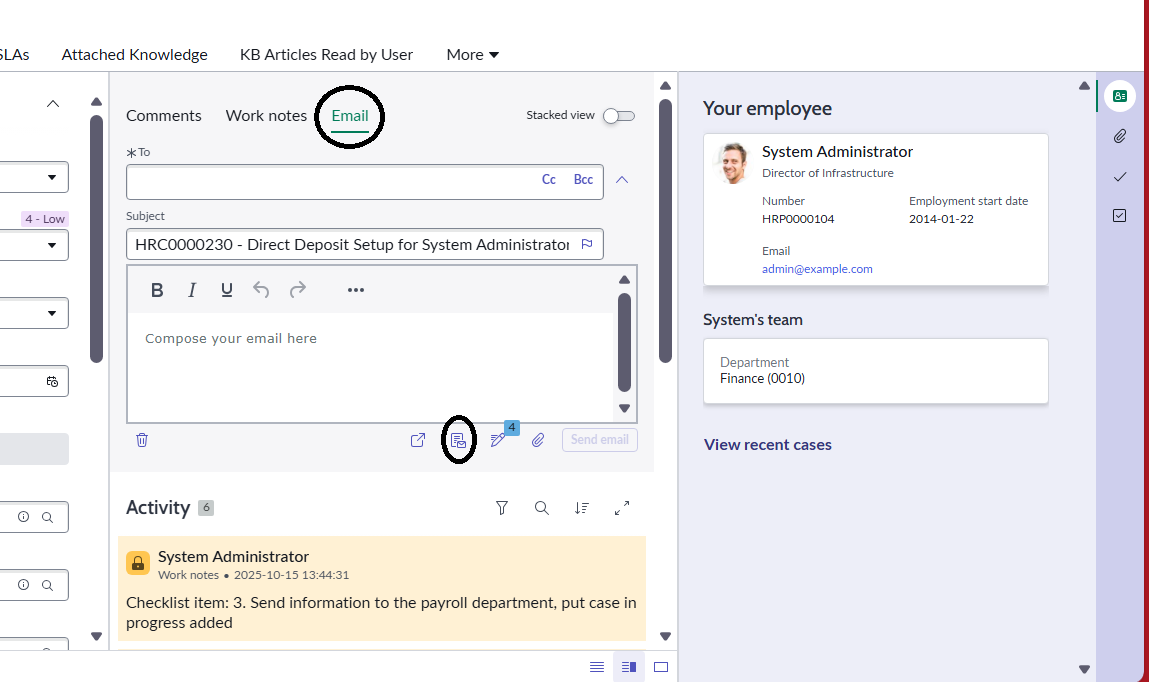
How to edit mini email compose on any workspace.

- Mark as New
- Bookmark
- Subscribe
- Mute
- Subscribe to RSS Feed
- Permalink
- Report Inappropriate Content
12-02-2025 10:40 PM


- Mark as New
- Bookmark
- Subscribe
- Mute
- Subscribe to RSS Feed
- Permalink
- Report Inappropriate Content
12-02-2025 11:37 PM
Steps and ensure you select scope as "Agent Workspace for HR Case Management"
-> open this variant "Case SRP" and make a duplicate of that

-> create details like this

-> Click on 'Activity Stream Compose' node
-> In Config section --> Expand Advanced --> 'Show email mini compose' -> use Static input -> Never

Output: Mini Compose Email is gone for HR table in HR Agent Workspace

💡 If my response helped, please mark it as correct ✅ and close the thread 🔒— this helps future readers find the solution faster! 🙏
Ankur
✨ Certified Technical Architect || ✨ 10x ServiceNow MVP || ✨ ServiceNow Community Leader
- Mark as New
- Bookmark
- Subscribe
- Mute
- Subscribe to RSS Feed
- Permalink
- Report Inappropriate Content
12-02-2025 11:43 PM
Hi, I dont want to hide the whole mini email compose . I just want to disbale the functionality to apply email templates "apply email templates' icon in the mini email compose.

- Mark as New
- Bookmark
- Subscribe
- Mute
- Subscribe to RSS Feed
- Permalink
- Report Inappropriate Content
12-03-2025 12:07 AM
I just want to know is the thing which i am asking is it possible or not ?
- Mark as New
- Bookmark
- Subscribe
- Mute
- Subscribe to RSS Feed
- Permalink
- Report Inappropriate Content
12-03-2025 01:05 AM
As per my understanding and knowledge this is not feasible
💡 If my response helped, please mark it as correct ✅ and close the thread 🔒— this helps future readers find the solution faster! 🙏
Ankur
✨ Certified Technical Architect || ✨ 10x ServiceNow MVP || ✨ ServiceNow Community Leader