- Mark as New
- Bookmark
- Subscribe
- Mute
- Subscribe to RSS Feed
- Permalink
- Report Inappropriate Content
02-19-2026 05:43 AM
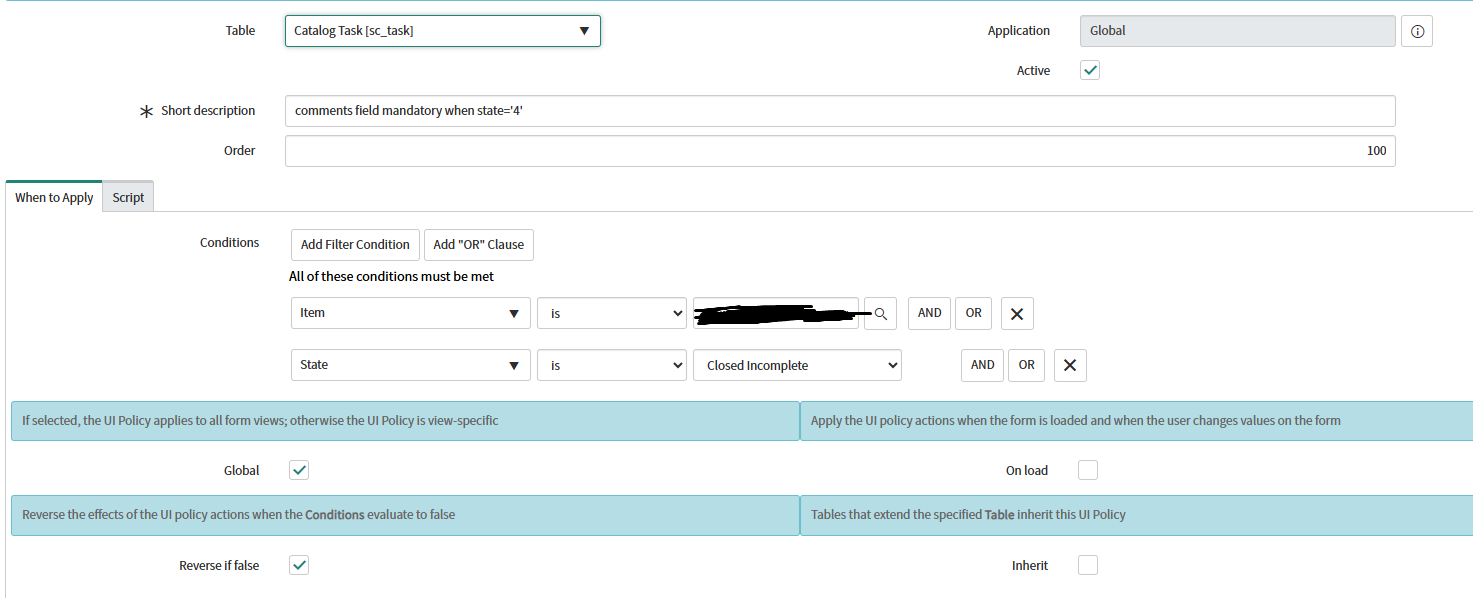
i need to mandatory Additional Comments (journal input type) when state = close incomplete (value = '4')
i try to use ui policy with ui action, i try to use client script, but it's doesn't work, the field doesn't become mandatory.
what can be the sulotion?
Solved! Go to Solution.
- Mark as New
- Bookmark
- Subscribe
- Mute
- Subscribe to RSS Feed
- Permalink
- Report Inappropriate Content
02-25-2026 05:35 AM
I found the solution - inside ui action there are 2 reference folders that I needed and didn't know they were there:
1) Request
2) request item
And inside request item there is the "additional comments" field, that I was looking for, it mandatory the field.
- Mark as New
- Bookmark
- Subscribe
- Mute
- Subscribe to RSS Feed
- Permalink
- Report Inappropriate Content
02-26-2026 07:38 AM
in UI Policy Action you have "Field Name" field and inside you have folders, two of them are Request and Requested item.
this is what i searching for.
Thanks to everyone who tried to help 🫶🏼

- Mark as New
- Bookmark
- Subscribe
- Mute
- Subscribe to RSS Feed
- Permalink
- Report Inappropriate Content
02-19-2026 06:07 AM
Hi @EdenOrZedaka,
if the Catalog task is Closed Incomplete then it's no longer possible to update the ticket. Why would oyu want to add additional comments to inactive records? It doesn't make any sense :((
✂-----Cutting-out-the---✦AI-noise✦---All-replies-written-and-vouched-for-by-GlideFather---
- Mark as New
- Bookmark
- Subscribe
- Mute
- Subscribe to RSS Feed
- Permalink
- Report Inappropriate Content
02-19-2026 06:19 AM
I'll explain it in a simpler way:
I want when the user changes the status to closed incompleted that it will mandatory the comments field to write a note to the customer (explaining why he closed it and didn't complete the task)


- Mark as New
- Bookmark
- Subscribe
- Mute
- Subscribe to RSS Feed
- Permalink
- Report Inappropriate Content
02-19-2026 06:18 AM
if the complete form is readonly once state = Closed incomplete, how would user enter comments?
💡 If my response helped, please mark it as correct ✅ and close the thread 🔒— this helps future readers find the solution faster! 🙏
Ankur
✨ Certified Technical Architect || ✨ 10x ServiceNow MVP || ✨ ServiceNow Community Leader

- Mark as New
- Bookmark
- Subscribe
- Mute
- Subscribe to RSS Feed
- Permalink
- Report Inappropriate Content
02-19-2026 06:24 AM
Hi @EdenOrZedaka ,
It is working code/configuration.. implement this way-
1)Create UI policy on sc_task

2)Go to Script tab,
If execute True, Write ur code as per your requirement.
Sample:

Regards
Tanushree Maiti
ServiceNow Technical Architect
LinkedIn: https://www.linkedin.com/in/tanushreemaiti