Lisa Holenstein

ServiceNow Employee
Options
- Subscribe to RSS Feed
- Mark as New
- Mark as Read
- Bookmark
- Subscribe
- Printer Friendly Page
- Report Inappropriate Content
11-12-2020
07:39 AM
If you want to have the chat history for the Virtual Agent reset every time you refresh the Service Portal Page, you can follow these easy steps:

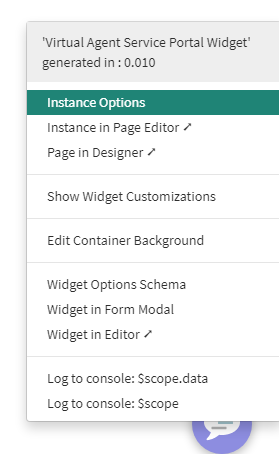
- CTRL + Right Click on the Widget to access the options
- Choose Instance Options
- Add the URL Parameter
sysparm_skip_load_history=true - Save

This URL parameter can also used when embedding the Virtual Agent web client in external webpages.
Labels:
You must be a registered user to add a comment. If you've already registered, sign in. Otherwise, register and sign in.