
- Mark as New
- Bookmark
- Subscribe
- Mute
- Subscribe to RSS Feed
- Permalink
- Report Inappropriate Content
08-24-2026 01:14 AM
Hi Community,
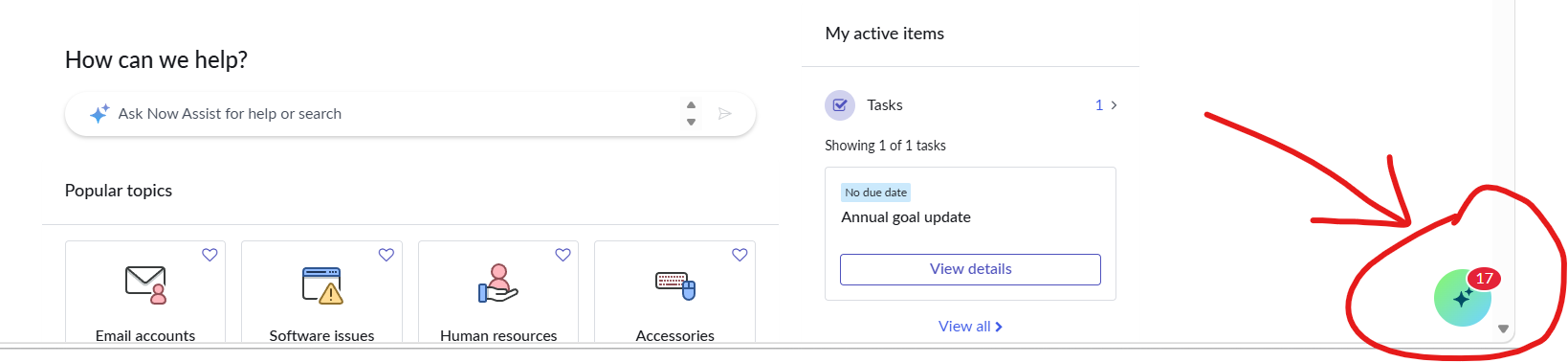
Is there a supported way to change the color of the Now Assist (Virtual Agent) launcher icon displayed in the bottom-right corner of Employee Center/ESC? Is this controlled through theming, branding, UI Builder, or CSS customization?
Any guidance would be appreciated.
Thanks!
Solved! Go to Solution.
- Mark as New
- Bookmark
- Subscribe
- Mute
- Subscribe to RSS Feed
- Permalink
- Report Inappropriate Content
08-27-2026 02:42 AM
Got the solution from servicenow side
When Enhanced Chat is enabled on a Service Portal, modifying the theming CSS variables described in the Now Assist full‑page theming documentation does not affect the FAB icon colors. The variables are ignored, leaving the default gradient background and FAB colors unchanged, which prevents customers from customizing the chat appearance as intended.
Workaround
1. Open the Service Portal record that hosts the Enhanced Chat.
2. In the **CSS Variables** field, add the following definitions, replacing **#0000FF** with the desired color value:
```css
now-assist-full-page-wrapper-app {
--now-actionable--primary-ai--background-color-gradient--start:
#0000FF;
--now-actionable--primary-ai--background-color-gradient--end:
#0000FF;
--now-assist-selfservice_FAB_hover_color_1: #0000FF;
--now-assist-selfservice_FAB_active_color_1: #0000FF;
}
```
3. If a gradient is not required, set the same color for both
`--now-actionable--primary-ai--background-color-gradient--start`
and
`--now-actionable--primary-ai--background-color-gradient--end`.
4. If want to customize the sparkle icon color inside the FAB, please include: --now-assist-selfservice_FAB_icon_color: #desired-color-HEX-value in above css block
5. Save the portal record and refresh the page; the FAB colors now reflect the specified values.
Thanks,
Naman
- Mark as New
- Bookmark
- Subscribe
- Mute
- Subscribe to RSS Feed
- Permalink
- Report Inappropriate Content
3 weeks ago
Yes it work in Australia release I am working in Australia release only .
For hover change use only the :-
now-assist-full-page-wrapper-app {
--now-assist-selfservice_FAB_hover_color_1: #0000FF;
--now-assist-selfservice_FAB_active_color_1: #0000FF;
}
Use this and change the color.
Thanks,
Naman Jain
