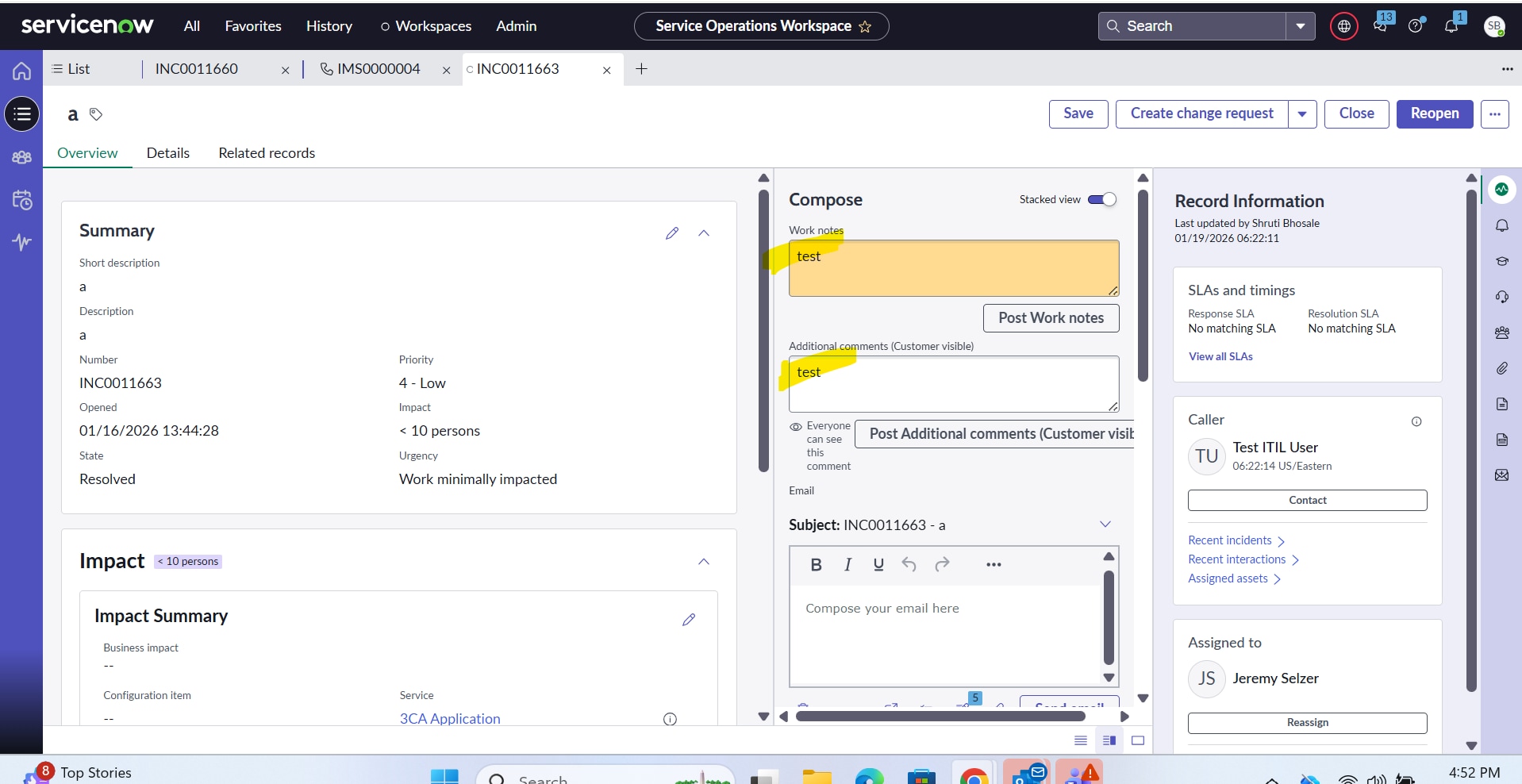
Comments and worknote field on service operations workspace is not clearing

- Mark as New
- Bookmark
- Subscribe
- Mute
- Subscribe to RSS Feed
- Permalink
- Report Inappropriate Content
01-19-2026 03:23 AM

- Mark as New
- Bookmark
- Subscribe
- Mute
- Subscribe to RSS Feed
- Permalink
- Report Inappropriate Content
01-19-2026 03:38 AM
This might actually be a expected behavior in Service Operations Workspace, not a bug.
In Workspace, Comments and Work Notes are journal fields, and after you click Save, the text you typed stays in the input box. It still gets added to the ticket’s activity stream, but the field itself doesn’t auto-clear like it does in Classic UI.
Most of the time, this happens because Workspace keeps the last entered value on the client side so the user can quickly edit or resend it.
If you want it to clear after saving, you can add a small Workspace Client Script to blank out those fields on submit.
For example:
function onSubmit() {
   g_form.setValue('comments', '');
   g_form.setValue('work_notes', '');

}
That will make the fields clear after save in Workspace.
check these:
1. Is the record really saved?
Refresh the record — you’ll see the note was added even though the text stays in the box.
2. Any custom client script/UI policy on those fields?
Thanks,
Raj


- Mark as New
- Bookmark
- Subscribe
- Mute
- Subscribe to RSS Feed
- Permalink
- Report Inappropriate Content
01-20-2026 02:07 AM
I'm also seeing this. It looks like a bug after the Yokohama Patch 10 Hotfix 1 Update; it was fine last week..

- Mark as New
- Bookmark
- Subscribe
- Mute
- Subscribe to RSS Feed
- Permalink
- Report Inappropriate Content
01-20-2026 11:57 AM
We are seeing the same thing - this was not the behavior we previously experienced, and then last night we patched to Yokohama Patch 10 Hotfix 1 - and today our agents are reporting this exact issue.
- Mark as New
- Bookmark
- Subscribe
- Mute
- Subscribe to RSS Feed
- Permalink
- Report Inappropriate Content
01-21-2026 01:45 AM
Most Probable Cause:
PRB1973244 - [Yokohama patch 10] Texts does not cleared out from Journal fields (comments/ work notes) after clicking Save in the workspaces
Please note that you can now view the current status of the Problems associated to your Case by navigating to: Self Service -- Problems.
Solution Proposed:
The fix is available starting from Yokohama Patch 11, Yokohama Patch 12, and Zurich.