Content Management Pages Suddenly Showing Different Font and Colors Without Any Version Update

- Mark as New
- Bookmark
- Subscribe
- Mute
- Subscribe to RSS Feed
- Permalink
- Report Inappropriate Content
05-26-2025 07:49 AM
Hi Community,
We are experiencing a sudden change in the look and feel of our Content Management (CMS) pages in ServiceNow.
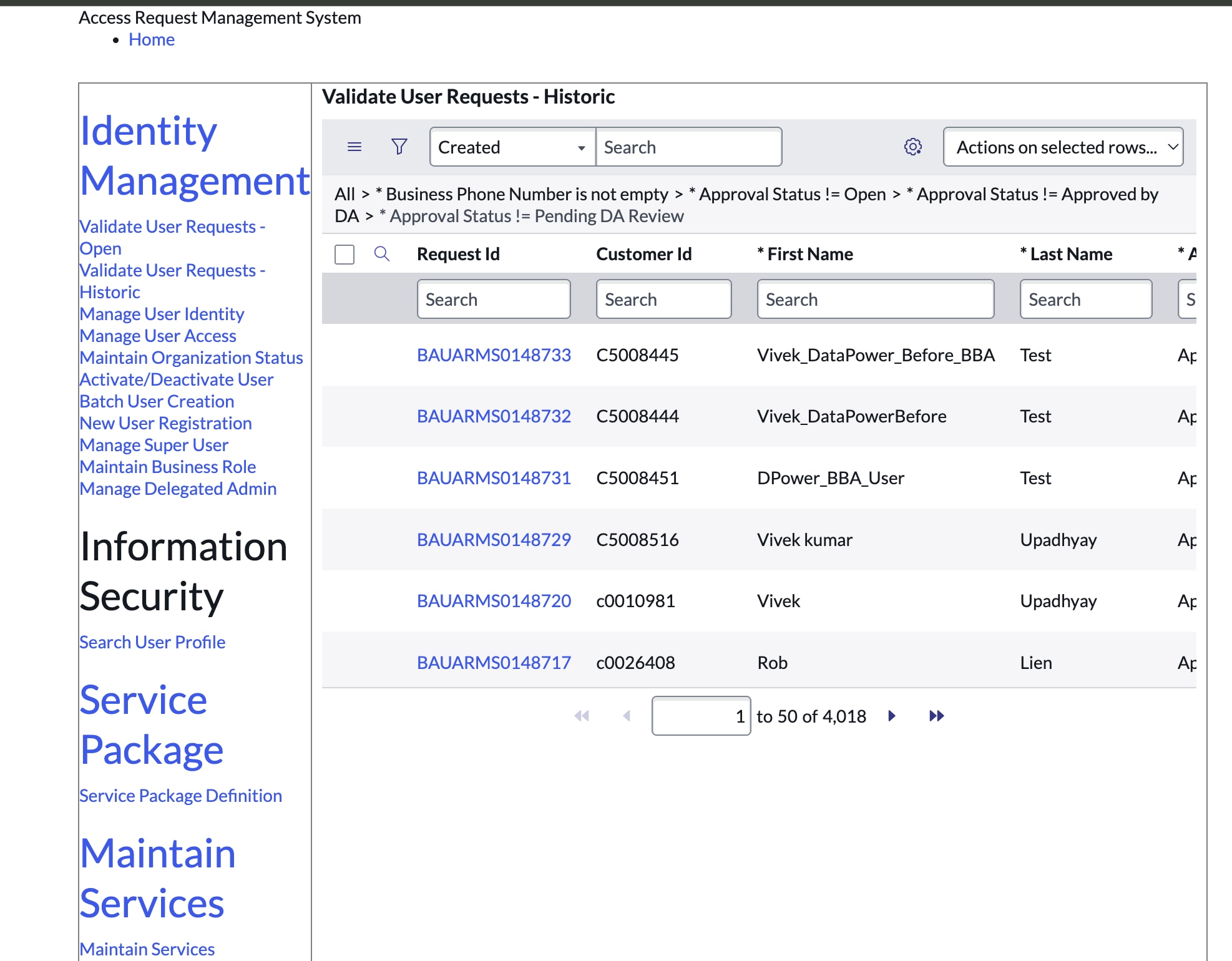
Until recently, our CMS pages used to have a clean, black font style with smaller font sizes and a standard layout. However, without making any changes to our theme, CSS, portal configuration, or applying any version upgrades, we are now seeing:
Blue-colored font (especially in the side navigation and headers)
Larger font sizes
Changed spacing and UI styling
📷 I've attached screenshots showing the previous (expected) look vs the current (unexpected) UI styling:
[Previous look] – black text with standard font sizes
[Current look] – blue text with larger fonts and new styles
To confirm:
No changes were made to CMS Themes, CSS Includes, or the Portal record
No version upgrade or patching was done recently
- The issue appears across multiple user systems and browsers
Client ask to revert to older version . please help me.
Thanks in advance for your support!
- Mark as New
- Bookmark
- Subscribe
- Mute
- Subscribe to RSS Feed
- Permalink
- Report Inappropriate Content
06-01-2025 10:18 PM
Hi Community ,
Can anyone please respond with the solution or cause of issue as client is asking to revert to the previous ui but i coundn't find the version to revert back as no changes are made