
- Mark as New
- Bookmark
- Subscribe
- Mute
- Subscribe to RSS Feed
- Permalink
- Report Inappropriate Content
08-19-2022 03:34 AM
Hi,
I'm configuring CSM agent workspace. How I can configure what lists are shown in CSM agent workspaces list view? (see picture attached). I don't want to create new list view, I don't want to configure lists what are shown there, I just want to hide some of these lists. I tried to change active: false to some objects in the table: sys_aw_master_config.do. But that didn't hide the specific lists in CSM agent workspace.
I know how to change lists in Agent Workspace, but not how to change them in CSM Agent Workspace.
Any tips or documentation for this?
Best,
Miikka
Solved! Go to Solution.
- Labels:
-
Agent Workspace
- Mark as New
- Bookmark
- Subscribe
- Mute
- Subscribe to RSS Feed
- Permalink
- Report Inappropriate Content
08-19-2022 04:04 AM
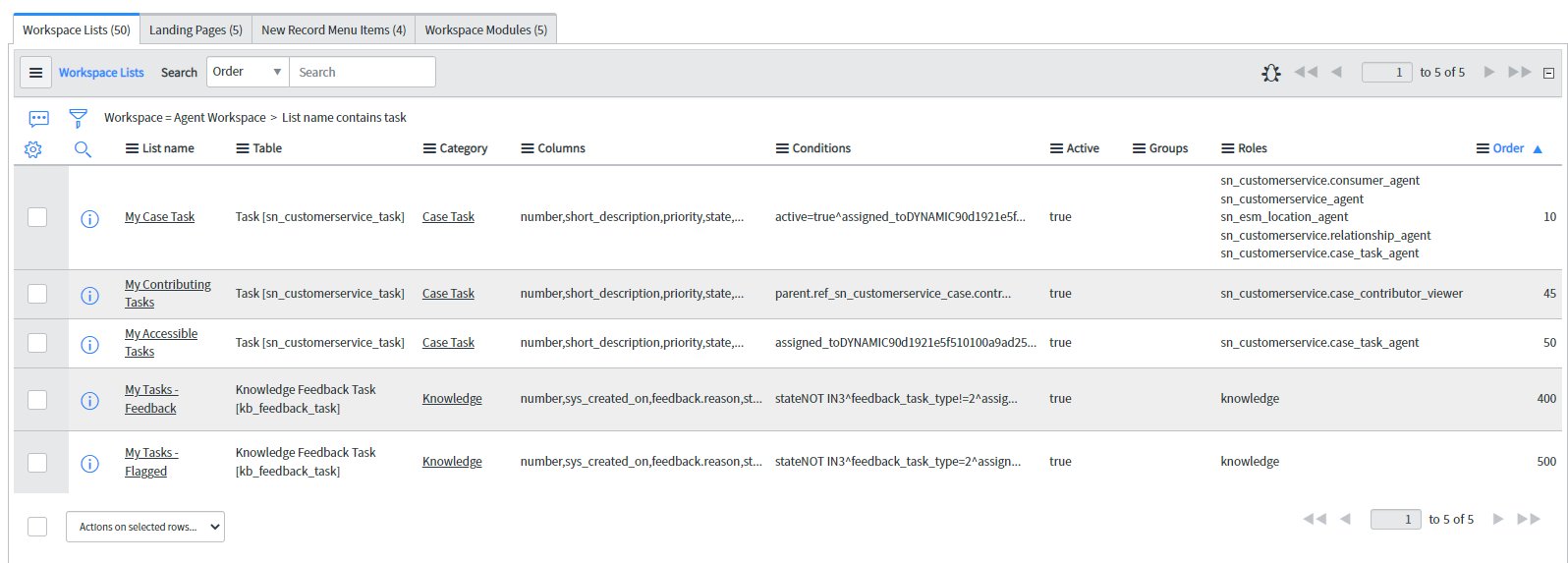
Actually just figured out how to do this. From Workspace's UiBuilder list page: (choose list object) -> click Configuration
This will lead you to backend: sys_ux_list_menu_config.do
There you can do the changes for this specific CSM agent workspace.
Please see the pictures attached.
Best,
Miikka

- Mark as New
- Bookmark
- Subscribe
- Mute
- Subscribe to RSS Feed
- Permalink
- Report Inappropriate Content
08-19-2022 03:48 AM
Hello,
What I understand is you want to hide entire list so you have to open category and make it inactive, that way it will hide entire category in other words list



See yellow part , open in new tab and inactivate that.
Please hit like and mark my response as correct if that helps
Regards

- Mark as New
- Bookmark
- Subscribe
- Mute
- Subscribe to RSS Feed
- Permalink
- Report Inappropriate Content
08-19-2022 04:04 AM
Actually just figured out how to do this. From Workspace's UiBuilder list page: (choose list object) -> click Configuration
This will lead you to backend: sys_ux_list_menu_config.do
There you can do the changes for this specific CSM agent workspace.
Please see the pictures attached.
Best,
Miikka
