Understanding where the "From" address is populated when composing an email from a Case

- Mark as New
- Bookmark
- Subscribe
- Mute
- Subscribe to RSS Feed
- Permalink
- Report Inappropriate Content
03-10-2026 05:43 AM
Hi everyone,
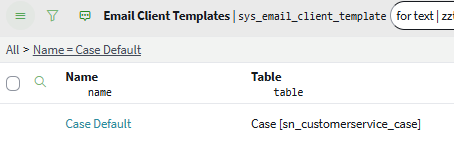
I am trying to understand where the "From" address is being populated when using the Compose Email function from within a Case record (see screenshot attached).
From what I can see, I am assuming this is coming from the Case Default Email Client Templates (sys_email_client_template_list).
Could someone please confirm if this is correct?
Our requirement is that certain cases should send emails from a different "From" address. Specifically, cases where the Assignment Group's parent = XXXX.
My current assumption for the solution is:
Create a new Email Client Template.
Add a condition such as:
Assignment group.parent = XXXXConfigure the Email client "From address" with the required email address.
When a Case meeting this condition uses Compose Email, ServiceNow should automatically use this template instead of the default one.
Is this the correct approach, or is there another mechanism that controls the From address when composing emails from a Case?
Any clarification would be greatly appreciated.
Thanks in advance.


- Mark as New
- Bookmark
- Subscribe
- Mute
- Subscribe to RSS Feed
- Permalink
- Report Inappropriate Content
03-10-2026 06:27 AM
yes that's correct assumption
💡 If my response helped, please mark it as correct ✅ and close the thread 🔒— this helps future readers find the solution faster! 🙏
Ankur
✨ Certified Technical Architect || ✨ 10x ServiceNow MVP || ✨ ServiceNow Community Leader

- Mark as New
- Bookmark
- Subscribe
- Mute
- Subscribe to RSS Feed
- Permalink
- Report Inappropriate Content
03-10-2026 07:38 AM
Hi @Jason116 ,
You are on correct path.
for point 3 "Configure the Email client "From address" with the required email address."
either you can use email nonfiction script to add From address in email client template
OR
On the email client template's Sender Configuration tab, select the From Generation Type method as script and write your own script :
sample:
(function (fromAddressQuery, targetRecord) {
    // targetRecord is incident for this template
    var location = targetRecord.caller_id.country;

    if (location == 'us')
        fromAddressQuery.addQuery('email_address', 'servicedesk.us@example.com');
    else if (location == 'japan')
        fromAddressQuery.addQuery('email_address', 'servicedesk.jp@example.com');
    else if (location == 'uk')
        fromAddressQuery.addQuery('email_address', 'servicedesk.uk@example.com');

})(fromAddressQuery, targetRecord);
Refer : https://www.servicenow.com/docs/r/platform-administration/t_CreateAnEmailClientTemplate.html
Regards
Tanushree Maiti
ServiceNow Technical Architect
LinkedIn: https://www.linkedin.com/in/tanushreemaiti
- Mark as New
- Bookmark
- Subscribe
- Mute
- Subscribe to RSS Feed
- Permalink
- Report Inappropriate Content
03-10-2026 05:03 PM