Goran WitchDoc

ServiceNow Employee
Options
- Subscribe to RSS Feed
- Mark as New
- Mark as Read
- Bookmark
- Subscribe
- Printer Friendly Page
- Report Inappropriate Content
03-12-2017
02:13 PM
This Dilemma is coming from a community member who was asked to put in a "confirm message" to a user where they had filled in information on a catalog item in the Service Portal and tried to move away from the page before "saving" it. We are talking pretty much the same functionality like we have on for example the incident form.
Before I continue, I would like to do a shout out to Nabil & Jace(jacebenson) at our slack channel (sndevs.slack.com) for helping me getting the last pieces together.
I was going to record this as a video, but google seems to be messing with hangout so that wasn't possible, so bare with me. There can be a few screen shot coming this way.
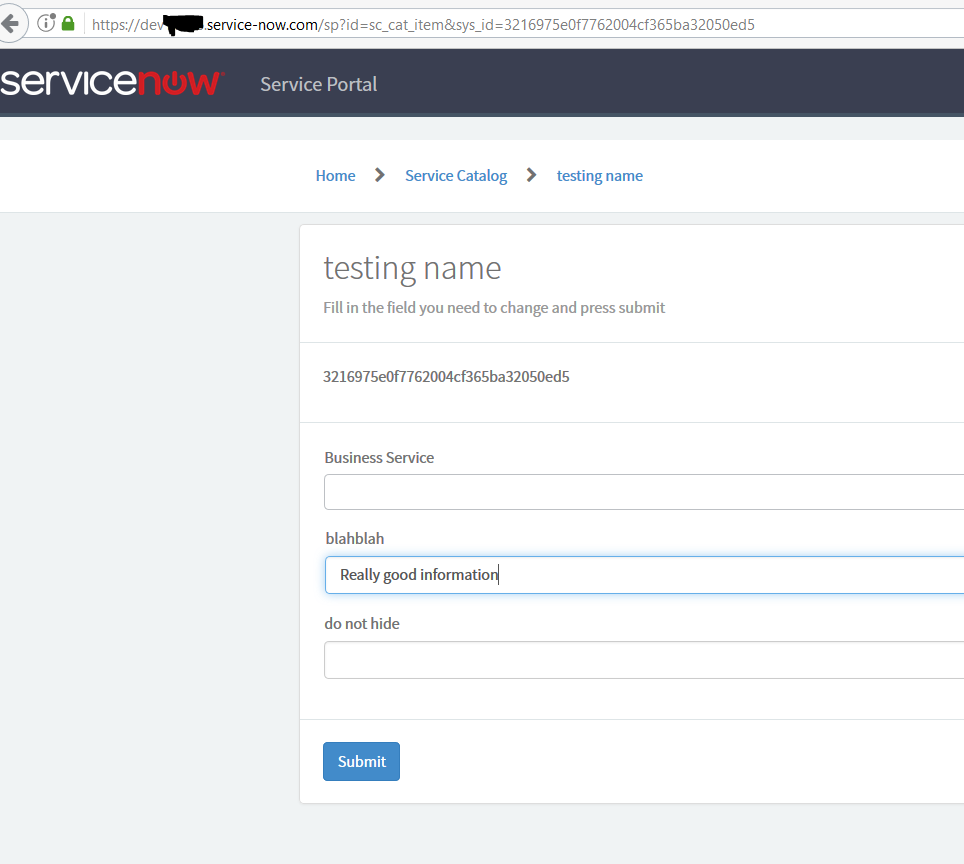
So, we are looking at the page OOB "sc_cat_item" in the Service Portal.
It looks something like this when you selected an item:
If I press back now or reload, the page will just do that without caring that there is info in a form that hasn't been saved.
So we need to customized the widget that are showing the catalog item. First thing is to clone that widget.
For those who doesn't know, you can "CTRL+right click" on the widget to get a menu like this and where you can easy go to the widget editor.
Now, we can't edit OOB widgets, so we need to clone the widget first to be able to edit it.
Choose a new name and we are almost ready. Remember when you cloned, the cloned version doesn't load in the widget editor automatically.
Now we need to put our widget on the page before we start to do anything. Easier for testing and not so much confusion when you think you have change it later on..
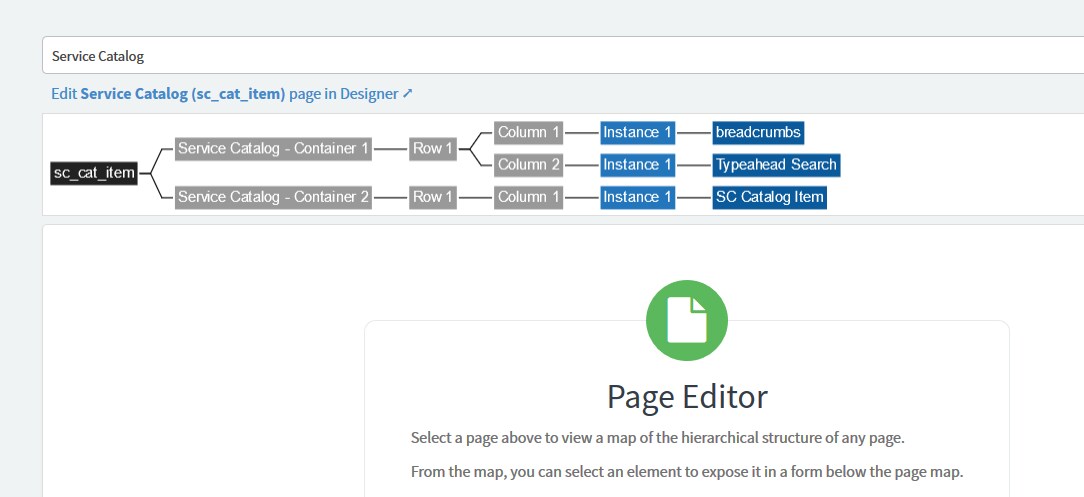
This widget is kind of weird, since when you go to page through designer mode, you will not see it there, but it is there..
I would say this is kind of buggy and there is different ways of removing it, you can for example go through the page editor, there it is visible like here:
Anyway, I usually just mark the whole container, deletes it and then put in a new container, a 12 "column" and then my widget in there.
Then you can go back to your catalog page, reload it and when you "CTRL-right click" you should see your new widget name there.
So, open up your widget in the editor so we can do the real magic.
Before we start there might be some other way as well, I'm no Uber coder, but at least I got it to work 😃
We need to do the following:
1. Add a name to the form that is holding the first. This is since angular is putting a variable on the form if it contains data that isn't saved and it's called $dirty. So if form-name.$dirty == true, it has unchanged data. I found on my world tour of google some example for angular to handle this, but couldn't get it real to work. In this example I name the form "c.myCatTest". if I just named it "myCatTest" I couldn't get it to work even if I should get it. So the only change in html template is this on line 21:
Then we need to do some client script as well. Now, you can put this pretty much where you want, but I put it here between line 62 & 74:
Now, This is two parts. The $scope.$on('$locationChangeStart'.... should be enough if I read the docs correctly,
but that triggers only if the user presses the back-button or presses on another link on the page, like breadcrumbs, menu etc.
I also tried here to change my code on line 64 to if ($scope.myCatTest.$dirty) when I named my form to "myCatTest" but couldn't get it to work, this works at least 😃
The second part $window.onbeforeunload.... handles if the use trying to write in a URL manually or hit the reload button.
It doesn't care about the back-button....Se we need both.
So with this code you now should be able to save, reload the catalog form on the portal and you should need to confirm if you have some unsaved data and try to leave.
Links for more info:
$dirty -> https://docs.angularjs.org/api/ng/type/form.FormController
$locationChangeStart -> https://docs.angularjs.org/api/ng/service/$location
$windows.onbeforeunload -> https://developer.mozilla.org/en-US/docs/Web/API/WindowEventHandlers/onbeforeunload
Hope this will save some time for other people as well.
//Göran
- 2,385 Views
You must be a registered user to add a comment. If you've already registered, sign in. Otherwise, register and sign in.