Matt Metten

ServiceNow Employee
Options
- Subscribe to RSS Feed
- Mark as New
- Mark as Read
- Bookmark
- Subscribe
- Printer Friendly Page
- Report Inappropriate Content
09-23-2016
06:02 AM
Service Portal in Helsinki has opened up a new world of UI opportunities. The modular nature of functional widgets which combine AngularJS, CSS/SCSS, Client scripting and Server scripting has unleashed a whole new level of creativity. Already in Share you can find a bunch of new widgets and it's only beginning. However, the functionality that you're seeing is no longer restricted to just the Service Portal experience.
One key feature to understand is that your Theme (Header/Footer, CSS and JS) is attached to your Portal. When you navigate to your Portal suffix it then knows to serve up the page, including the Theme defined at the Portal record level.
Here's what that looks like:
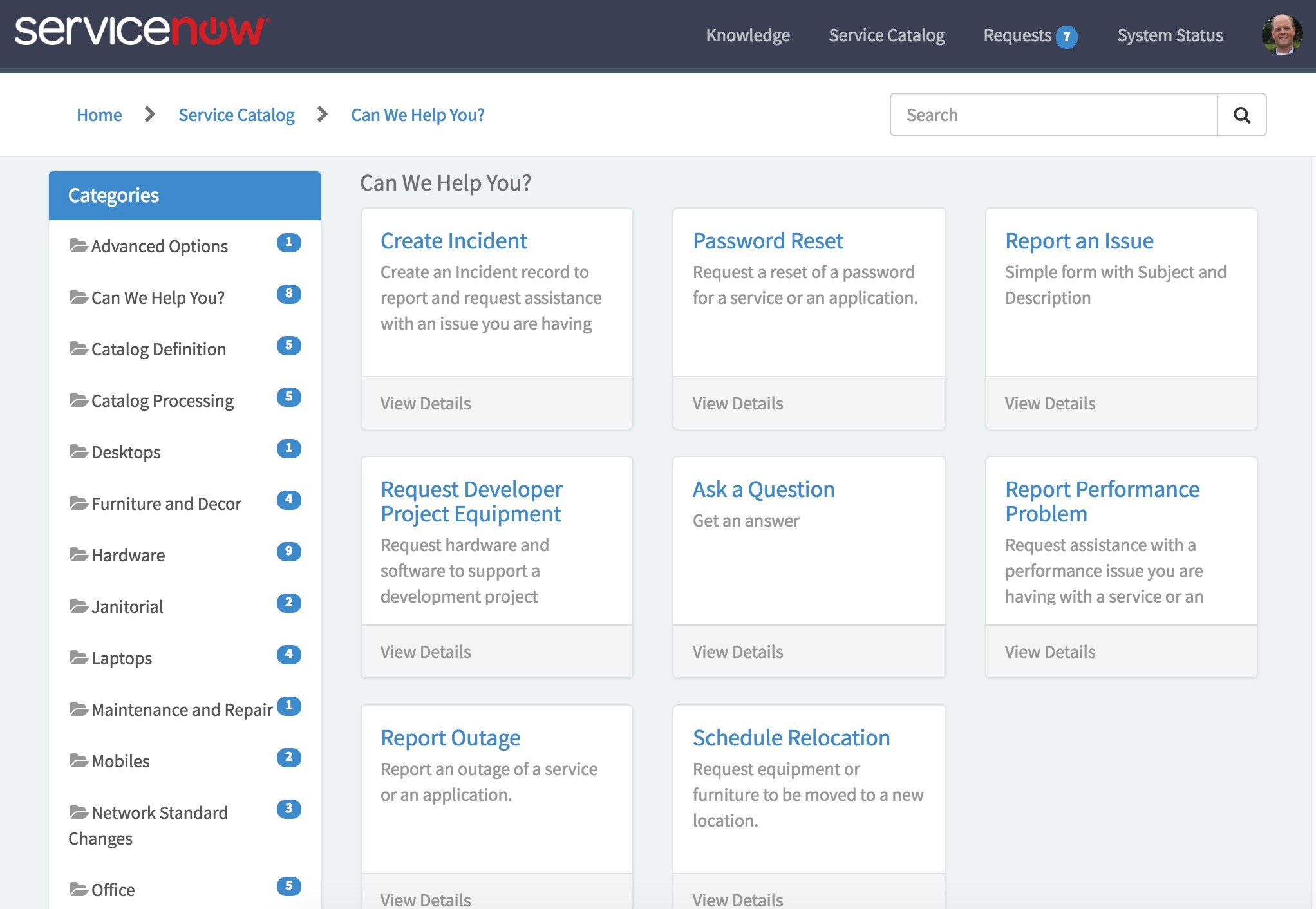
Standard page served up within a Service Portal's theme (in this case, a specific Catalog category):
The URL for this is: {your-instance}.service-now.com/sp/?id=sc_category}
- Implies a Service Portal with a URL suffix of "sp"
- Implies a Page ID of "sc_category"
- The URL drives how the page is built
Now here is a standard page served up WITHOUT a portal & theme (no header):
The URL for this is: {your-instance}.service-now.com/$sp.do?id=sc_cartegory}
- You'll notice the $sp.do which is a Service Portal call to serve up a specific Portal Page ID.
- You'll notice the /sp/ has been omitted from the URL implying we are not loading this page within a Service Portal (and in doing so without the associated Theme).
HOWEVER, there are 2 other ways you can use this same page:
1. Include the Page within the Theme INSIDE the Platform UI:
The URL for this is: {your-instance}.service-now.com/nav_to.do?uri=/sp/?id=sc_category}
- You'll notice the double-header, however, because you're telling it to serve up the entire Portal by using /sp/ (if that's your Portal suffix)
2. Include the Page WITHOUT the Theme INSIDE the Platform UI:
The URL for this is: {your-instance}.service-now.com/nav_to.do?uri=$sp.do?id=sc_category}
- You see now the header has been removed since the URL does not have the /sp/ which is the Portal suffix which then implies the Theme has been removed.
So what does this mean and/or why should I care?
- You can now elevate your UI Page experience to be either AngularJS-driven pages served up via Service Portal or as you had them before using Jelly.
- Build once, use many - use widgets that you're producing for the employee portal within the platform view as well.
- Design out your own Fulfiller experience if you want! You don't have to wait necessarily for the platform to change UI elements - you can start to build out your own.
It's going to be great to see how people start to take this to a whole new level!
Labels:
- 7,965 Views
13 Comments
- « Previous
-
- 1
- 2
- Next »
You must be a registered user to add a comment. If you've already registered, sign in. Otherwise, register and sign in.