Background Script to delete records

- Mark as New
- Bookmark
- Subscribe
- Mute
- Subscribe to RSS Feed
- Permalink
- Report Inappropriate Content
03-23-2017 08:32 AM
I have a regular task that requires me to clear out a specific table when the new records are imported. Since there are thousands of entries, I decided to create a script that would delete all of the entries older than ones I just imported. This started off as a Background Script, though since it will be used regularly, I transformed it into a Script includes.
Test lines are included, but commented out. I have not included user input error checking yet, or a try/catch:
var ClearTableByDate = Class.create();
ClearTableByDate.prototype = {
initialize: function(tbl, DT, rmv) {
// function to delete records from the Bin Numbers Table:
// removes all entries in the table older than today:
// requires 3 inputs: Table, Date and a boolean:
// var clearRecords= new ClearTableByDate('TableName', gs.nowDateTime(), false);
// input table name as a string: 'myTableName'
// use Today's date to delete records that were created PRIOR to today
// use false to see the number of records that will be deleted
// use true to delete records.
var lrd = ""; // date of last record
var i = 0;
// if DT, get the table & records:
if(DT)
{
var reqs = new GlideRecord(tbl);
reqs.addQuery('sys_created_on', '<', DT);
reqs.query();
if(rmv != true)
{
// run through the records and get a count:
while(reqs.next())
{
i++;
}
//lr = "IF: ot TRUE "; //for testing
}
else
{
//delete the old records in the table:
while(reqs.next())
{
//---- COMMENT OUT, to prevent accidental removal of records when testing
reqs.deleteRecord();
i++;
}
// lrd = " ELSE, true ";// for testing
}
lrd = lrd + reqs.sys_created_on;
gs.print(DT+" Records: "+i +'. Date: '+lrd);
}
///// total record count:
var reqt = new GlideRecord(tbl)
reqt.query();
i = 0;
while(reqt.next())
{
i++;
}
gs.print("Total Records: "+i +'; Last Record Date: '+reqt.sys_created_on +": current date: "+DT);
},
type: 'ClearTableByDate'
}
If this has been useful to you please mark the thread useful.
If you have comments on how to work this better, please reply and discuss.
MC
- Labels:
-
Scripting and Coding

- Mark as New
- Bookmark
- Subscribe
- Mute
- Subscribe to RSS Feed
- Permalink
- Report Inappropriate Content
03-23-2017 09:22 AM
Why not configure an Archive and then run an Archive Destroy Rule?
This would let you automatically identify non-updated records, remove them from the table, and then have them deleted, all with an OOB feature, rather than using a custom script.
- Mark as New
- Bookmark
- Subscribe
- Mute
- Subscribe to RSS Feed
- Permalink
- Report Inappropriate Content
03-23-2017 10:16 AM
I don't see that Plugin.
- Mark as New
- Bookmark
- Subscribe
- Mute
- Subscribe to RSS Feed
- Permalink
- Report Inappropriate Content
03-23-2017 12:27 PM
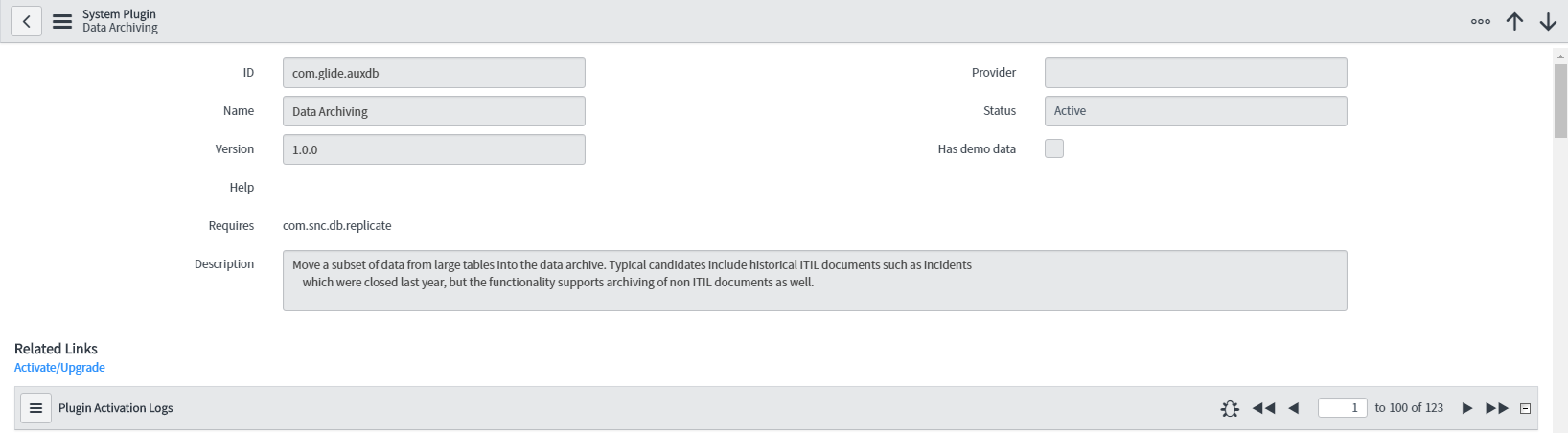
The Plugin is called "Data Archiving"

And the Application Menu is titled "System Archiving"

Archiving Data - ServiceNow Wiki
Activate data archiving - Geneva - Screenshot of UI15
Activate data archiving - Istanbul - Slightly more verbose
Edit: A screenshot included a custom application, so I cropped the image to prevent confusion.
- Mark as New
- Bookmark
- Subscribe
- Mute
- Subscribe to RSS Feed
- Permalink
- Report Inappropriate Content
03-24-2017 12:31 AM