- Mark as New
- Bookmark
- Subscribe
- Mute
- Subscribe to RSS Feed
- Permalink
- Report Inappropriate Content
10-16-2023 06:54 AM
Hi All,
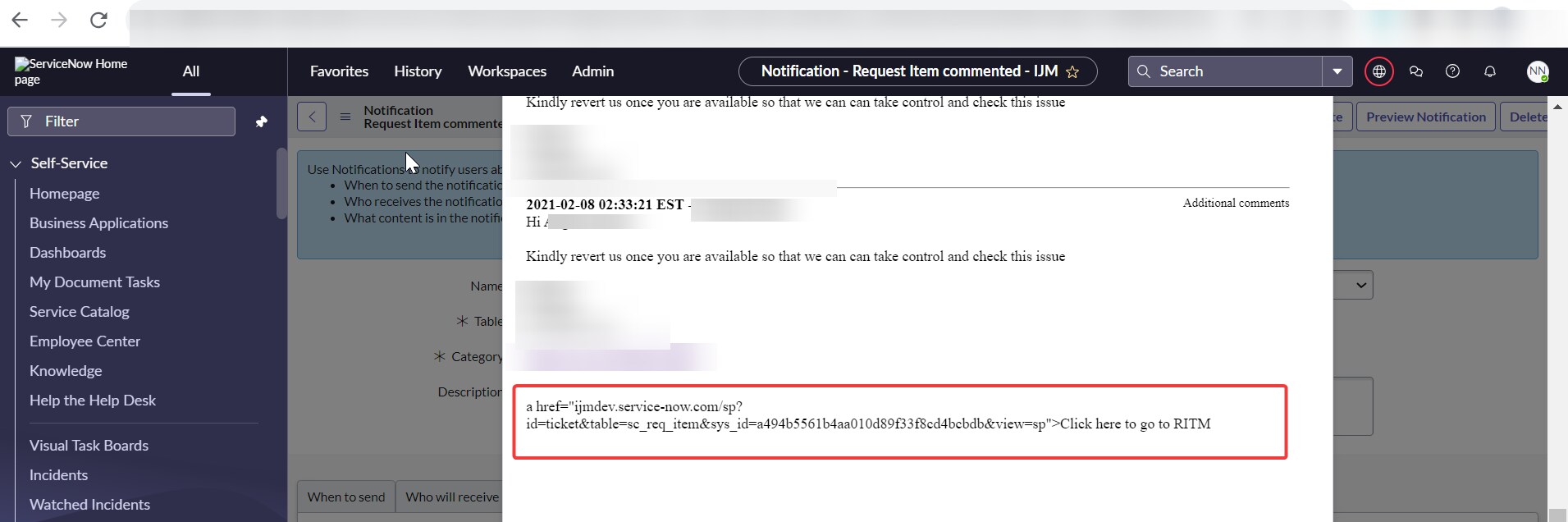
Can someone help me how to add RITM links in the notification email script? I have added the below code but instead of a URL link, the URL is getting printed on the mail.
Solved! Go to Solution.
- Mark as New
- Bookmark
- Subscribe
- Mute
- Subscribe to RSS Feed
- Permalink
- Report Inappropriate Content
10-18-2023 08:13 AM
Hi Dipen ,
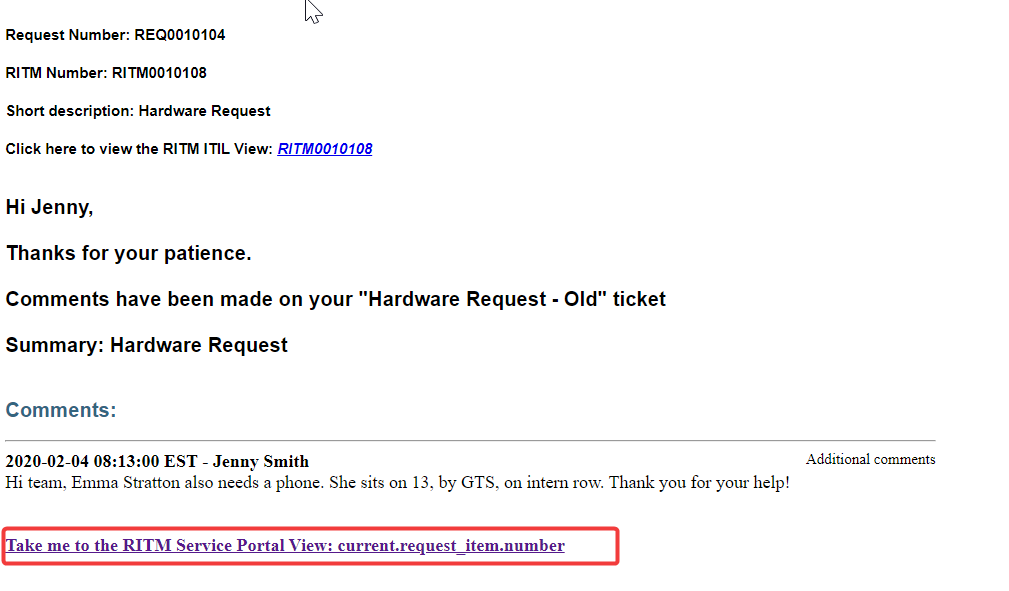
The link works now but I need to add the RITM number and I have tried adding it like this. Please find the screenshot for your reference
Below is the working code and I need to add RITM number in the view. Please help me on this.

- Mark as New
- Bookmark
- Subscribe
- Mute
- Subscribe to RSS Feed
- Permalink
- Report Inappropriate Content
10-16-2023 07:28 AM - edited 10-16-2023 07:32 AM
- Mark as New
- Bookmark
- Subscribe
- Mute
- Subscribe to RSS Feed
- Permalink
- Report Inappropriate Content
10-16-2023 07:41 AM
- Mark as New
- Bookmark
- Subscribe
- Mute
- Subscribe to RSS Feed
- Permalink
- Report Inappropriate Content
10-16-2023 07:55 AM - edited 10-16-2023 08:25 AM
Hi @NagaNandini N ,
Can u try this updated links plz n check, One of them should definetly work.
var link = "<a href =" + gs.getProperty('glide.servlet.uri') + "sp?sys_id="+current.sys_id+"&view=sp&id=form&table=sc_req_item>Click Here</a>";

var link = "<a href =" + gs.getProperty('glide.servlet.uri') + "sp?id=ticket&table=sc_req_item&sys_id="+current.sys_id+"&view=sp>Click Here</a>";
Mark my answer as helpful & accepted if it helps.
Thanks,
Danish
- Mark as New
- Bookmark
- Subscribe
- Mute
- Subscribe to RSS Feed
- Permalink
- Report Inappropriate Content
10-16-2023 08:21 AM
Hi Danish,
Both the scripts are not working 😞
Regards,
Nandini N
- Mark as New
- Bookmark
- Subscribe
- Mute
- Subscribe to RSS Feed
- Permalink
- Report Inappropriate Content
10-16-2023 08:27 AM
Possible for u to share snip of 1 record by opening it in service portal. Once u open it can u share the url with me. hide the instance name rest u can share
Thanks,
Danish