- Mark as New
- Bookmark
- Subscribe
- Mute
- Subscribe to RSS Feed
- Permalink
- Report Inappropriate Content
05-14-2017 09:59 PM
Hi
I'm using record producer with variable Date . I have to put validation that the date entered should not be less than a week.
How this can be done?
Thanks
Snehal
Solved! Go to Solution.

- Mark as New
- Bookmark
- Subscribe
- Mute
- Subscribe to RSS Feed
- Permalink
- Report Inappropriate Content
05-14-2017 10:18 PM
Hi Snehal,
Just put in a UI policy with the condition and in the script add an alert and clear the date field if it's after the specified period. Check this out: Validate Date in Client Script
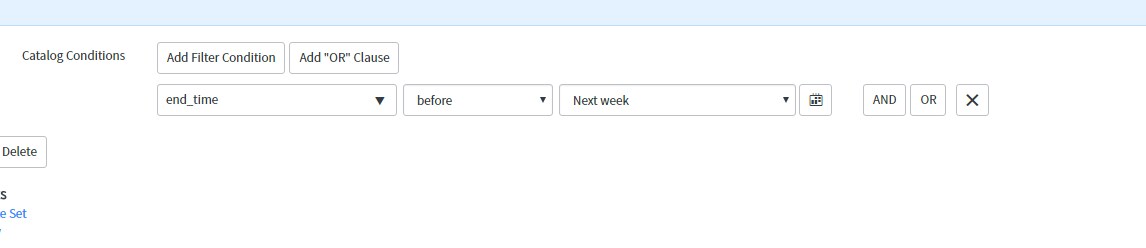
Somewhere around this condition might help :


- Mark as New
- Bookmark
- Subscribe
- Mute
- Subscribe to RSS Feed
- Permalink
- Report Inappropriate Content
05-14-2017 10:07 PM
Please refer below post which has solution for date validation on record producer.
Date/Time Field Restriction Record Producer
Regards,
Sachin
- Mark as New
- Bookmark
- Subscribe
- Mute
- Subscribe to RSS Feed
- Permalink
- Report Inappropriate Content
05-14-2017 10:14 PM
Hi,
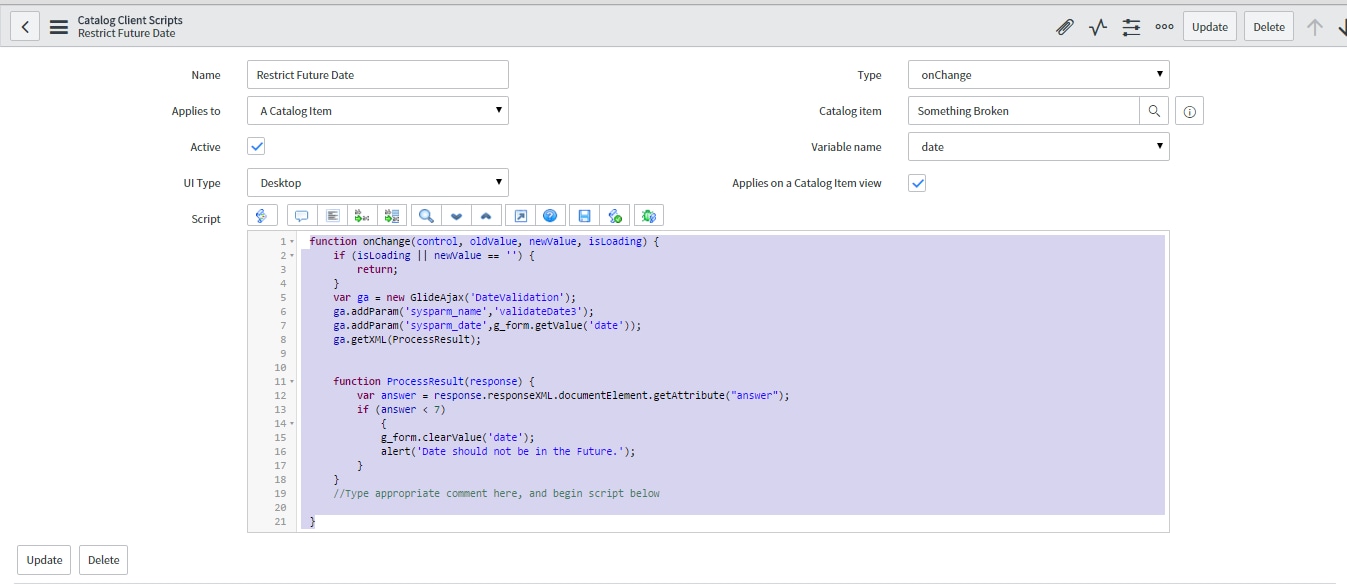
This can be achieved using a Script Include and a on Change Catalog Client Script as mentioned below:
Script Include:
var DateValidation = Class.create();
DateValidation.prototype = Object.extendsObject(AbstractAjaxProcessor, {
validateDate3: function() {
var ActualEndDate = this.getParameter('sysparm_date');
return gs.dateDiff(gs.now(),ActualEndDate, true)/86400;
},
type: 'DateValidation'
});

Once the Script Include has been created, create an On Change Catalog Client Script on the Record Producer on that Date Variable as mentioend below:
Script:
function onChange(control, oldValue, newValue, isLoading) {
if (isLoading || newValue == '') {
return;
}
var ga = new GlideAjax('DateValidation');
ga.addParam('sysparm_name','validateDate3');
ga.addParam('sysparm_date',g_form.getValue('date'));
ga.getXML(ProcessResult);
function ProcessResult(response) {
var answer = response.responseXML.documentElement.getAttribute("answer");
if (answer < 7)
{
g_form.clearValue('date');
alert('Date should not be in the Future.');
}
}
//Type appropriate comment here, and begin script below
}

Hope this helps.Mark the answer as correct/helpful based on impact.
Regards,
Shloke
Regards,
Shloke
- Mark as New
- Bookmark
- Subscribe
- Mute
- Subscribe to RSS Feed
- Permalink
- Report Inappropriate Content
05-14-2017 10:18 PM
Hi Snehal,
Just put in a UI policy with the condition and in the script add an alert and clear the date field if it's after the specified period. Check this out: Validate Date in Client Script
Somewhere around this condition might help :
- Mark as New
- Bookmark
- Subscribe
- Mute
- Subscribe to RSS Feed
- Permalink
- Report Inappropriate Content
05-14-2017 10:18 PM
Hi Snehal,
Please use below code, just you need to change the days as per your requirement.
Implemented for on change table
Script Include :
var ClientDateTimeUtils = Class.create();
ClientDateTimeUtils.prototype = Object.extendsObject(AbstractAjaxProcessor, {
//Takes a Single Date/Time Field and returns its time difference from nowDateTime().
//params = sysparm_fdt (the first date/time field), sysparm_difftype (time based format to return result. See "_calcDateDiff" function comments)
getDateTimeBeforeNowBool: function(){
var firstDT = this.getParameter('sysparm_fdt'); //Start Date-Time Field
var nowdate = new GlideDateTime();
var diffTYPE = this.getParameter('sysparm_difftype'); // Date-Time Type to return the answer as. Can be second, minute, hour, day
var diff = gs.dateDiff(nowdate, firstDT,true);
var timediff = this._calcDateDiff(diffTYPE, diff);
return timediff;
},
//Private function to calculate the date difference return result in second, minute, hour, day.
_calcDateDiff: function(diffTYPE, seconds){
var thisdiff;
if (diffTYPE == "day"){thisdiff = seconds/86400;}
else if (diffTYPE == "hour"){thisdiff = seconds/3600;}
else if (diffTYPE == "minute"){thisdiff = seconds/60;}
else if (diffTYPE == "second"){thisdiff = seconds;}
else if (diffTYPE == 'week'){thisdiff= seconds/604800;}
else {thisdiff = seconds;}
return thisdiff;
}
});
Use Catelog Client Script :
function onSubmit() {
//Type appropriate comment here, and begin script below
if(g_form.getValue('type') == 'normal')
{
var addtype = 'day';
var threeday = 3;
var tendays = 10;
var answer;
var startDate = g_form.getValue('start_date');
var ajax = new GlideAjax('ClientDateTimeUtils');
ajax.addParam('sysparm_name', 'getDateTimeBeforeNowBool');
ajax.addParam('sysparm_fdt', startDate);
ajax.addParam('sysparm_difftype', addtype);
ajax.getXMLWait();
answer = ajax.getAnswer();
if(answer < threeday){ // check start date should be raised 3 days before
g_form.showFieldMsg('start_date',' change should be raised 3 days before of start date','error');
return false;
}
}
This will help you
Regards,
Parvinder