- Mark as New
- Bookmark
- Subscribe
- Mute
- Subscribe to RSS Feed
- Permalink
- Report Inappropriate Content
03-26-2019 12:16 PM
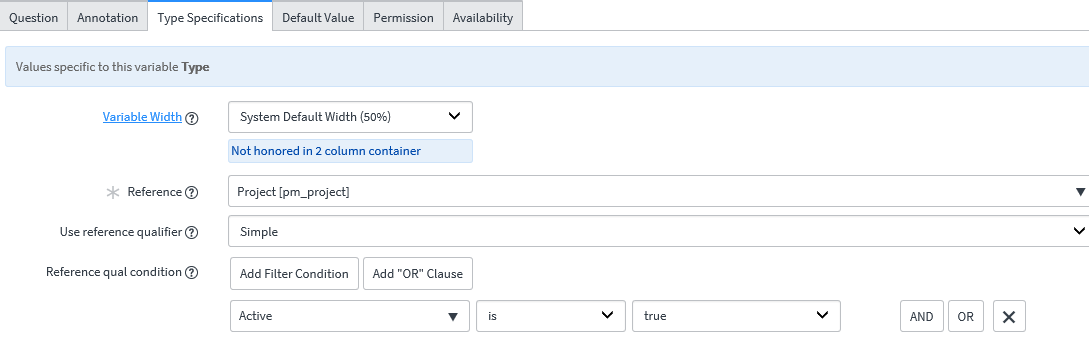
I am building a new catalog item. I have a reference field pulling from pm_project. I would like to display the Project Number in the field instead of the Project Description when the user selects it from the list.


I would like the Project number to be displayed instead of the Project description.
Solved! Go to Solution.
- Labels:
-
Scripting and Coding

- Mark as New
- Bookmark
- Subscribe
- Mute
- Subscribe to RSS Feed
- Permalink
- Report Inappropriate Content
03-26-2019 12:24 PM
You can the change the display value by setting 'Display' attribute for your desired column to true.
table list view->configure->table-> go to columns

Hope this helps
- Mark as New
- Bookmark
- Subscribe
- Mute
- Subscribe to RSS Feed
- Permalink
- Report Inappropriate Content
03-27-2019 01:41 PM
That makes sense that they force only one field to be displayed.
When I go to that table, the Number field is the one set to true. But when I add that field to a form, the description is displayed.
The other weird thing is when I go to my developer instance, the Number and Description fields are set to true.
So there has to be an override to allow me to display, for this drop-down only, the Number field instead of the description field?


- Mark as New
- Bookmark
- Subscribe
- Mute
- Subscribe to RSS Feed
- Permalink
- Report Inappropriate Content
03-27-2019 02:02 PM
You need to override dictionary of TAsk table for number column on pm_project table to resolve this issue.
- Navigate to dictionary override of short description column for pm_project table and make "override display value" to false like below

- Navigate to dictionary override for number column for pm_project table and make override display value to true like below

Regards,
Sachin
- Mark as New
- Bookmark
- Subscribe
- Mute
- Subscribe to RSS Feed
- Permalink
- Report Inappropriate Content
04-08-2019 02:01 PM
That would have been what I would want to do. However, that affects all reference fields that use the pm_project table. I only wanted it on this one field.
- Mark as New
- Bookmark
- Subscribe
- Mute
- Subscribe to RSS Feed
- Permalink
- Report Inappropriate Content
03-19-2026 11:17 AM
did you get solution for this?