Display HTML fields in Additional Details Tab when Request is Submitted

- Mark as New
- Bookmark
- Subscribe
- Mute
- Subscribe to RSS Feed
- Permalink
- Report Inappropriate Content
02-05-2024 05:40 AM
Hi Everyone,
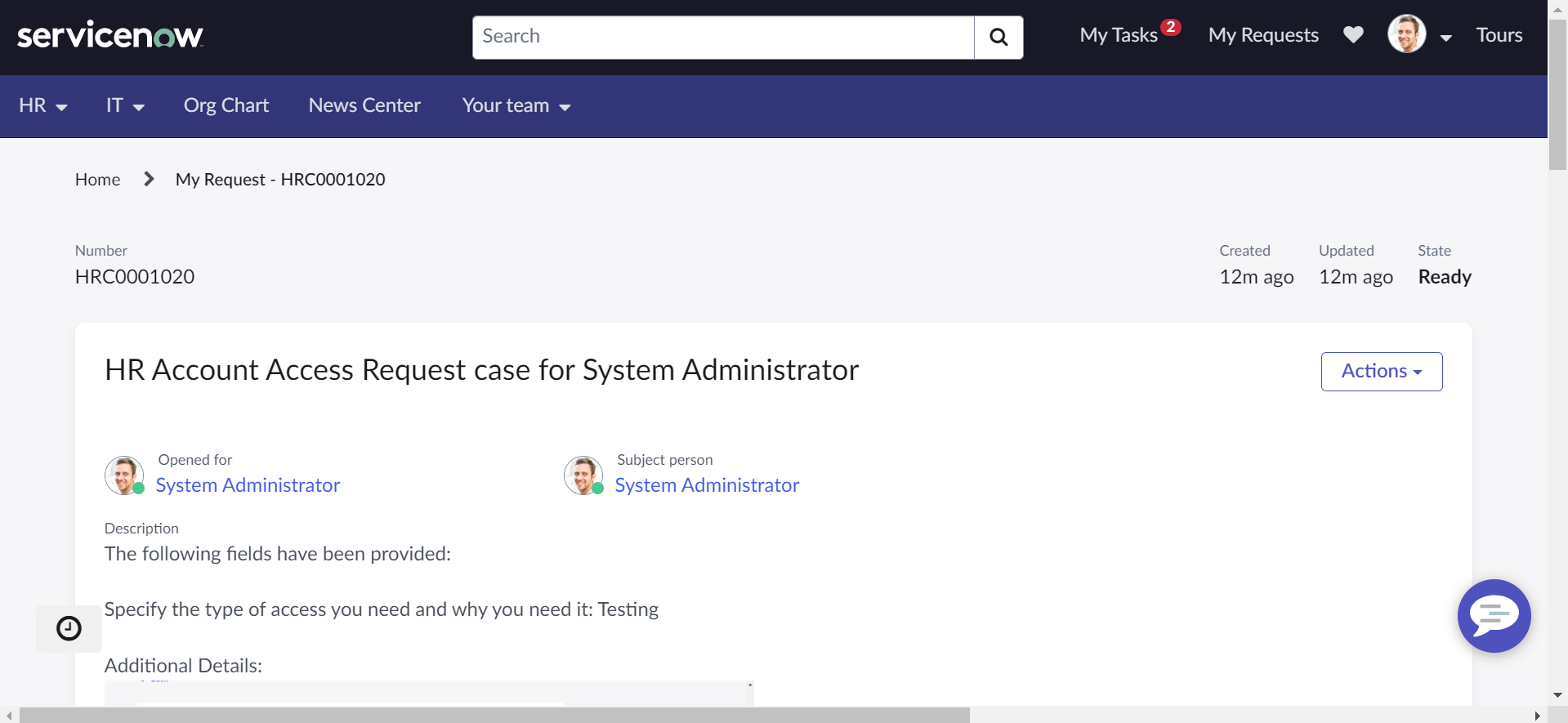
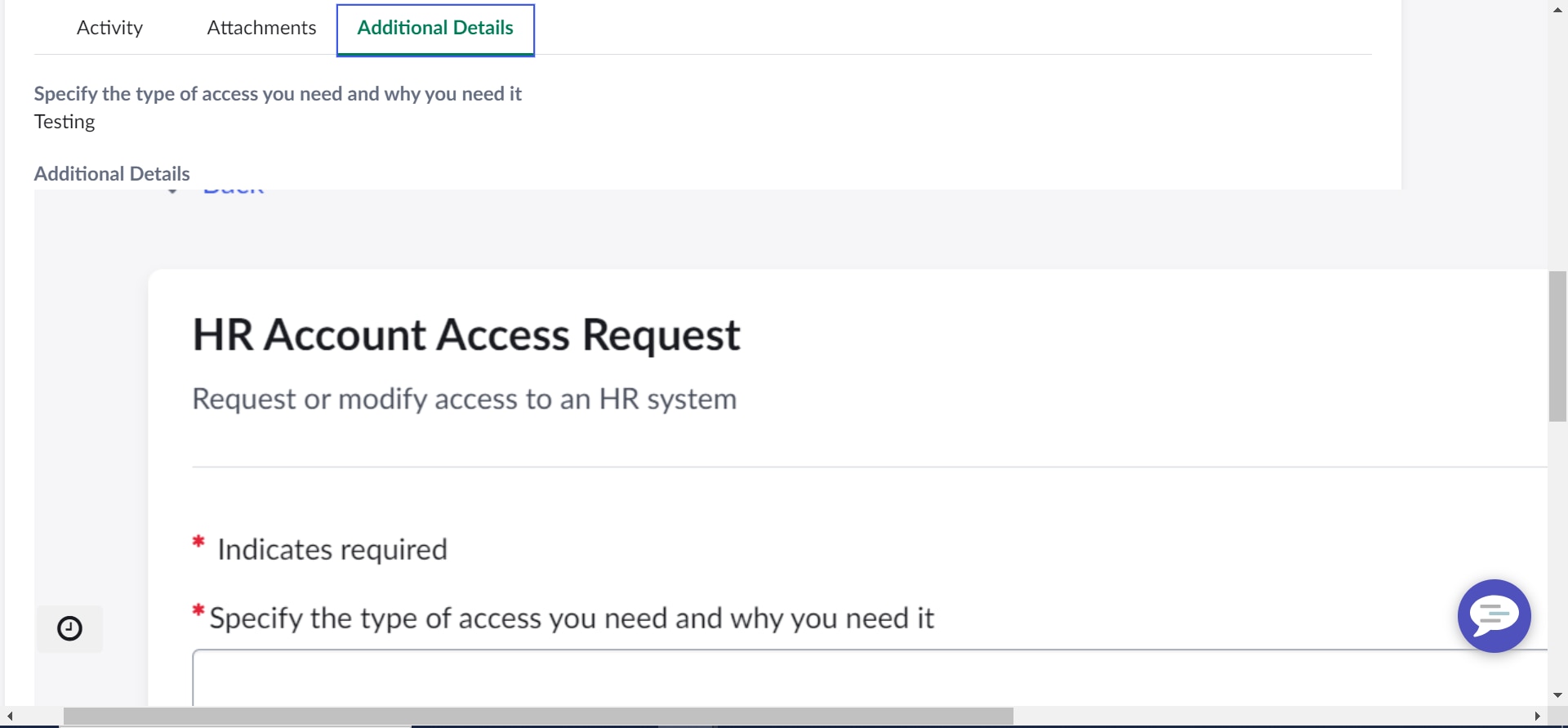
I have a requirement to display HTML fields in Additional Details Tab whenever a request is submitted, as per my analysis ServiceNow is excluding HTML fields to be visible on Request Details so i have made slight changes to include HTML field as well, now the content is getting displayed but i am facing issue in fitting the image into the container if the image is big then its not fitting exactly into that tab its overflown..
Please find below details and images for your reference.
Can someone help me on this issue.
OOTB Widget Name : Variable Summarizer
Added this line of code to OOTB HTML Code - " <span ng-switch-when="23" ng-bind-html= "::variable.display_value"></span> "
Few lines of existing HTML Code with extra line i have added:
@Ankur Bawiskar @Chuck Tomasi @Earl Duque @Pranav Bhagat can you please help me on this!!!

- Mark as New
- Bookmark
- Subscribe
- Mute
- Subscribe to RSS Feed
- Permalink
- Report Inappropriate Content
02-05-2024 05:59 AM
Hi @Reddy Sekhar ,
The challenge seems to be related to the overflow of images that are too large for the container.
Here are a few suggestions to address the issue:
-
Image Size Limitation: Ensure that the images uploaded as HTML content are appropriately sized. If the images are too large, consider optimizing them or restricting the size allowed in the system.
-
CSS Styling: Apply CSS styling to the HTML container to control the size and overflow behavior of the images. You can set a maximum height, width, or use other CSS properties to handle the display.
Adjust the class name (.your-html-container { max-width: 100%; max-height: 100%; overflow: auto; }.your-html-container) to match the actual class or container element. - Responsive Images: Make sure that the images are responsive to different screen sizes. This can be achieved by using responsive design techniques in your CSS.
- Check Container Width: Ensure that the container element where the HTML content is displayed has sufficient width to accommodate the images. If the container is too narrow, it might cause overflow.
- Image Compression: If the images are in a format that supports compression (e.g., JPEG), consider compressing them to reduce file size.
- Inspect Elements: Use browser developer tools (right-click on the webpage and select "Inspect" or "Inspect Element") to inspect the HTML and CSS of the rendered content. This can help identify any additional styles or elements affecting the display.
Thanks,
Ratnakar


- Mark as New
- Bookmark
- Subscribe
- Mute
- Subscribe to RSS Feed
- Permalink
- Report Inappropriate Content
02-05-2024 06:29 AM
I won't recommend this much customization.
Ankur
✨ Certified Technical Architect || ✨ 10x ServiceNow MVP || ✨ ServiceNow Community Leader
- Mark as New
- Bookmark
- Subscribe
- Mute
- Subscribe to RSS Feed
- Permalink
- Report Inappropriate Content
02-05-2024 06:41 AM
Hi Ankur
i have added only one line of code in HTML - "<span ng-switch-when="23" ng-bind-html= "::variable.display_value"></span>"
added 3 lines of code to server Script to include HTML field as well to variables list