FW inbound Email is not getting attached to Case although it has same ref tag

- Mark as New
- Bookmark
- Subscribe
- Mute
- Subscribe to RSS Feed
- Permalink
- Report Inappropriate Content
12-09-2025 09:09 PM
Detailed description
When we forward any email using FW instead of reply (RE) it is creating new case instead of attaching.
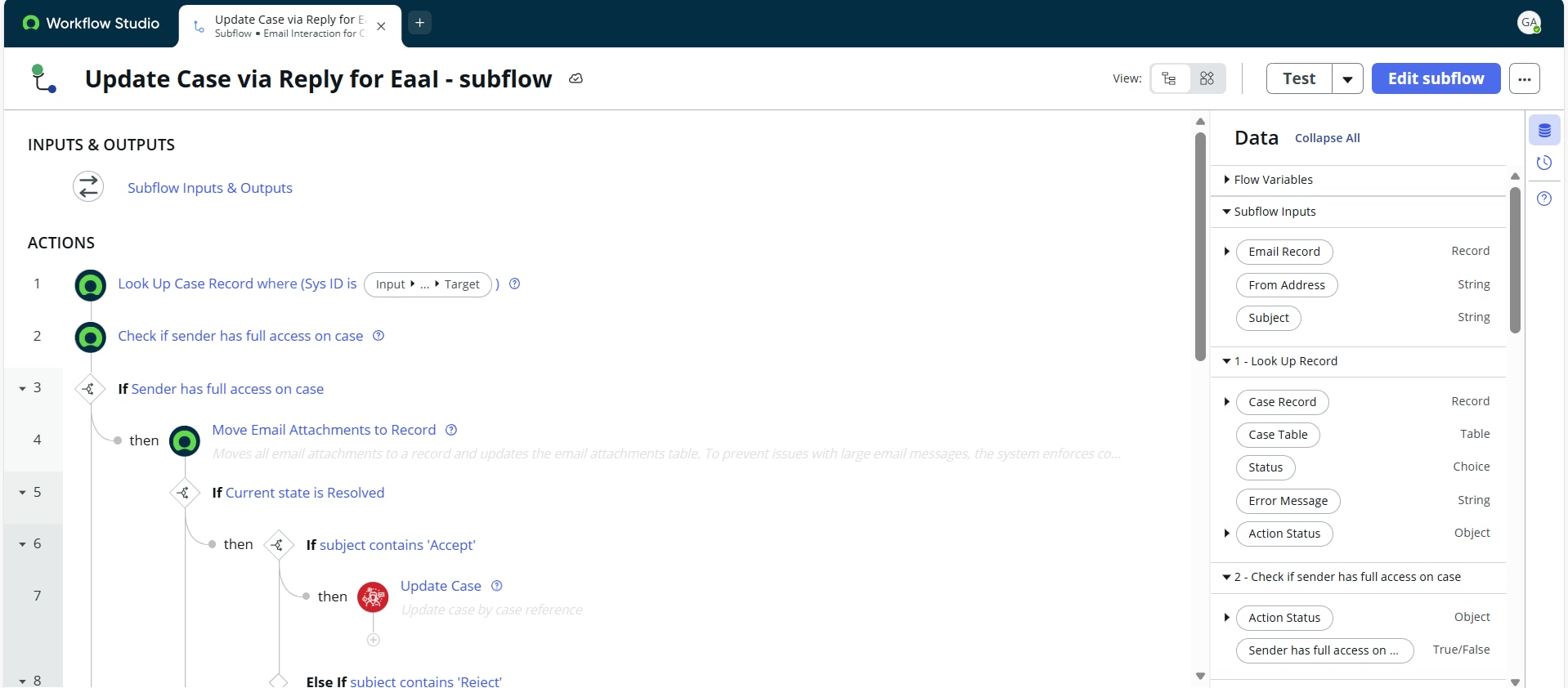
We see inbound action Update Case via Reply for EaaI for Reply email which is using flow designer for further processing and created similar Update Case via Forward for EaaI to include forward functionality but it is not working as expected.
Agent forwards email (from his internal email) to the case that included the ref tag, but it created a new case instead of linking in the original case. Note: The subject of the email had the word “FW:” in it.
However, when he received a response from the email that was sent it was added to the original case Note: This subject did not have the word “FW:” in it.
It does have a different subject line but that could be true at times. I would expect that if an email has a ref tag associated with the case that the email will be added to that case.
How can I achieve this requirement? Do I need to make changes to Flow Designer as well? If yes where exactly kindly help me.
attached are the OOB and custom inbound action condition. I have used the same script as of OOB action inside my custom action too.

- Mark as New
- Bookmark
- Subscribe
- Mute
- Subscribe to RSS Feed
- Permalink
- Report Inappropriate Content
12-10-2025 01:21 AM
@gazalagrawa ServiceNow looks for the existing record based on the watermark in notification, if watermark is not found system will generate a new record automatically.
Refer : https://support.servicenow.com/kb?id=kb_article_view&sysparm_article=KB0754934
- Mark as New
- Bookmark
- Subscribe
- Mute
- Subscribe to RSS Feed
- Permalink
- Report Inappropriate Content
12-10-2025 05:36 AM
Hi Raghav,
Thanks for the response. But my ask is different, I want even forward emails to get attached to the same case.
- Mark as New
- Bookmark
- Subscribe
- Mute
- Subscribe to RSS Feed
- Permalink
- Report Inappropriate Content
12-10-2025 06:08 AM
so here is a approach:
1. send case number in subject and in the flow action or inbound action get case number from subject.
2. Keep the order of this inbound action or flow action lower then the OOB update action and keep the stop processing checked. (This will ensure that new case is not created).
3. Add this email to the case number received in subject.