- Mark as New
- Bookmark
- Subscribe
- Mute
- Subscribe to RSS Feed
- Permalink
- Report Inappropriate Content
10-13-2023 09:45 AM
Hey everyone!
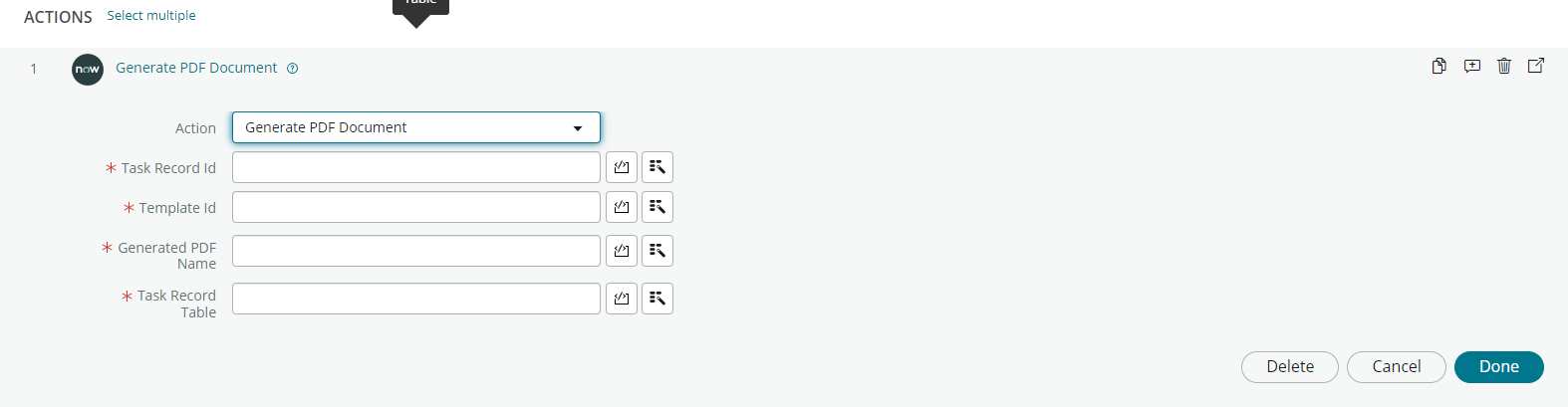
I am looking for a way to generate a PDF in flow designer with the new "Generate PDF Document" action in flow designer. I have created the document template, but not sure how the action works or what information needs to be placed into each of the fields.
The request is based on an SCTASK, the PDF can be generated where the tech only has to type in the information needed (4 boxes on the PDF). I cannot show the entire PDF, but here are 3 of the 4 boxes that they would like to be populated. The 4th box is the date that this is generated.
Can anyone help?
Thanks in advance!
Austin Brunet
Solved! Go to Solution.


- Mark as New
- Bookmark
- Subscribe
- Mute
- Subscribe to RSS Feed
- Permalink
- Report Inappropriate Content
10-21-2023 06:26 AM
@Austin_Brunet I did some search and found that the Generate PDF Document action only works with HR Templates. Unfortunately, this action can't be leveraged for Catalog Tasks.
Here is the link to the thread https://www.servicenow.com/community/now-platform-forum/how-does-generate-pdf-document-action-works-...
For generating the PDF you will have to rely on PDFGenerationAPI. the https://developer.servicenow.com/dev.do#!/reference/api/vancouver/server/sn_pdfgeneratorutils-namesp...
- Mark as New
- Bookmark
- Subscribe
- Mute
- Subscribe to RSS Feed
- Permalink
- Report Inappropriate Content
10-30-2025 07:04 AM
Hey @Elena Spıru!
I believe I have!
You should be able to use the following script:
// Define variables
var recordSysId = [record_sysId],
    pdfTemplateSysId = [pdfTemplateSysId], //Found in the sn_doc_pdf_template table
    pdfName = [nameForPDF];
    tableName = [table_name_of_recordSysId]


// Setup field mapping
var fieldMap = {
    //This is where you map the field name from the PDF to the field name on the record
    "form1[0].page1[0].Part1[0].userName[0]": [record_field_name].getDisplayValue(),
    "form1[0].page1[0].typeReqDate[0]": [record_field_name].getDisplayValue(),
    "form1[0].page1[0].Part1[0].Organization[0]": [record_field_name].getDisplayValue()

};

// Execute API
var v = new sn_pdfgeneratorutils.PDFGenerationAPI;
var result = v.fillDocumentFields(fieldMap, pdfTemplateSysId, tableName, recordSysId, pdfName);
Hopefully that helps!
- Mark as New
- Bookmark
- Subscribe
- Mute
- Subscribe to RSS Feed
- Permalink
- Report Inappropriate Content
02-19-2026 11:21 AM
Hi Will user be able parse the signature on the editable PDF? Also can we render the PDF directly for user to add values and signature ?
- Mark as New
- Bookmark
- Subscribe
- Mute
- Subscribe to RSS Feed
- Permalink
- Report Inappropriate Content
05-05-2026 10:22 PM
Hey @Kachu,
Sorry for the late response, but do you mind explaining your use case/example for this? I am not sure I am understanding what your question is 😅.
Thank you!
Austin B.