GlideAjax: Not able to access function inside script include


- Mark as New
- Bookmark
- Subscribe
- Mute
- Subscribe to RSS Feed
- Permalink
- Report Inappropriate Content
10-03-2015 01:14 PM
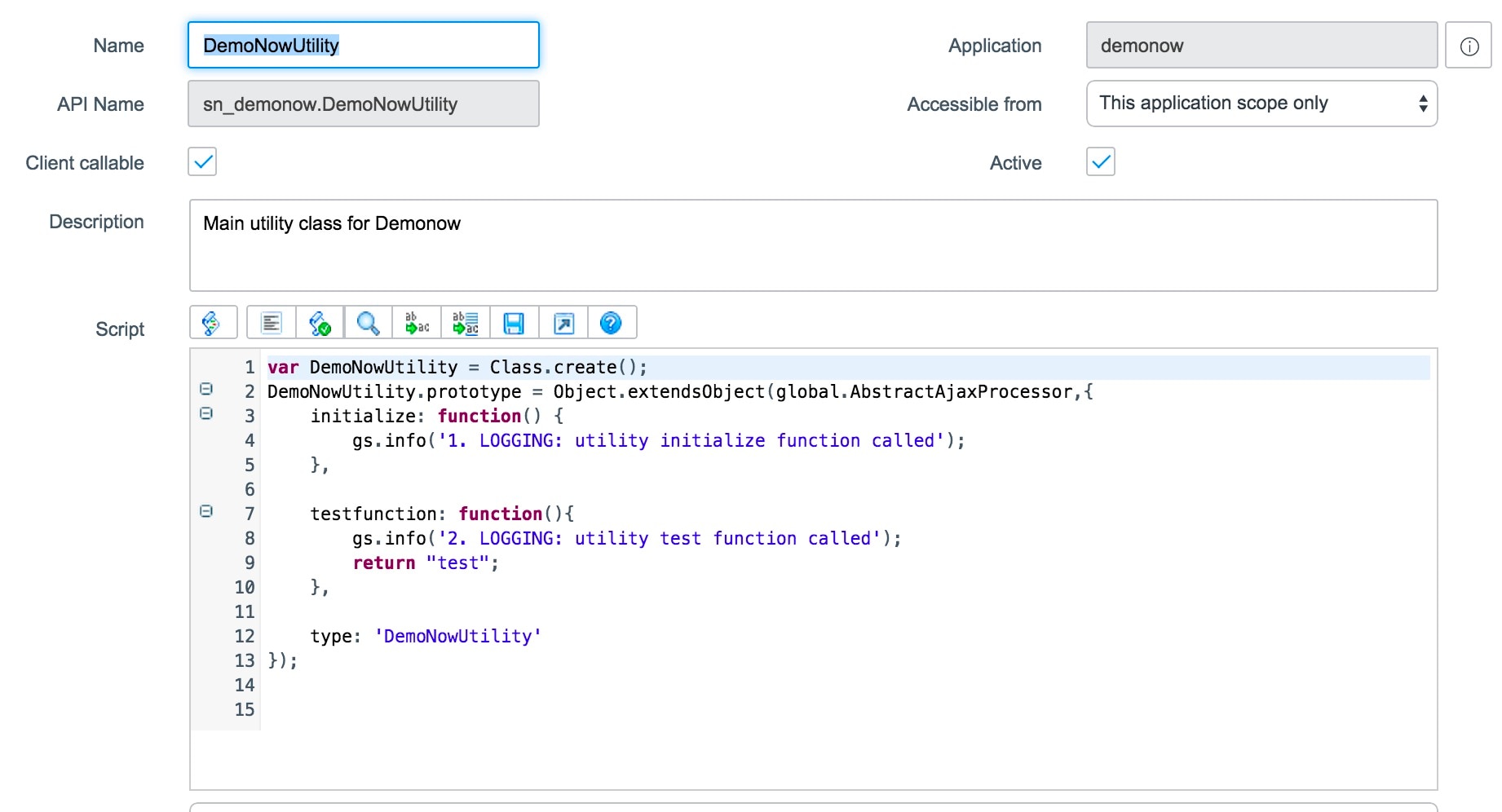
I have created a custom application and i am trying to do a GlideAjax, though onSubmit client script , to access a script include within the same scope. I put a debug statement each inside the 'initialize' and 'testfunction' which i am calling in my client script. I found that on execution of the script only the debug statement inside initialize is reflecting in the System Logs. Is the 'testfunction' not getting called at all? The value in the 'answer' variable is also null after execution.
Following is my script include:

Corresponding Client Script:

- Mark as New
- Bookmark
- Subscribe
- Mute
- Subscribe to RSS Feed
- Permalink
- Report Inappropriate Content
05-13-2016 07:25 AM
Hi Michael,
Sometimes it's the simplest things. In this case, it was the gs.log statements in your Script Include. I completely missed that earlier. gs.log is not available within Scoped apps. Instead, we have create new logging methods (gs.info, gs.warn, gs.debug, gs.error). Those are detailed here:
https://wiki.servicenow.com/index.php?title=Scoped_Script_Logging
Note that the variable substitution uses {0},{1} syntax (I think I tried $0,$1 when we were debugging, because it's early and I haven't had any coffee yet).
With that last change to your server-side Script Include, this should work as intended.
Thanks,
Cory
- Mark as New
- Bookmark
- Subscribe
- Mute
- Subscribe to RSS Feed
- Permalink
- Report Inappropriate Content
10-31-2018 01:13 PM
Hi michaelrodway,
I know this post is quite time ago, but I'm running the same scenario.
Did you find a way out to have this GlideAjax self contained in Scoped application?
Thank you.
Regards,
Oswaldo