Global API vs. Scoped API

- Mark as New
- Bookmark
- Subscribe
- Mute
- Subscribe to RSS Feed
- Permalink
- Report Inappropriate Content
04-12-2018 07:42 AM
I'm not clear on the difference between global API's and scoped API's. I think I may still be struggling with the concept of scope in general.
Does anyone have a clear, concise, general explanation?
Thanks.
- Labels:
-
Scoped App Development


- Mark as New
- Bookmark
- Subscribe
- Mute
- Subscribe to RSS Feed
- Permalink
- Report Inappropriate Content
01-12-2022 09:31 PM
ServiceNow APIs
There are six API categories:
- Client: Client-side API for desktop apps
- Client Mobile: ServiceNow Classic mobile application API. Not for ServiceNow Agent, Now Mobile, or ServiceNow Onboarding
- Now Experience UI Framework: Agent Workspace component API
- Server Scoped: Scoped application API for server-side
- Server Global: Global application API for server-side
- REST: Restful APIs for interacting with a ServiceNow instance
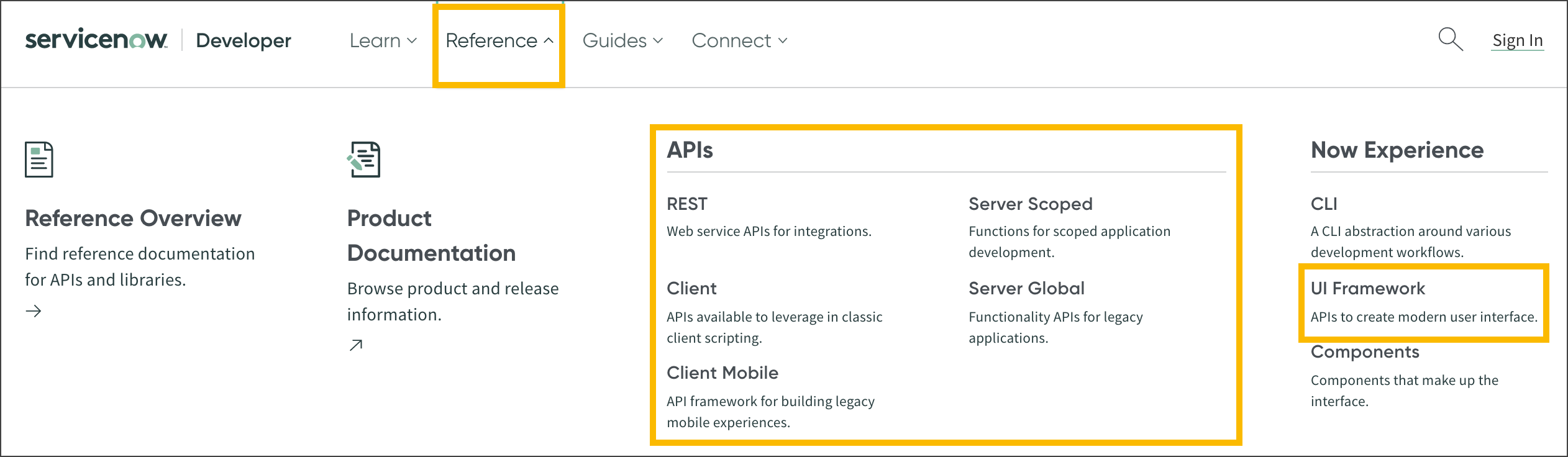
Visit the ServiceNow Developer Site to find the complete API reference. Click the Reference menu then select an API. The API reference documents the classes, methods, and non-method properties comprising the API.
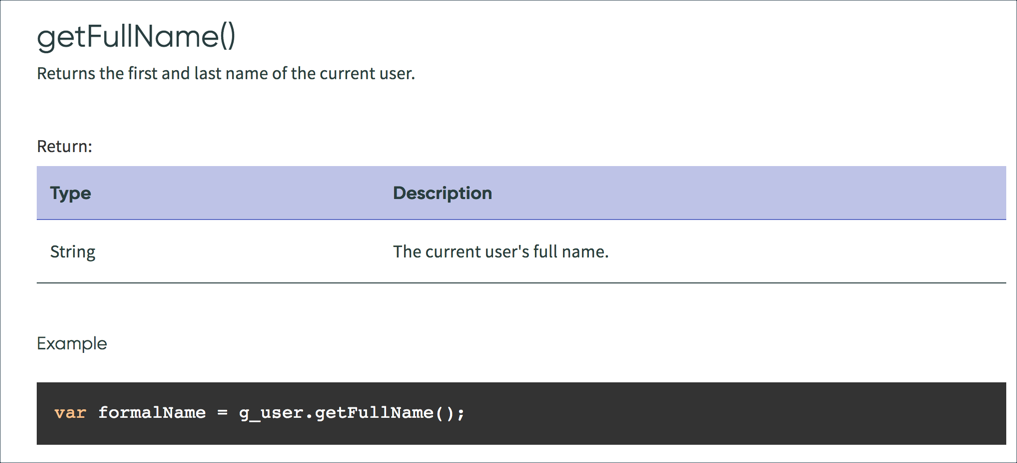
For most methods the API reference documents include:
- Method name
- Method description
- Return data type
- Return data description
- Example script
Refer to the API documentation early and often when building apps on the Now platform.
Selecting the API Release
All API content is versioned. When viewing API documentation, use the release selector to choose a release. The release selector is above the API class name.

Scoped Vs. Global
Applications developed in custom scopes do not use the same server-side APIs as applications built in the Global scope. When viewing server-side API documentation, use the Reference menu to select the correct scope.
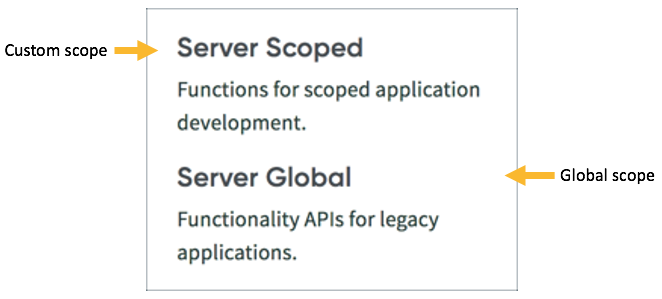
If API documentation is already open, use the API Type field to change the API reference.

Shakeel Shaik 🙂
- Mark as New
- Bookmark
- Subscribe
- Mute
- Subscribe to RSS Feed
- Permalink
- Report Inappropriate Content
05-23-2024 12:18 AM
hello @Shakeel Shaik
Would you please tell me why API for server-side has two types as below .
I can not understand the purpose ...
- Server Scoped: Scoped application API for server-side
- Server Global: Global application API for server-side

