- Mark as New
- Bookmark
- Subscribe
- Mute
- Subscribe to RSS Feed
- Permalink
- Report Inappropriate Content
06-16-2017 01:10 PM
I am using Istanbul and trying to change the default list layout for Project Tasks within the Project record (i.e., a related list).
I am going to System UI -> Lists and finding the record where table= pm_project_task, and parent=pm_project, and view= default view, and user=<null>
How do I edit this record to add/delete and rearrange elements? The only documentation I could find said to never delete a base view, or I would just delete the record and make a new one.
There is a way to edit the default layout list for a table, but I don't see any option with that method that would get me to a related list.
Any suggestions?
--Mike
Solved! Go to Solution.


- Mark as New
- Bookmark
- Subscribe
- Mute
- Subscribe to RSS Feed
- Permalink
- Report Inappropriate Content
06-16-2017 01:21 PM
Helo MIke,
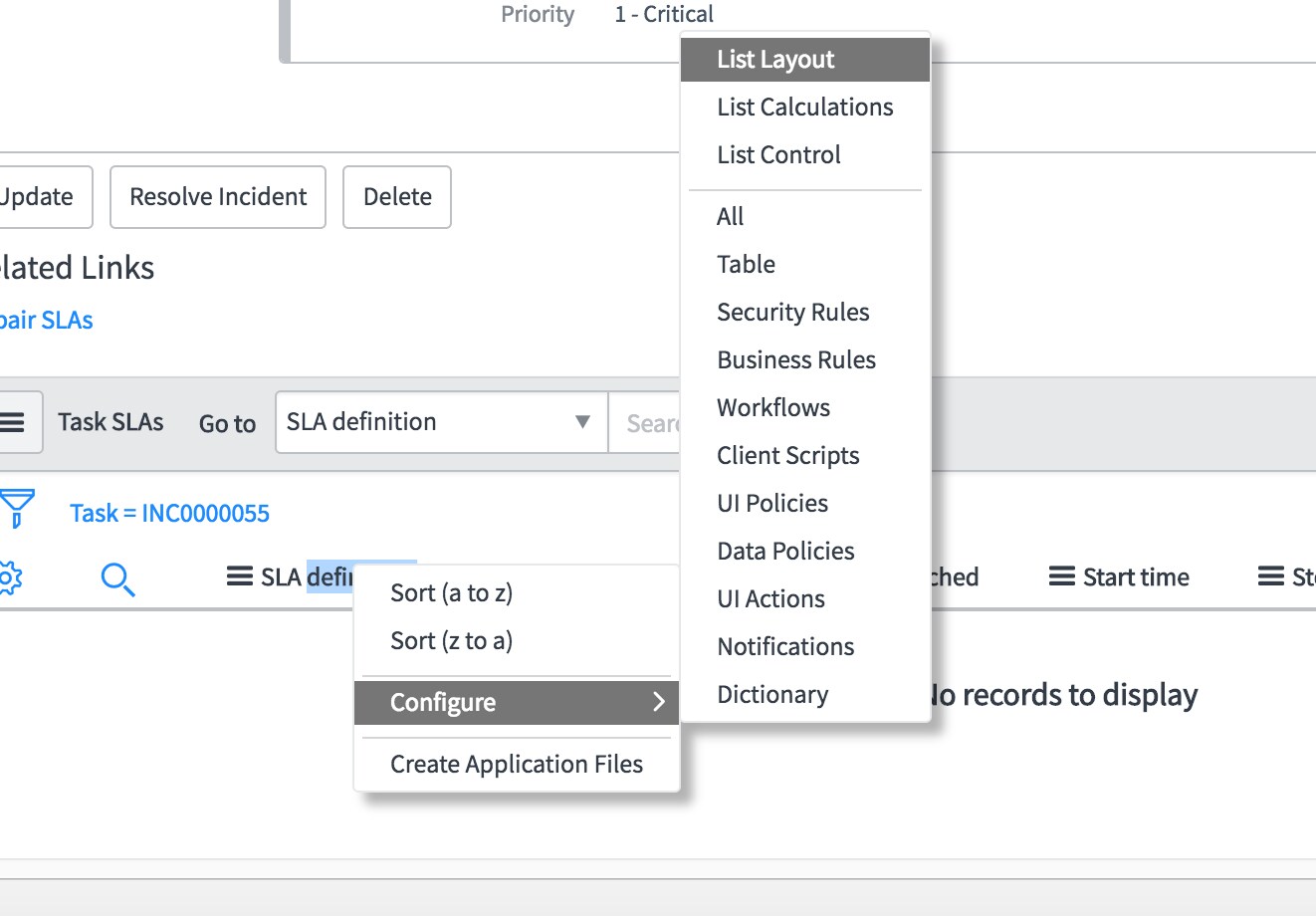
Navigate to the related list->Right click on any field->Configure->List layout->Modify the layout
This change will be applicable to all users in the system. Screenshot for reference.

- Mark as New
- Bookmark
- Subscribe
- Mute
- Subscribe to RSS Feed
- Permalink
- Report Inappropriate Content
06-16-2017 01:21 PM

- Mark as New
- Bookmark
- Subscribe
- Mute
- Subscribe to RSS Feed
- Permalink
- Report Inappropriate Content
06-16-2017 01:21 PM