How to avoid overflow menu for "skip" button on playbook card

- Mark as New
- Bookmark
- Subscribe
- Mute
- Subscribe to RSS Feed
- Permalink
- Report Inappropriate Content
09-04-2026 04:22 AM - edited 09-07-2026 07:26 AM
- Mark as New
- Bookmark
- Subscribe
- Mute
- Subscribe to RSS Feed
- Permalink
- Report Inappropriate Content
09-07-2026 05:22 AM
Try changing the button position to the opposite of its current position in declarative action and check if the changes are reflected?
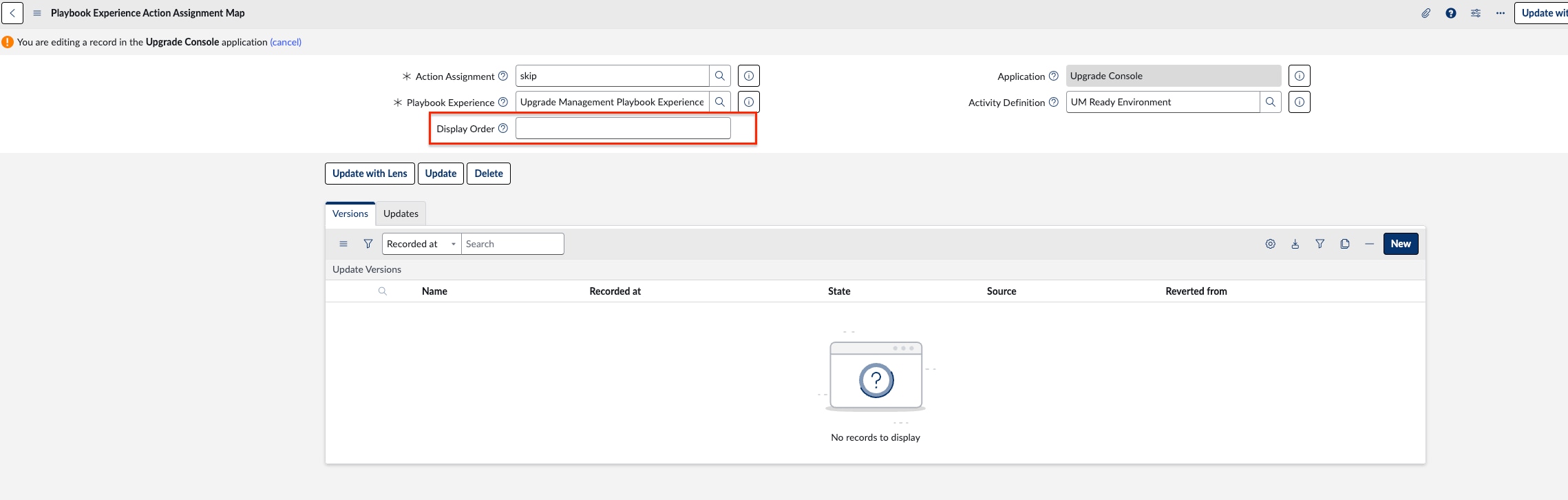
Alternatively, open the associated Playbook Experience Action Assignment Map (sys_playbook_experience_action_assignment_map) record and change the display order.
This will help us verify whether the changes are being applied correctly or not.
Regards,
Harish
- Mark as New
- Bookmark
- Subscribe
- Mute
- Subscribe to RSS Feed
- Permalink
- Report Inappropriate Content
09-07-2026 05:39 AM
Let me explain the setup , i have :
-One dedicated playbook experience for my app
-I used the OOTB activity "New record with list"
I find a "workaround" by creating my own action as an Icon to skip (see "1" below)


But i want to get rid of the overflow "skip" (2 ) which came with the out of the box "New record with list". I cannot add exclusion on that action (the table listed there are only global and not the one of my App scope)
