How to get RITM and Task values for each Request?

- Mark as New
- Bookmark
- Subscribe
- Mute
- Subscribe to RSS Feed
- Permalink
- Report Inappropriate Content
03-22-2018 03:22 AM
Hi All,
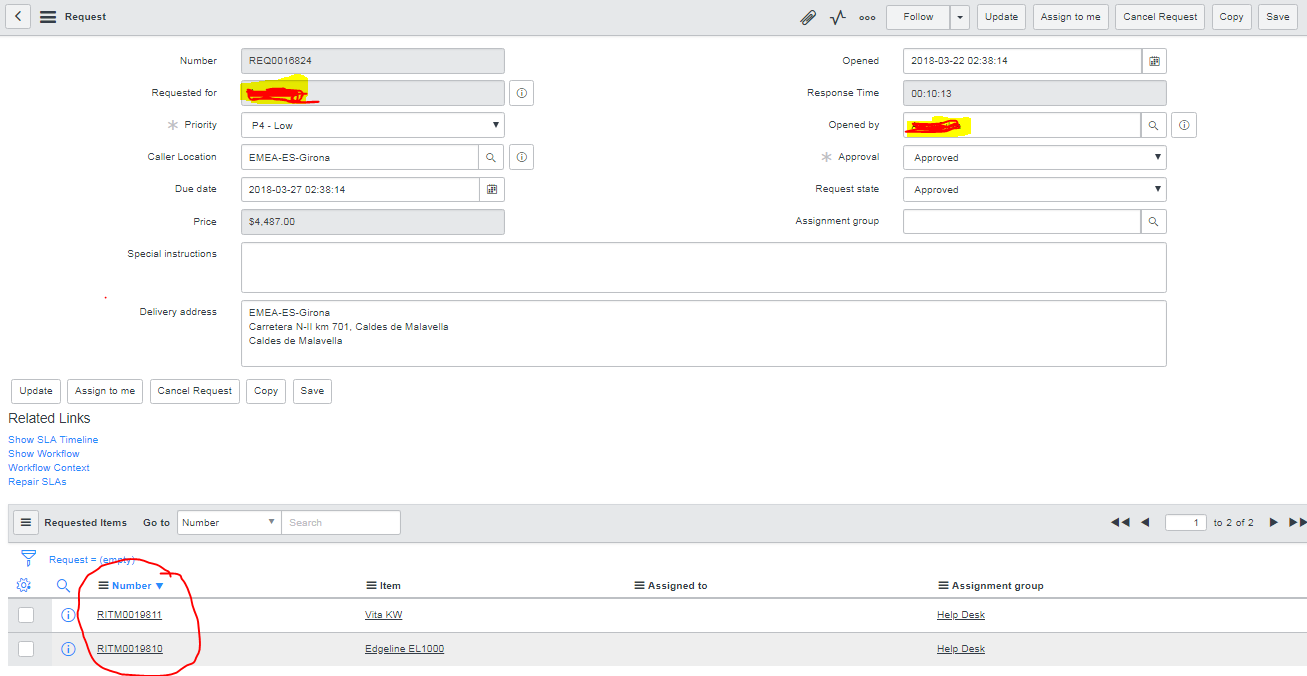
The below Request('sc_request") contains two RITM's("sc_req_items") and each RITM will have a Task number("sc_task").
I want to display the both RITM number and Task number by using the Request('sc_request") number.
Please share your ideas

- Mark as New
- Bookmark
- Subscribe
- Mute
- Subscribe to RSS Feed
- Permalink
- Report Inappropriate Content
03-22-2018 03:33 AM
Hi,
Please pull the report on sc task and you will get all the details by dot walk.
Regards,
Ram M
- Mark as New
- Bookmark
- Subscribe
- Mute
- Subscribe to RSS Feed
- Permalink
- Report Inappropriate Content
03-22-2018 03:37 AM
Hi ,
I want to get that via script.(e.g If I am passing a request number "REQ0016824" I want to get the RITM number 'RITM0019811' and 'RITM0019810' and also want to achive the task number .
How to achieve this?
- Mark as New
- Bookmark
- Subscribe
- Mute
- Subscribe to RSS Feed
- Permalink
- Report Inappropriate Content
03-22-2018 03:49 AM
Hi Gokul,
Please use the below script:
var rarr = [],arr1 = [];
var req = new GlideRecord("sc_req_item");
req.addEncodedQuery("request=" + current.sys_id);
req.query();
while(req.next())
{
arr.push(req.number.toString());
var task = new GlideRecord("sc_task");
task.addEncodedQuery("request_item=" + req.sys_id);
task.query();
while(task.next())
{
arr1.push(task.number.toString());
}
}
gs.print("Request Number : " + current.number);
gs.print("Requested Item Number(s) : " + arr);
gs.print("Task Number (s): " + arr1);
Regards,
Ram M
- Mark as New
- Bookmark
- Subscribe
- Mute
- Subscribe to RSS Feed
- Permalink
- Report Inappropriate Content
03-22-2018 03:51 AM
Hi,
Please find the below script there is a minor error in the above script:
BR To be created on Request table:
var arr = [],arr1 = [];
var req = new GlideRecord("sc_req_item");
req.addEncodedQuery("request=" + current.sys_id);
req.query();
while(req.next())
{
arr.push(req.number.toString());
var task = new GlideRecord("sc_task");
task.addEncodedQuery("request_item=" + req.sys_id);
task.query();
while(task.next())
{
arr1.push(task.number.toString());
}
}
gs.print("Request Number : " + current.number);
gs.print("Requested Item Number(s) : " + arr);
gs.print("Task Number (s): " + arr1);
Regards,
Ram M