How to hide all the variables on RITM and task form

- Mark as New
- Bookmark
- Subscribe
- Mute
- Subscribe to RSS Feed
- Permalink
- Report Inappropriate Content
09-09-2020 03:13 AM
Hello All,
I need to hide all the variables on RITM and catalog task form for one specific catalog item.
Please help.
Thank you,
Priya.
- Mark as New
- Bookmark
- Subscribe
- Mute
- Subscribe to RSS Feed
- Permalink
- Report Inappropriate Content
11-10-2021 02:39 AM
Hi
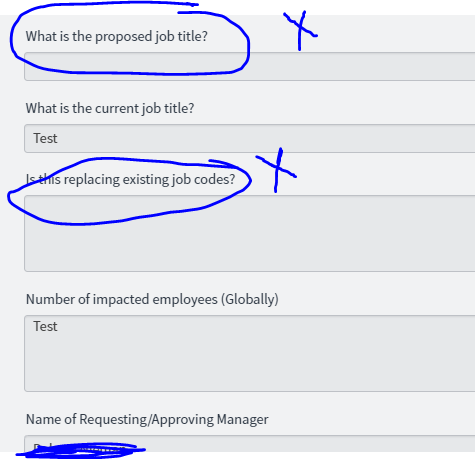
So In my form,
when I select a multiple choice 3 fields are visible. When another multiple choice is selected 5 fields are visible.
So, when I select the multiple choice with 3 fields visible and submit the form. In the back-end 5 fields are visible(In which 2 are not required).

So there is a business requirement, that how its working(how its showing fields) in the IT Portal, it should work the same way in variables section.
Is this a right change to do? I want to know that.
Thanks,
Vaishnavi
- Mark as New
- Bookmark
- Subscribe
- Mute
- Subscribe to RSS Feed
- Permalink
- Report Inappropriate Content
11-17-2021 05:29 PM
Hi @ankur Bawiska
Same scenario we have approver_user(reference field) in our REQ form, only that that user can able to see the Variable on RITM and task. Please help me in this how can I achieve this.