How to make a UI Action button visible on workspace as well.

- Mark as New
- Bookmark
- Subscribe
- Mute
- Subscribe to RSS Feed
- Permalink
- Report Inappropriate Content
04-01-2026 10:02 AM
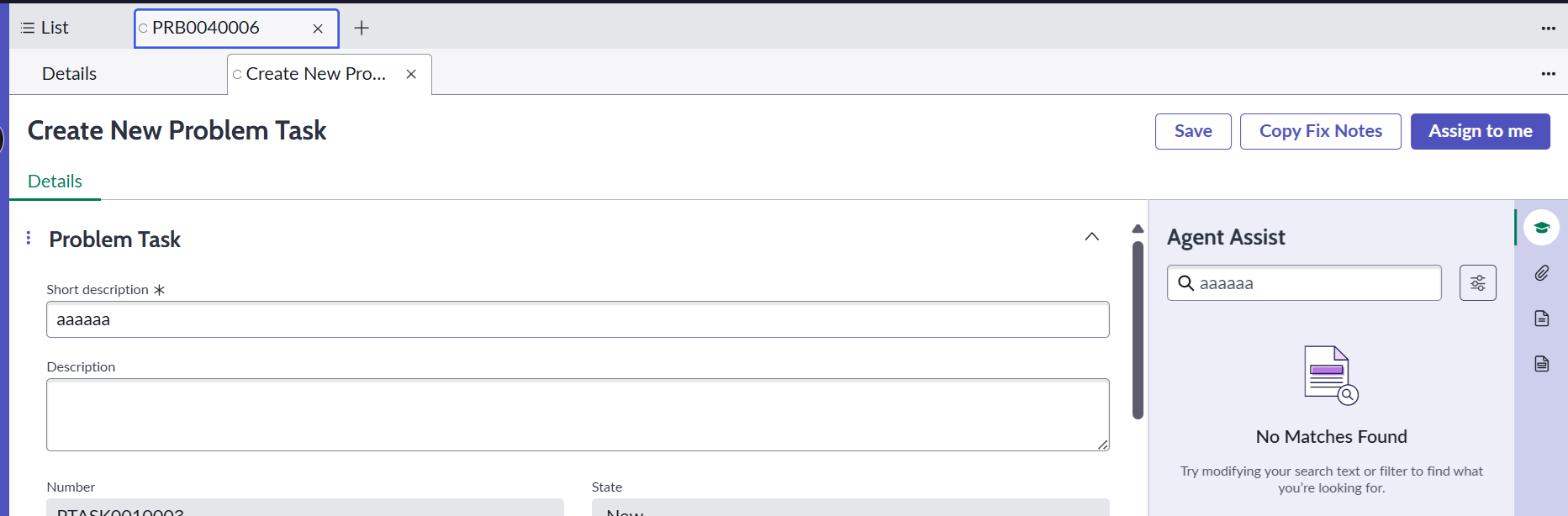
I have created a UI Action, for problem_task table. It's working perfectly on native form view, but if I open a problem task in Service operations workspace the button is not visible.
How to fix this? I want the button to be visible on Workspace form view as well
Here is the screenshot of the UI Action I created:

Here is the view of the SOW, where I'm not able to see the button "Copy fix notes"

- Mark as New
- Bookmark
- Subscribe
- Mute
- Subscribe to RSS Feed
- Permalink
- Report Inappropriate Content
04-01-2026 10:31 AM
I did a quick test in my PDI with what you showed above and made sure to check the boxes at the bottom of the form and it appeared over on the SOW.
If it does not appear you may want to look into if something is missing or needs adjustment in one of these two spots: sys_ui_action_view or sys_declarative_action_assignment.
- Mark as New
- Bookmark
- Subscribe
- Mute
- Subscribe to RSS Feed
- Permalink
- Report Inappropriate Content
04-01-2026 10:59 AM
Hi @k_lutz
Checking the boxes doesn't work. What should I check in sys_ui_action_view or sys_declarative_action_assignment?

- Mark as New
- Bookmark
- Subscribe
- Mute
- Subscribe to RSS Feed
- Permalink
- Report Inappropriate Content
04-01-2026 10:39 AM
Hi @Hrishabh Kumar,
It's simple; if you see below the code of your UI action, you will find a separate option for the workspace.
I have added the screenshot below; you can use that. Let me know if this helps😉:

If you find my answer useful, please mark it as Helpful and Correct. 😊
Regards,
Soham Tipnis
ServiceNow Developer || Technical Consultant
LinkedIn: www.linkedin.com/in/sohamtipnis10

- Mark as New
- Bookmark
- Subscribe
- Mute
- Subscribe to RSS Feed
- Permalink
- Report Inappropriate Content
04-01-2026 10:55 AM
Hi @SohamTipnis I checked those checkboxes, still not working.