- Mark as New
- Bookmark
- Subscribe
- Mute
- Subscribe to RSS Feed
- Permalink
- Report Inappropriate Content
05-26-2022 06:31 AM
Hi ServiceNow Experts,
In the San Diego servicenow have modified the date picker field. They have introduced Ok and Cancel button in the same. Please refer below screenshot

We wanted to remove cancel and ok button. Any help will be appreciated.
Thanks in advance
Harshal
Solved! Go to Solution.


- Mark as New
- Bookmark
- Subscribe
- Mute
- Subscribe to RSS Feed
- Permalink
- Report Inappropriate Content
05-26-2022 06:43 AM
Hi,
It must be coming from platform level and hence not possible to change that functionality
Regards
Ankur
- Mark as New
- Bookmark
- Subscribe
- Mute
- Subscribe to RSS Feed
- Permalink
- Report Inappropriate Content
05-26-2022 06:43 AM
Hi,
It must be coming from platform level and hence not possible to change that functionality
Regards
Ankur

- Mark as New
- Bookmark
- Subscribe
- Mute
- Subscribe to RSS Feed
- Permalink
- Report Inappropriate Content
05-26-2022 06:45 AM
Hi What are you trying to achieve by removing those button? What's the requirement.?
- Mark as New
- Bookmark
- Subscribe
- Mute
- Subscribe to RSS Feed
- Permalink
- Report Inappropriate Content
11-18-2022 04:28 AM
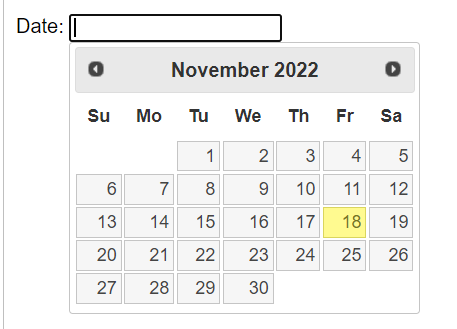
I have a similar requirement to select a date using the picker. By removing the OK and Cancel buttons you are trying to achieve efficiency in data entry (i.e. 1 less click). This may not seem like a big deal, however, if you are using an application that requires you to enter 20-50k entries it adds up. This request allows the picker to be similar to many other applications where you do not have this added complexity. Ideally, the picker should have a way to quickly change year/month like in the datapicker3.png attached. Interested if anyone has figured out a solution to this issue.