- Mark as New
- Bookmark
- Subscribe
- Mute
- Subscribe to RSS Feed
- Permalink
- Report Inappropriate Content
11-04-2020 10:37 AM
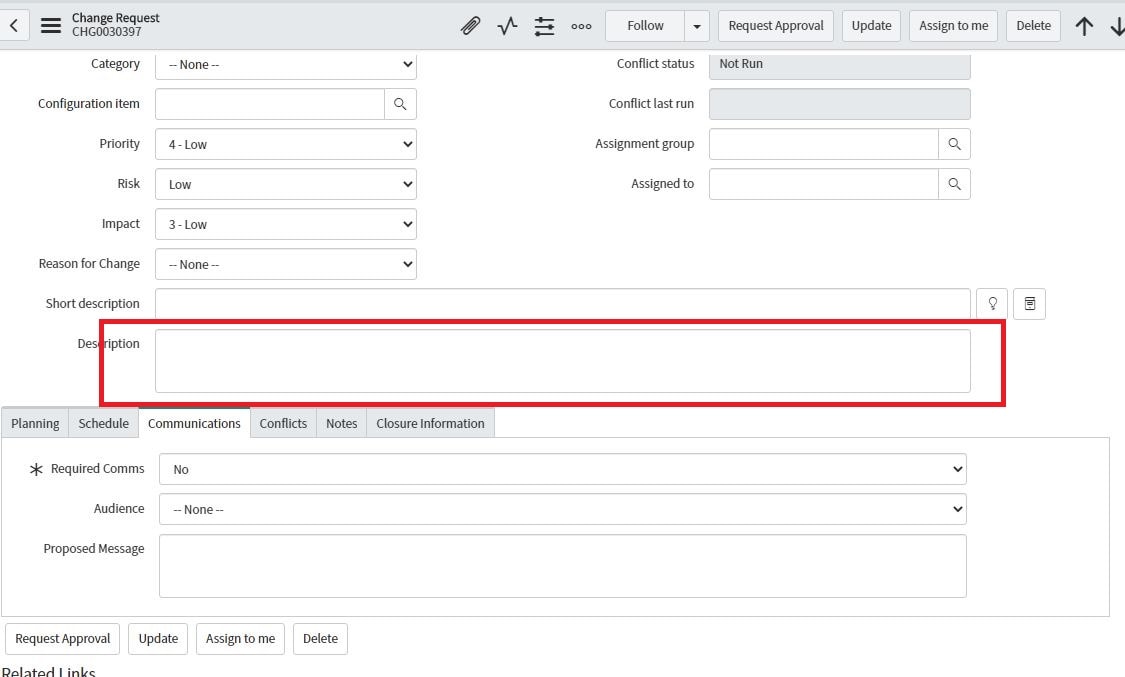
How to set an editable default text in a string field, Dictionary filed, such as "Description" (sort of a help text)? I am trying to add a default text that a user will be able to change. Is there a way to do it under "Change"? Please help

Solved! Go to Solution.

- Mark as New
- Bookmark
- Subscribe
- Mute
- Subscribe to RSS Feed
- Permalink
- Report Inappropriate Content
11-04-2020 01:52 PM
So, for the description field, you're not able to use HTML formatting. It only accepts plain text.
You might consider using a template.
Once you create the template, you can apply it on a record using javascript.
That would at least let you create the value "as you would see it" on the form inside your template, instead of trying to format using javascript.
I hope this helps!
If this was helpful or correct, please be kind and remember to click appropriately!
Michael Jones - Proud member of the CloudPires team!
Michael D. Jones
Proud member of the GlideFast Consulting Team!


- Mark as New
- Bookmark
- Subscribe
- Mute
- Subscribe to RSS Feed
- Permalink
- Report Inappropriate Content
11-04-2020 10:50 AM
Also just tested.
Below code results in:

When clicking in the field, your typing over the placeholder text (so it's actually not an actual value, like setValue).
onLoad Client Script:
function onLoad() {

	var field = g_form.getControl('short_description');
	field.placeholder = "Test!";

}
If my answer helped you in any way, please then mark it as helpful.
Kind regards,
Mark
2020 ServiceNow Community MVP
2020 ServiceNow Developer MVP
---
LinkedIn
Community article list
Kind regards,
Mark Roethof
Independent ServiceNow Consultant
10x ServiceNow MVP
---
~444 Articles, Blogs, Videos, Podcasts, Share projects - Experiences from the field