How to test applying multiple templates using ATF in a single test case

- Mark as New
- Bookmark
- Subscribe
- Mute
- Subscribe to RSS Feed
- Permalink
- Report Inappropriate Content
08-04-2025 03:44 AM
Hi all,
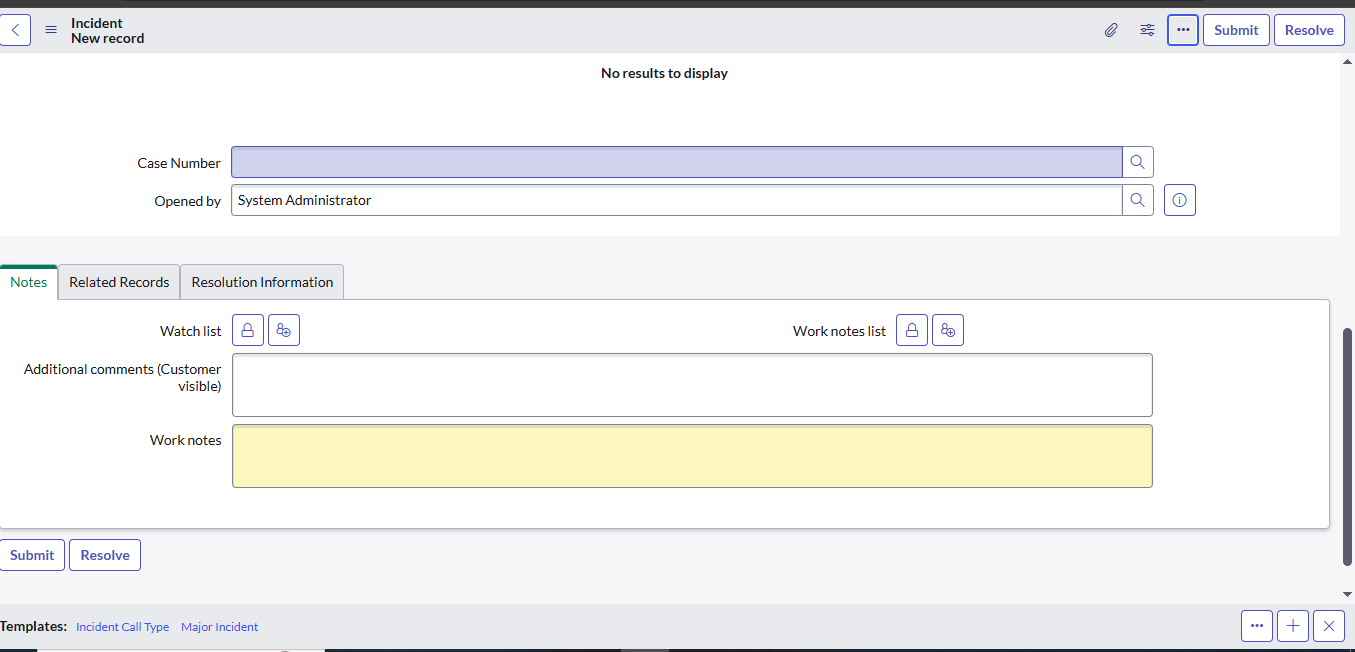
I'm trying to test the template functionality on the Incident form using ATF. At the bottom of the form, there's a 3-dot button that opens a pop-up list of templates (e.g., "Incident Call Type", "Major Incident", etc.).
My goal is to create one ATF test that:
Clicks on the 3-dot button to open the template selection pop-up.
Applies each available template one by one.
Verifies that the correct data is populated after each template is applied.
Is it possible to loop through all templates in a single ATF test, or simulate template selection via a script step?
Also, does ATF support interacting with this kind of template pop-up/modal?
Any best practices or workarounds would be appreciated!
Thanks in advance.
- Mark as New
- Bookmark
- Subscribe
- Mute
- Subscribe to RSS Feed
- Permalink
- Report Inappropriate Content
05-07-2026 12:50 PM
Not sure if the asnwer is still needed but you can create a "Click Component (Custom UI)" and just select the template that you want to test,
You can test 3 templates in one roll
Just do a Field Value Validation after each "Click component"
But before you do that you need to Run your test, just to make sure the test is OK and the UI will be shown at that part
Then, when you add this Click Component Step, you need to click on "Retrieve Components"
so it will run your test until the step before the Click Component and at the page it stops, will collect every component that is Available like Links, UI Actions...

for templates it will be like
Link <a>: Name_of_you_template