- Mark as New
- Bookmark
- Subscribe
- Mute
- Subscribe to RSS Feed
- Permalink
- Report Inappropriate Content
04-05-2022 11:04 PM
Hi ,
In change request record, in related lists, in affected CIs, there is a button called "Add", but this button exists only when the change record is in "New" State , when it moves to Assess/Authorise/schedule state, this button disappers, how to add that button again in all assess/authorise/schedule states.
In New state , below screenshot.

In Assess/Authorise/Schedule, the button disappeared, how to add that "Add" Button again here?

Solved! Go to Solution.
- Mark as New
- Bookmark
- Subscribe
- Mute
- Subscribe to RSS Feed
- Permalink
- Report Inappropriate Content
04-06-2022 12:52 AM
Hi Madhurya,
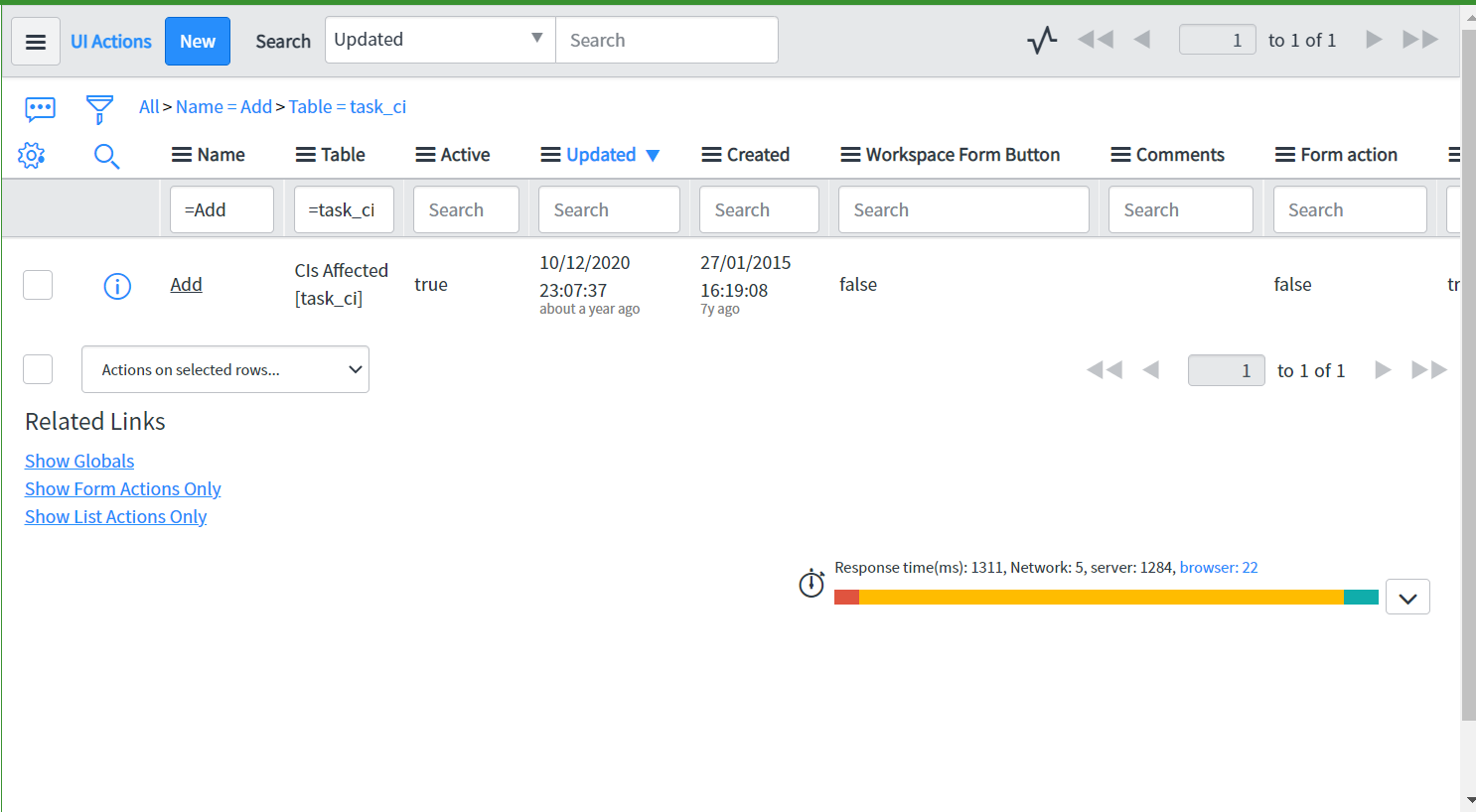
1. As shown in below screen shot you can find the Add UI action on Affected CIs related list of Change request.

2. In order to show the Add button on other states of Change Request add the below shown condition on screenshot(||parent.state=='-3')
In below I have added Authorize state choice value is -3 you can add your state values.

Hope it helps!!
Please Mark ✅ Correct/helpful, if applicable, Thanks!!
Regards
Pavankumar
ServiceNow Community MVP 2024.
Thanks,
Pavankumar

- Mark as New
- Bookmark
- Subscribe
- Mute
- Subscribe to RSS Feed
- Permalink
- Report Inappropriate Content
04-06-2022 12:14 AM
Hi
I believe the Add button is a UI action on Affected CI's table
I think you need to modify the UI action codition.
UI action link: https://<instancename>.service-now.com/nav_to.do?uri=sys_ui_action.do?sys_id=77688cfe6f35f100e5f2b3312e3ee4e6
Thanks,
Murthy
Murthy
- Mark as New
- Bookmark
- Subscribe
- Mute
- Subscribe to RSS Feed
- Permalink
- Report Inappropriate Content
04-06-2022 02:15 AM
Hi Madhurya,
That is happening because of OOB before insert business rule,
I'm not sure whether we can modify this or not
Thanks,
Murthy
Murthy
- Mark as New
- Bookmark
- Subscribe
- Mute
- Subscribe to RSS Feed
- Permalink
- Report Inappropriate Content
04-06-2022 12:52 AM
Hi Madhurya,
1. As shown in below screen shot you can find the Add UI action on Affected CIs related list of Change request.
2. In order to show the Add button on other states of Change Request add the below shown condition on screenshot(||parent.state=='-3')
In below I have added Authorize state choice value is -3 you can add your state values.
Hope it helps!!
Please Mark ✅ Correct/helpful, if applicable, Thanks!!
Regards
Pavankumar
ServiceNow Community MVP 2024.
Thanks,
Pavankumar
- Mark as New
- Bookmark
- Subscribe
- Mute
- Subscribe to RSS Feed
- Permalink
- Report Inappropriate Content
04-06-2022 02:07 AM
Thankyou
Where can I modify the code to allow the user to add CI's when they click on the "Add button"