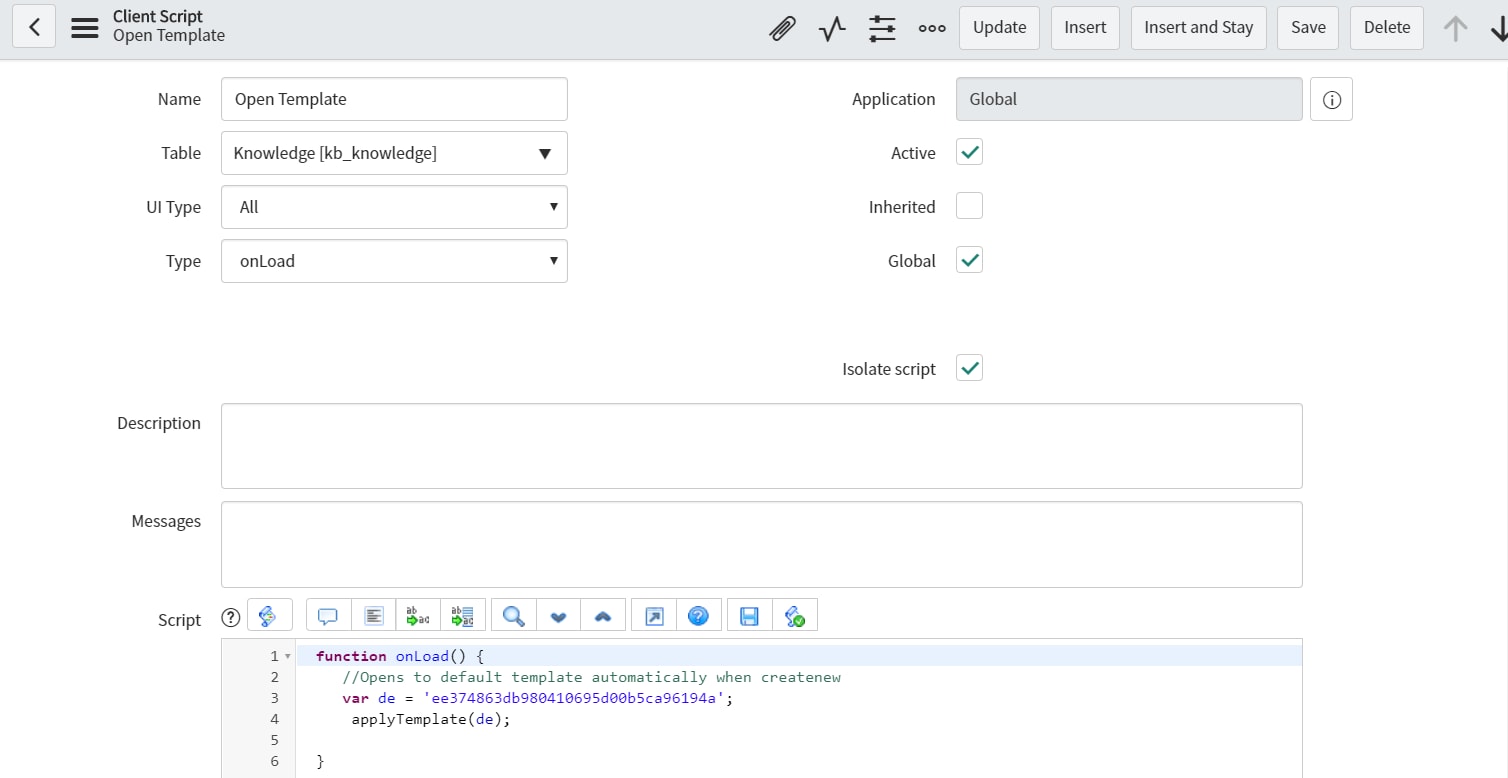
Knowledge Article - Create New skip Interceptor page

Options
- Mark as New
- Bookmark
- Subscribe
- Mute
- Subscribe to RSS Feed
- Permalink
- Report Inappropriate Content
04-22-2020 08:49 AM
When I create an article it goes to the Interceptor page to select the template. I only have one template. Is there a way to write the "Create New" button arguments to skip over the interceptor page and just open the template. I tried altering the arguments to include the link for the template but still goes to interceptor page. Screenshot below shows original code.


Labels:
- Labels:
-
User Interface (UI)
2 REPLIES 2

Options
- Mark as New
- Bookmark
- Subscribe
- Mute
- Subscribe to RSS Feed
- Permalink
- Report Inappropriate Content
04-22-2020 09:06 AM
Hi Lit,
You can keep original code and build a onLoad Client Script on table knowledge
- onLoad
- with script
var de = sys_id_for_template;
applyTemplate(de);
Regards,
Cuong Phan
ServiceNow Technical Lead
Cuong Phan
ServiceNow Technical Lead
Options
- Mark as New
- Bookmark
- Subscribe
- Mute
- Subscribe to RSS Feed
- Permalink
- Report Inappropriate Content
04-22-2020 09:27 AM